CYANOGENMOD 9 [PREVIEW] : Flavor of Google Ice Cream Sandwitch !!
PS: Initially i was thinking of a full review but later changed my mind and instead did a preview as CM9 is still in RC. A lot of stuff doesn’t work. No benchmark score will be available as...
 Jatin Kumar Malik First published on
 TechSalvos
PS: Initially i was thinking of a full review but later changed my mind and instead did a preview as CM9 is still in RC. A lot of stuff doesn’t work. No benchmark score will be available as graphics driver is still in early stage. Testing is done on my LG Optimus One.
I know most of you guys here are still using stock rom or custom rom based on Android 2.3. As Android 4 (4.0.3 to be precise) has became stable enough for daily use (for Optimus One but still in first Beta stage), decided to take it for a spin and trust me, i was blown away. So here i am sharing my experience with everyone. Official rom based on Android 4.0 should be same with a few missing settings and a different launcher.
Check out our full Preview :
NEW LAUNCHER:
Homepage of ICS. Trebuchet launcher. Looks like the official launcher of Android 4 not only CM9 as the same launcher has been seen on Galaxy Nexus. Or maybe Trebuchet is an extended form of ICS launcher.
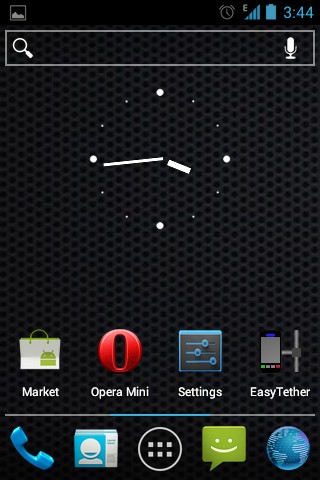
Android 4.0 IceCream Sandwitch Homescreen 1
Navigate to other screen and you still have the search bar at top. This eats up some space but can’t be removed, as of now. But all icons of the launcher can be replaced as user wants. :/
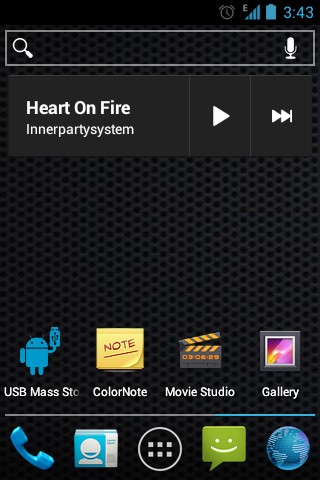
Search bar is default which do eats up some space !
Another feature is folder system. Here you simply drag and drop apps to make a folder. It works much like Xperia 4 corner UI. Tap that folder to make it popup & show you all contents. Then select the app you want to run.
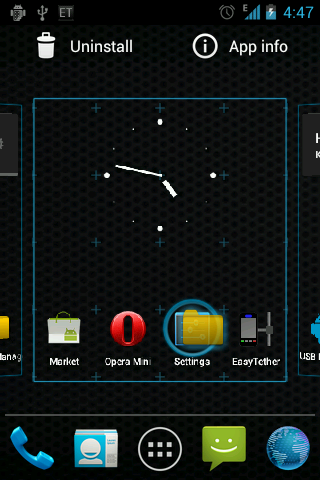
Folder management
The menu has been redesigned. You can’t find any widget option if you long press on homescreen. Widget is now part of menu. You may ask why this move. Have anyone of you tried Beautiful Widgets? Its PITA to use. scroll & tap though a ton of screens just to get to your favorite widget. Now all you need to do is go to menu, scroll to widgets. Yes, widget is now part of menu but i have kept it as a separate tab to speed up navigation. The icon on the top right corner is market. Same is available as a dedicated app too in menu which you can drag to homescreen.
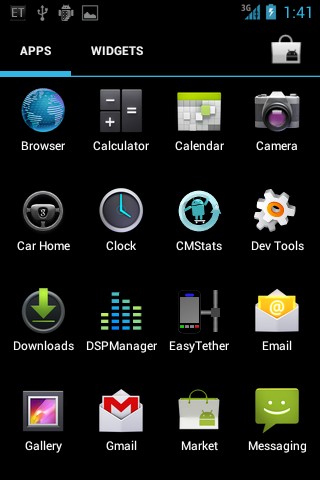
Menu has been revamped
Well, nothing much to see here. Let’s jump to Settings now…..
REVAMPED SETTINGS:
The settings is now categorized into WIRELESS & NETWORKING, INTERFACE, DEVICE, PERSONAL and SYSTEM.
WIRELESS & NETWORKING:
Dedicated shortcut have been implemented for WiFi & Bluetooth but no such luck for Mobile Network option. Its still buried deep and you’ll have to tap twice to access it. Everything is same here from Gingerbread.
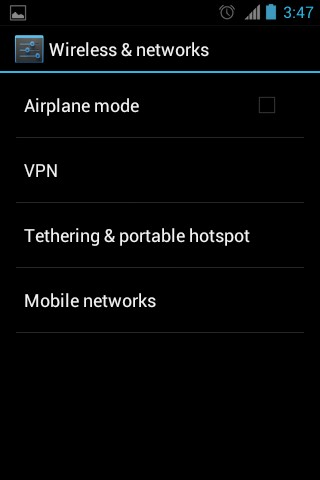
Settings Menu in ICS
INTERFACE:
Launcher is the first option here but as CM9 is still WIP (work in progress), Dock and Icons can’t be accessed.
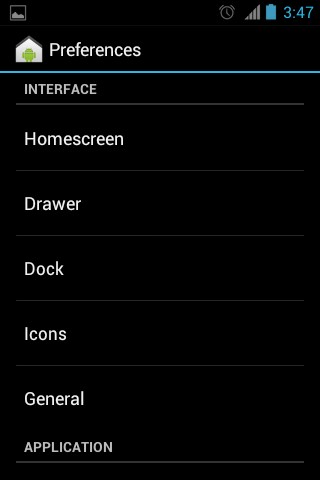
Interface Luncher options
Open Theme and you get a msg stating it is reserved for future implementation.
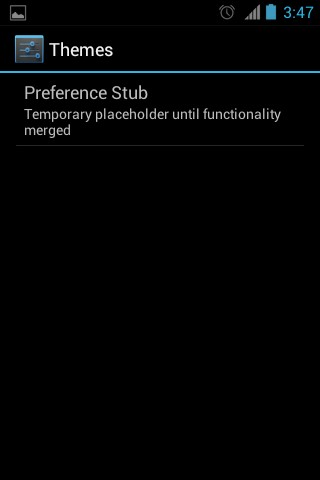
Theme menu
DEVICE:
Under Device is Sound. Not much difference from Android 2.3. Music Effects makes an entry here.
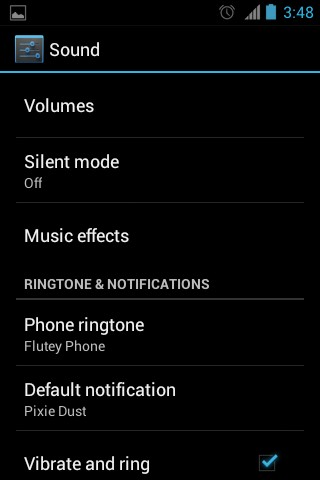
Sound menu
Sadly none of MusicFX or DSPManager work currently. Try to play a music file and most likely you’ll get an error msg stating DSPManager or MusicFX has stopped working.
Display is same with the exception of Screen on/off animation and Rotation angle options being removed completely. I am not sure if these will be added later as there are no reserved tabs for it.
Storage is a new section. It shows Phone memory as well as memory card.
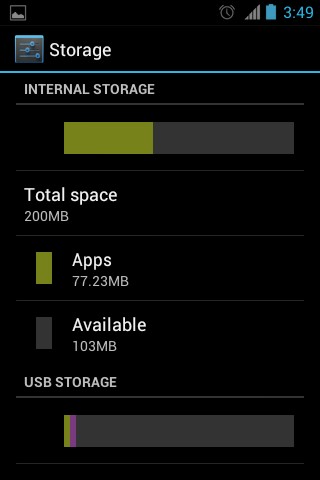
Storage Menu
Looks like a bug but memory card legend didn’t showed any space used by songs which in my case accounts for 1Gb.
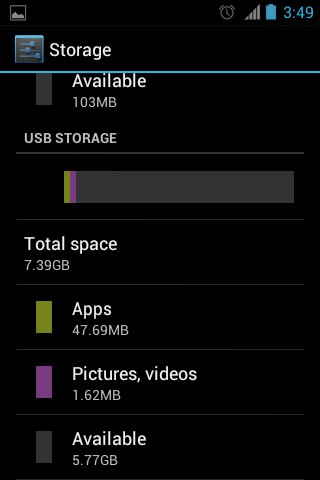
May be a Bug
Battery is nothing but the graph. Now as a separate option. Another welcome change :-D
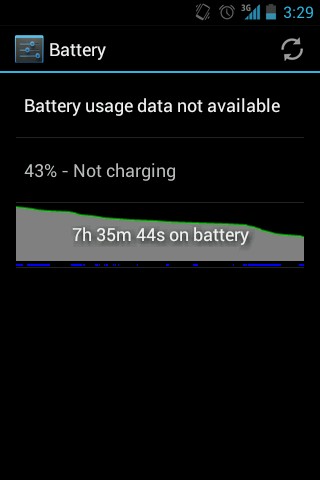
Battery backup is ok for an Alpha rom. In my case data was continuously on so even 12hr backup will be enough !! ;)
Open Apps and you’ll get only 3 option. Downloaded which consists of all user apps. ON SD Card which have the usual meaning. And Running for running apps. If you want to get a list of all apps, head to homescreen and press menu. You’ll get manage apps option.
PERSONAL:
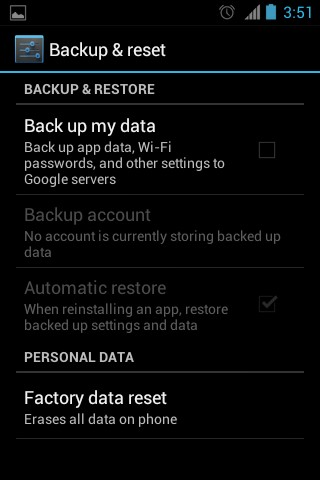
Under Personal is Profiles, Accounts & Sync, Location Services, Security, Language & input, Backup & reset. Other than Backup & reset all other options were available in previous version of Android too if i remember correctly.
Backup allows you to do a system backup of apps & messages most likely.
SYSTEM:
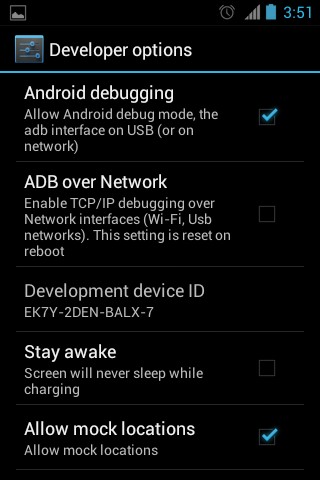
Here is a new option named Developer which consists of developer stuff.
Performance is same as GB. Just available as a different tab now as it was under Cyanogenmod Settings at CM7. Cyanogenmod Setting is completely removed from the latest CM build.
Lastly is about Phone which adds in something new: System Update. i check and was told system is upto date. This was expected as Optimus One is not on the CM9 list as it is not supported officially. :-(
PHONERY:
UI as well as functionality of Contacts, Phone, Browser, Message, Lock Screen, etc are all changed from Gingerbread.
CONTACTS:
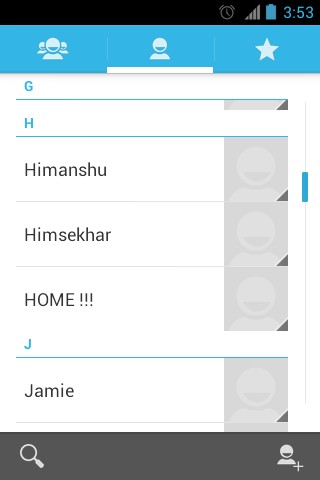
When i first opened contacts, i was a bit confused if i mistakenly have opened Skype (though it was not installed). Some will like the new colour scheme of Contacts whereas some will hate it (me). Overall, i expected a transparent kind of UI.
PHONE:
Noticed something in Contacts? No phone option. Yes, to access dial pad you need to open DIAL PAD. as simple as that. BUT you can open contacts from dial pad. Moreover it got the black theme from dialpad, not the blue theme from contacts i.e. there is 2 ways to access contacts with different theme. Like all other peoples even i wonder what was going though Cyanogen DEVs (or maybe its Google’s idea) when they created phone & contact apps.
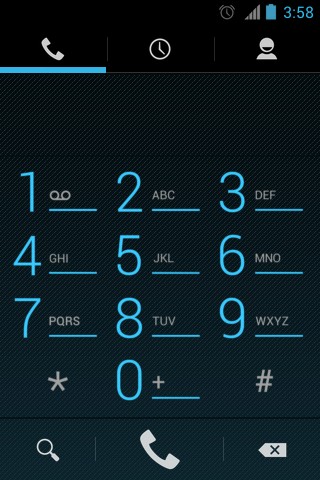
The incoming call & outgoing call UI is redesigned too. Looks damn sexy :D
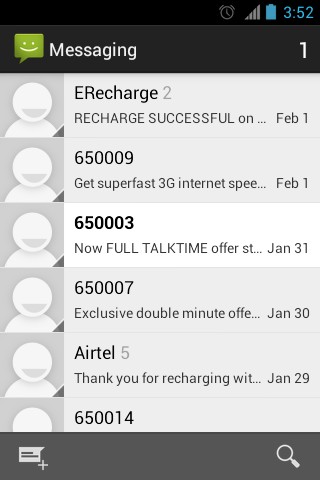
MESSAGE:
Frankly, i wasn’t expecting a different UI here also. But at least looks better than Contacts. No more bluish stuff. :-/
BROWSER:
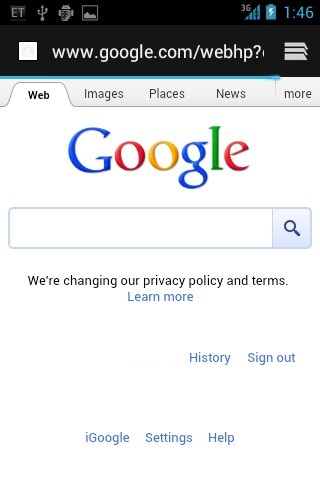
With ICS comes a new Browser with slightly different UI. I haven’t dug deep to check whats new. But at least the settings have more options to mess with.
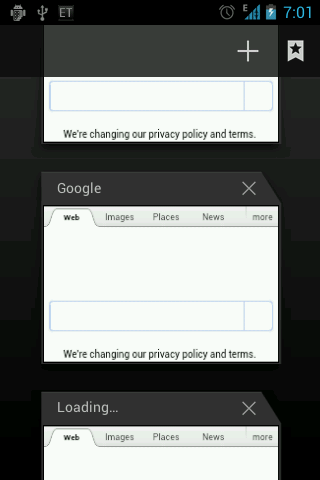
And after a LOOOOOOOOOOOOOOOOONG time (since Android 2.2 i guess), Google finally implemented a better tab browsing technique. But still can’t even get close to Opera Mini’s or Dolphin HD’s tab browsing.
ANDRO-MEDIA:
CAMERA:
yes it doesn’t work yet. DEVs are hard at work & a fix is expected in a month time, maybe more.
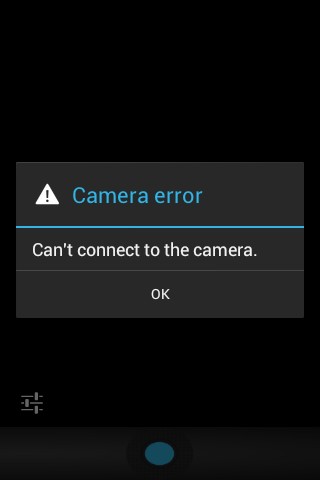
UPDATE: Camera is not available on LG Optimus One only. Other mobiles should have working camera.
MUSIC:
Music Player is Google Music hence no screenshots. If you want to try, get it from market. CM9 music is available but have to be installed by user.
LOCKSCREEN:
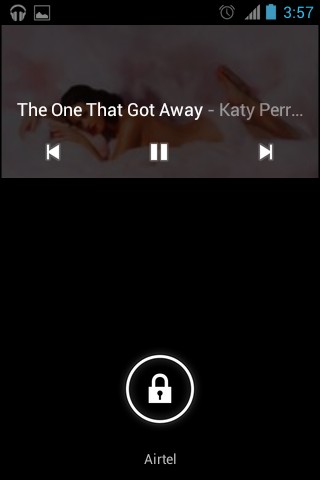
I know lockscreen is not part of multimedia but the lockscreen music player shortcut does qualify so far as the best i have seen.
CONCLUSION:
Google has really upped the Android standard with Android 4.0 IceCream Sandwich. Cyanogen team has done an impressive job of making the already best mobile OS a even better one. Finally, its the hard working DEVs of XDA that have made it possible for us to enjoy ICS on unsupported mobiles.
Do share your views on this preview of CYANOGENMOD 9 :D
Keep reading
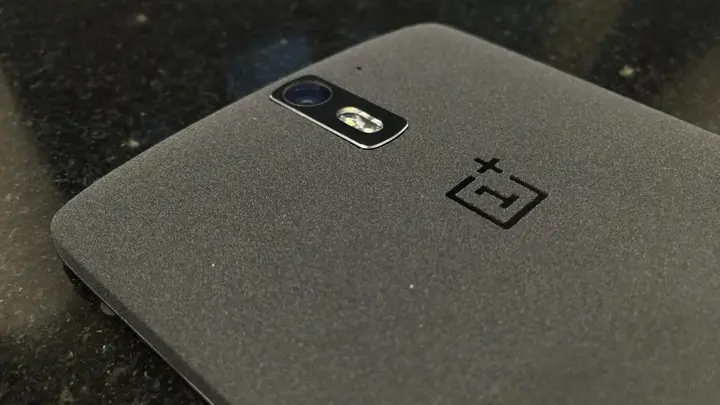
The "ONE" after 20 days | OnePlus One ownership review
This is my OnePlus One ownership review after 20 days of usage. "Never Settle" was the motto for this one of the most hyped "Flagship killer" smartphone.
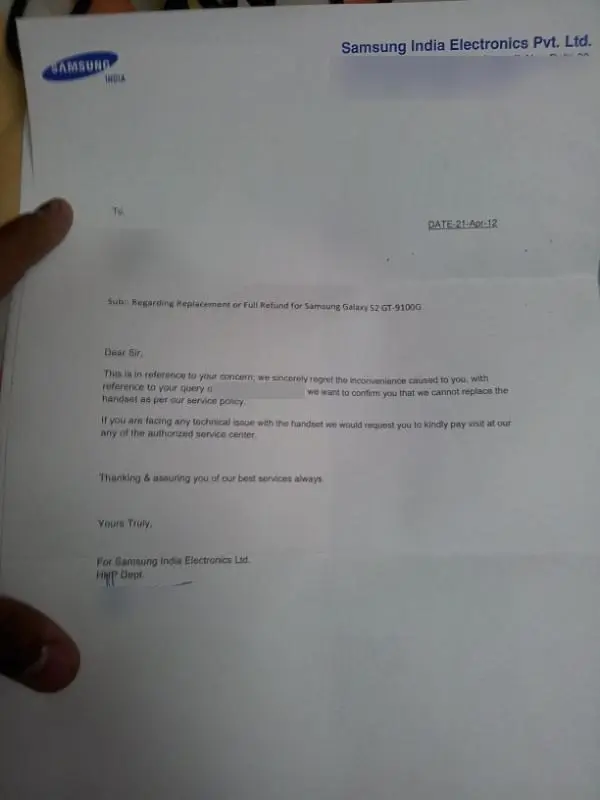
Samsung shipped me an I9100G in an I9100 box. Six weeks later I got the real one
My Galaxy S2's box said GT-I9100, the phone inside was the weaker I9100G. A refusal letter, 16+ mails and an Akosha complaint later, Samsung swapped it.

Is Nokia dying ?? Is Nokia’s time just over ?
This idea of Nokia’s time being over has crept over into my mind too many times recently; my heart says Nokia can pull through this time but my head just says what chance have they honestly got...
Leave a comment