Renewing my Indian passport online: an engineer's UX review
I renewed my Indian passport on the Passport Seva portal in Feb 2022 and reviewed the flow like a product, sticky pop-up and broken DigiLocker included.
 Jatin Kumar Malik First published on
 X
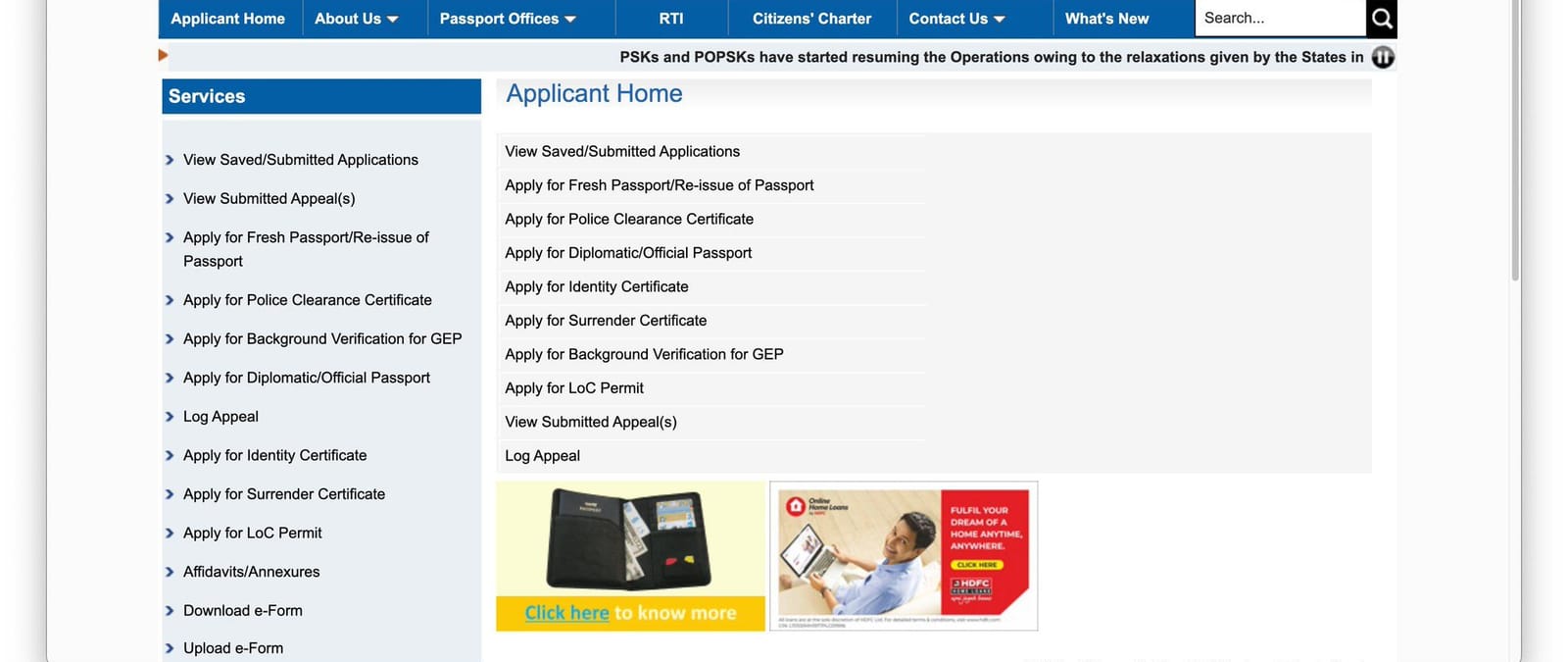
So today I finally sat down to get my Indian passport renewed online. Hoping to put the new passport to some use in 2022, if COVID doesn’t spoil the party again with a new variant, of course!
Being a software engineer, I couldn’t help reviewing the whole flow like a product. I tweeted it as a thread too, but here’s the longer version with all the screenshots.
The homepage modal that never remembers you
Starting with the Passport Seva website, I was immediately greeted with a huge pop-up modal (a COVID-19 advisory plus an alert about fake websites). No surprises there.
But here’s the thing: the site isn’t storing any client-side data at all. So once you dismiss it and come back to the home page, the modal shows up again 10/10 times, after an annoying 3-second delay. 😑
Registering as a new user
There’s no clear guide on how to renew a passport, but it seems like I need to register as a new user before I can access any of the services.
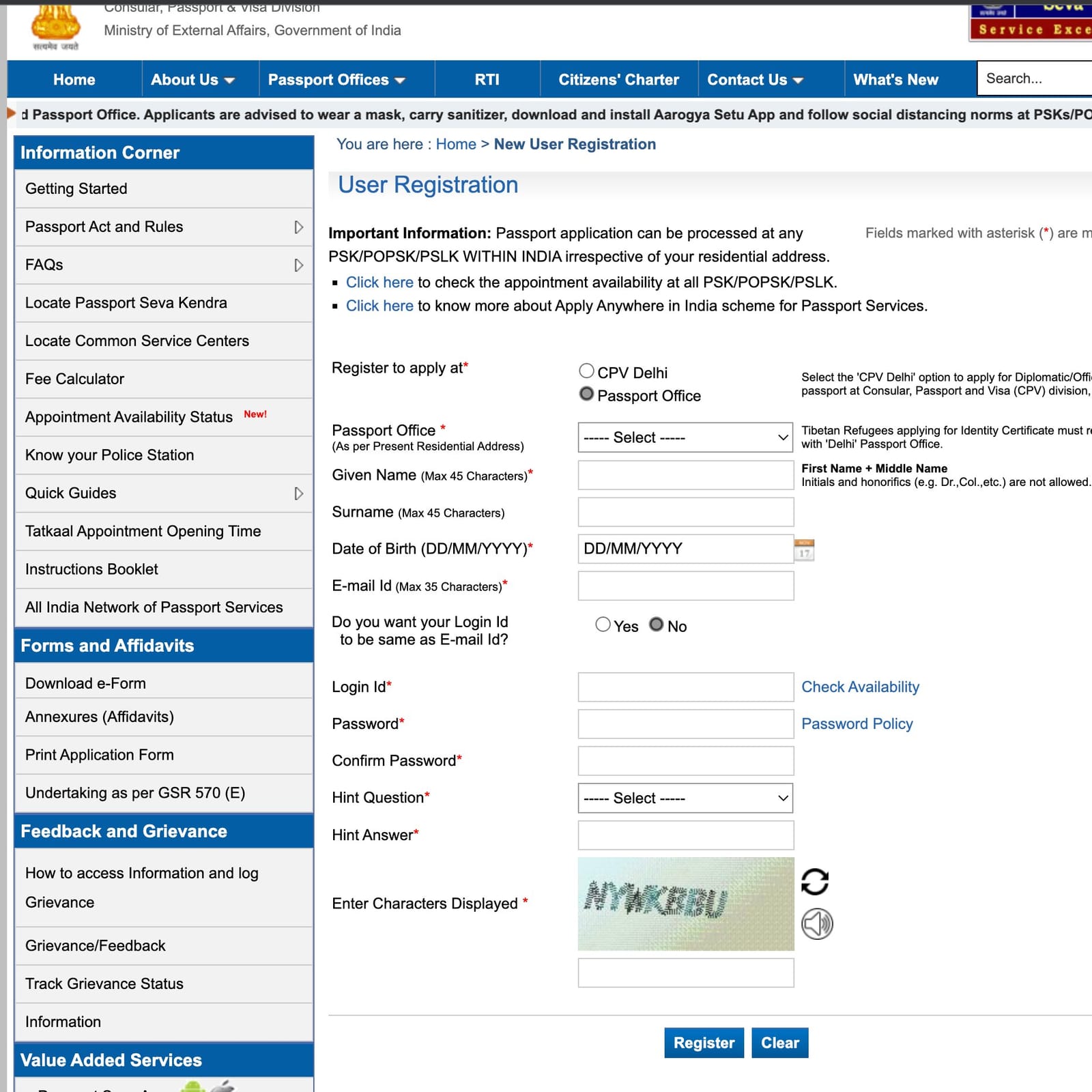
The registration is quite easy! Bonus points for letting you choose your own login ID instead of some random alphanumeric pattern (you can also just use your email as the login ID).
Logging in
Once you log in, the applicant dashboard (the screenshot at the top of this post) is a step up from the cluttered homepage. Very clear CTAs for the different services one can avail.
Funny to see an HDFC home loan ad at the bottom, along with a plug for a passport holder. Some monetising at work, I guess.
The reissue form
The form for a passport reissue is fairly straightforward. It’s quite comprehensive and captures all the relevant details about you.
I especially like that you can save the application and retrieve it later, in case of any connectivity issues.
There’s also a passport preview section with the essential data that will be printed on your new passport, so you can quickly confirm it before submitting. Helped me spot a typo!
DigiLocker, and Murphy’s law
The idea to verify your proof of birth and residential address via DigiLocker is impressive, but honestly, I was quite sceptical it would work while going into it.
Voila! Indian government’s Murphy’s law at its best.
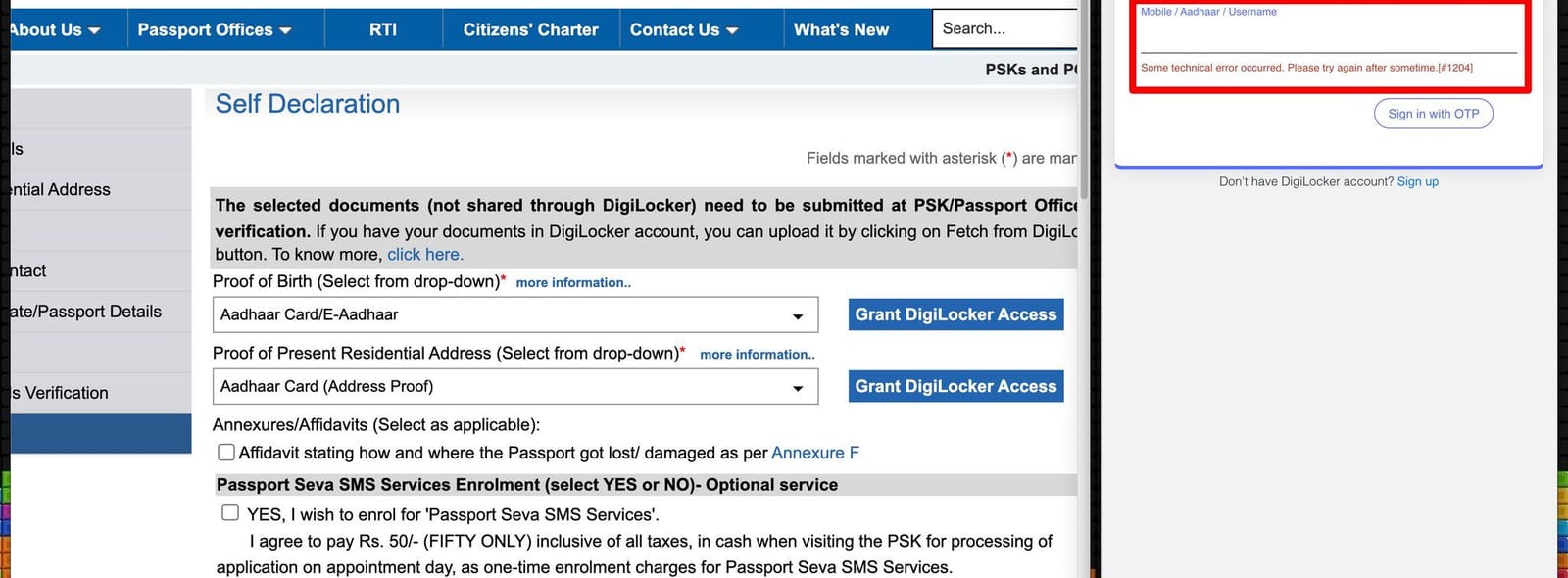
I hit “Grant DigiLocker Access” and the DigiLocker sign-in popup came back with “Some technical error occurred. Please try again after sometime. [#1204]”.
This is such a shame. DigiLocker should be a Tier 0 service with at least 99.99% availability. Anything less should be unacceptable. Period.
You won’t want to depend on DigiLocker for your driving licence and RC either, as it might fail you at a critical time.
Since the DigiLocker auth didn’t go through, I’ll have to carry my original documents to the Passport Seva Kendra (PSK) for verification. Bummer.
₹50 for nine SMS alerts
The form also offers an optional “value-added” SMS service.
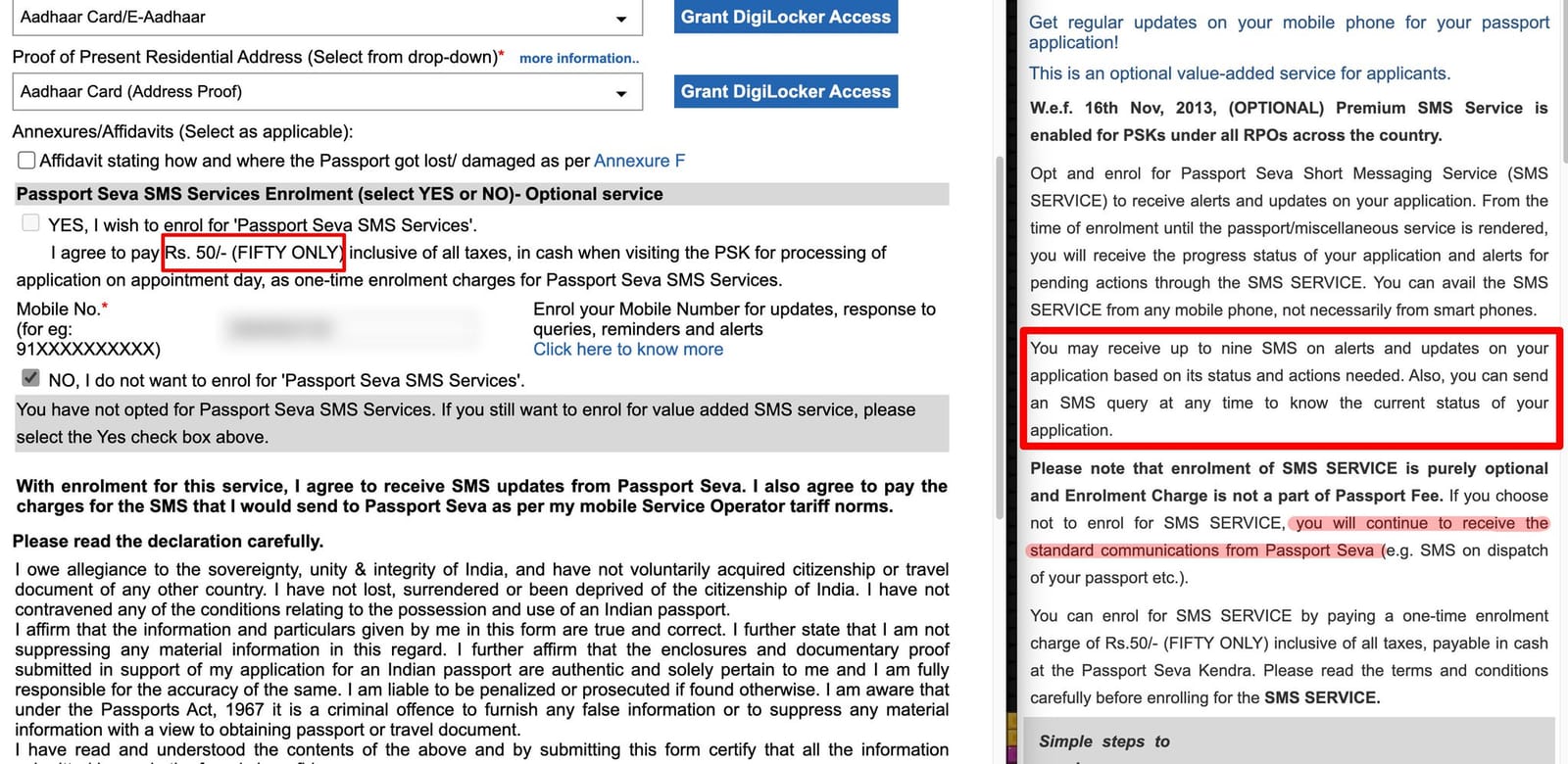
I am not a cheap fellow, but ₹50 for up to 9 SMS alerts seems insanely expensive, esp. when the portal’s own info panel says you’ll get the standard communications (like the dispatch SMS) anyway. And you can always just log in and check your application status.
Might be useful for Tatkal or offline applicants, though.
Paying the fee
Once you submit the application form, you can print it, pay, and schedule an appointment at a PSK.
The standard passport reissue fee is ₹1,500. Paying by credit card should be a no-brainer in 2022, yet there’s an extra ₹26.55 (1.77%) charged for it. And for net banking, a ₹10 surcharge is levied if you pay via any bank other than SBI. 🤷♂️
Picking an appointment slot
The schedule appointment page is certainly confusing.
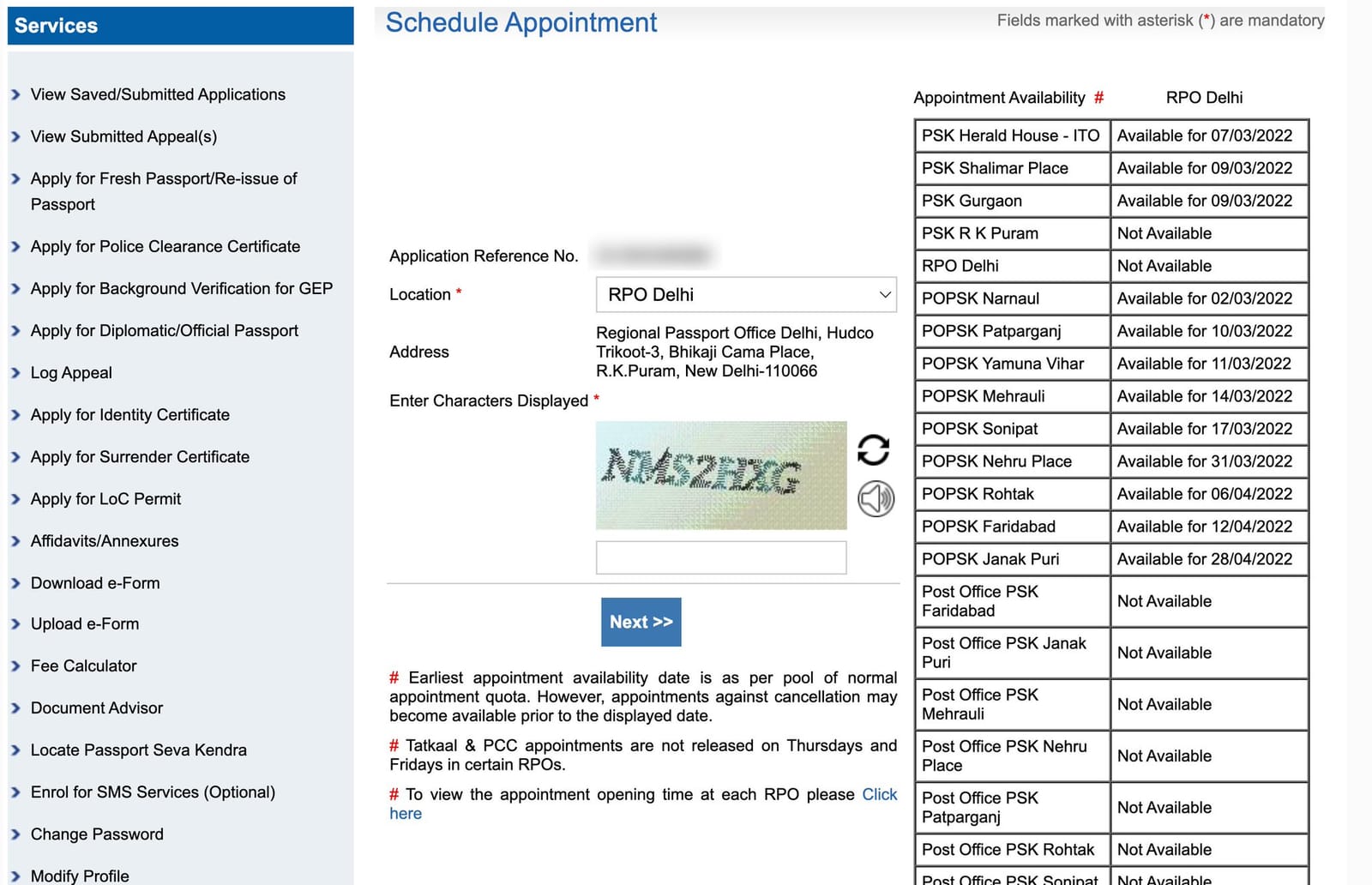
You pick a location from a dropdown on the left, then scroll and hunt for the next available date in a table on the right, which seems to be populated from an API. For Delhi it lists every PSK, POPSK and Post Office PSK in the region, and a lot of them just say “Not Available”.
A better UX could be to just show the next available date in the location selection itself.
Once the payment is done, booking the appointment is fairly easy. For some reason though, it still lets me go through the payment flow again after I’ve already paid. No wonder they have so many warnings about duplicate payments plastered throughout the flow!
The verdict
Overall, it took me around 40 mins to apply and schedule an appointment.
I’d rate the whole process around 7/10. There’s still a lot of scope for improvement, but it’s definitely a step up from the earlier process of going from one counter to another. 👍
Keep reading
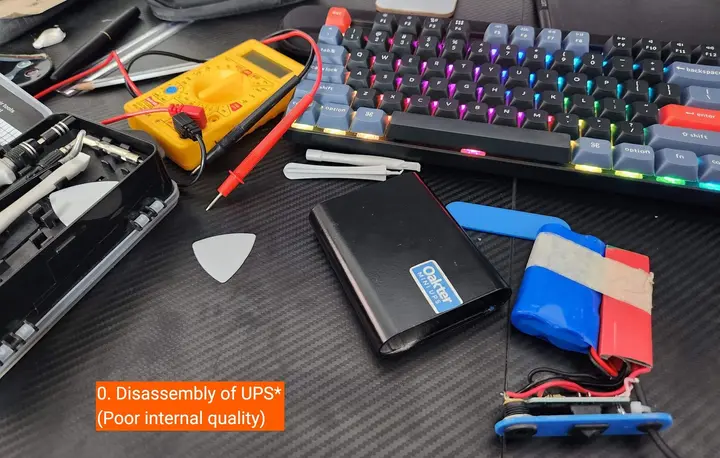
I opened up my Oakter Mini UPS and it's not really a UPS
My router started rebooting at random a year after I bought an Oakter Mini UPS. A multimeter and a teardown showed why it's built to die just after warranty.
My experience with OYO rooms | Review/Rant
Read about why you should never book with OYO rooms. It is certainly one of the worst companies in hospitality business to get in bed with. #SayNoToOYORooms
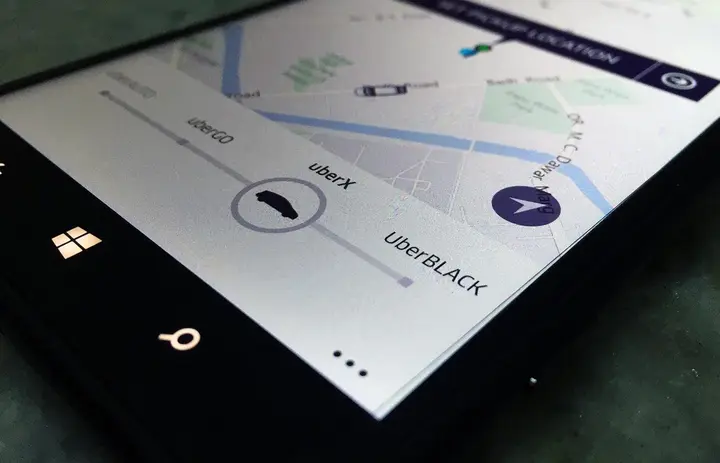
My Experience with UBER [Delhi/Bangalore]
My hate affair with Radio Taxi/Cabs was long lived until I tried Uber. Read my experience with Uber and also grab your free first ride upto ₹600 as a bonus.
Leave a comment