Cell-based architecture, explained: the public version of my Innovation Day talk
My Innovation Day deck was internal, so here's the public version: what a cell is, scaling up and across, blast radius, and what cells cost you.
 Jatin Kumar Malik First published on
 X
On Monday I got to speak at the Atlassian x EPAM Innovation Day at our Bangalore office! My session was in the 11 am slot, titled “AI enabled auto-scaling using CELL based architecture”, and I co-presented it with a director from EPAM.
The deck and the recording are internal, so I can’t share either. I can share the concepts though, and I promised a thread on them that morning. So on Wednesday it went out as a 10-tweet Happy Hump Day thread, with a bunch of Excalidraw diagrams. 👇
Thing is, threads are a lossy format. Seven of those ten tweets were long enough to get cut off at “Show more”, usually right when they got interesting. 😅 So here’s the long version: same ideas, same diagrams, and a bit more room to actually explain them.
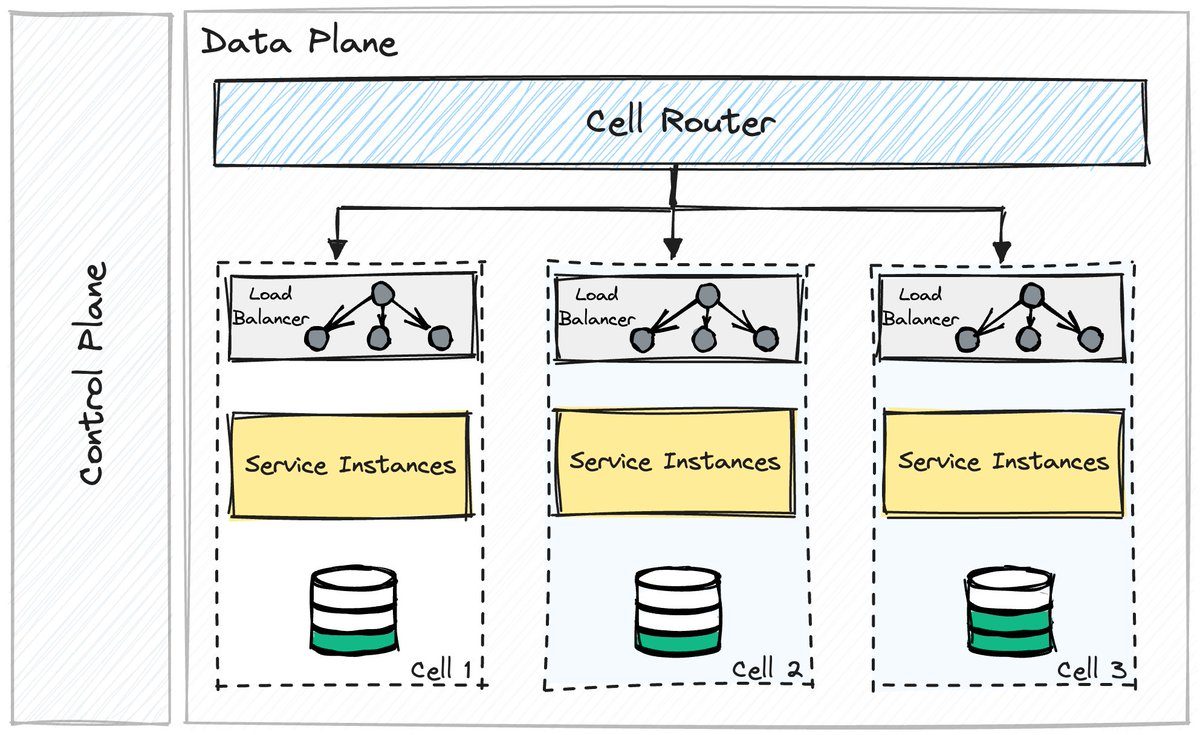 The whole idea in one drawing: a router, a row of identical cells, and a control plane off to the side.
So what is a cell?
Cell-based architecture (CBA) splits a system into “cells”. Each cell is a self-sufficient unit with its own datastore and its own business logic, running on dedicated resources. A cell can serve a request without asking another cell for anything.
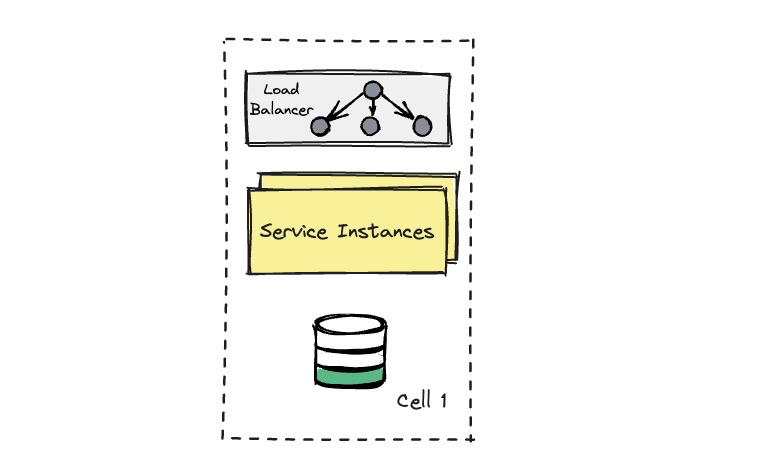 One cell: a load balancer, the service instances and a datastore, all of it owned by this cell alone.
The idea comes out of distributed systems and borrows a lot from microservices, but it slices the system along a different axis. Microservices split a system by what it does: auth here, billing there. Cells split it by who it’s doing it for. Every cell runs the same stack and serves its own slice of customers or traffic.
Since a cell has everything it needs, a failure inside it has nowhere to spread, and no single point of failure can take down the whole system. Most of the fault tolerance and reliability you get from cells comes from that one property.
The router, the data plane and the control plane
Now, a row of identical cells is no good if requests don’t know where to go. That’s the cell router at the top of the diagram. It reads something on the request that identifies the customer, a tenant or account ID for example, and forwards it to the cell that owns that customer.
Every single request passes through the router, so I’d keep it as dumb as possible: look up the cell, forward the request. Any extra logic in there is one more way for it to take everyone down at once.
The router and the cells together make up the data plane, the part that serves live traffic. Off to the side sits the control plane, which manages the cells themselves. It creates new cells, decides which customer lives in which cell, and moves customers when a cell gets too full. It isn’t in the request path, so if the control plane has a bad day, the cells keep serving traffic. You just can’t rebalance anything until it’s back.
Scale up, and scale across
CBA is good at both vertical and horizontal scaling.
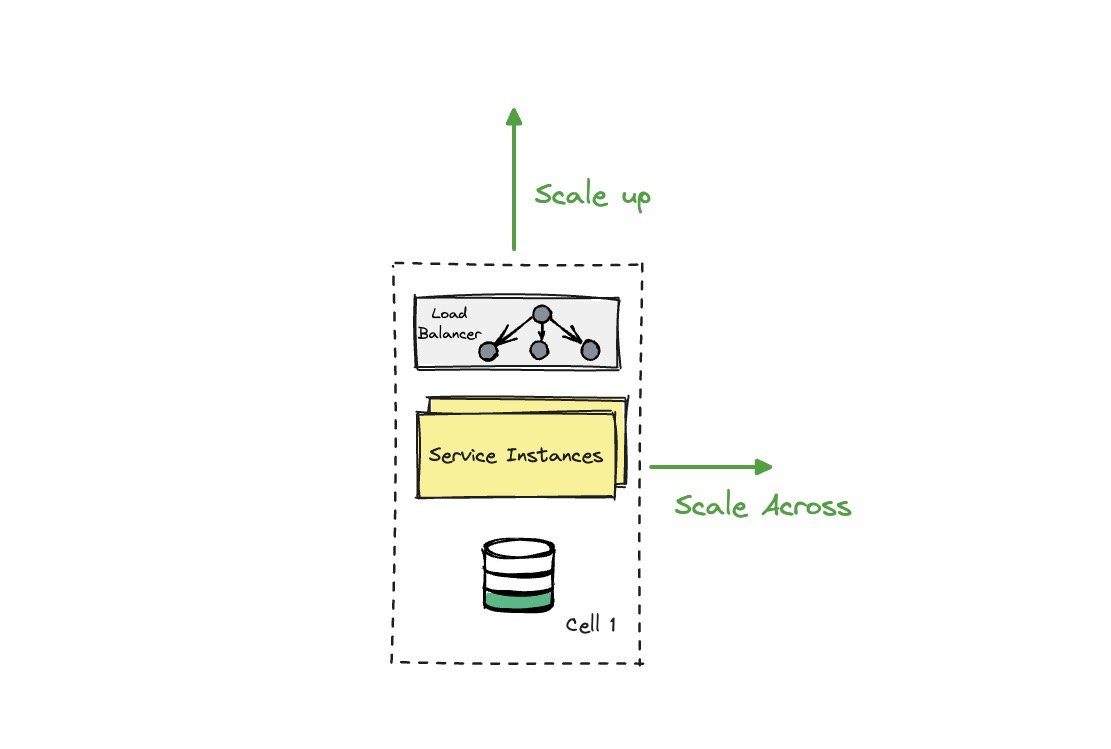 Two ways to grow: make a cell bigger, or add another one next to it.
To scale up, you give a cell more capacity: bigger machines, more instances, a bigger database. To scale across, you stamp out another copy of the cell and point new customers at it. Having both options is what makes it work well for dynamic workloads.
Scaling across has a really nice side effect. You can put a ceiling on how big a single cell is allowed to get, and once you know the maximum size of a cell, you can load test exactly that size and see how it behaves at its limit. After that, growth means adding more cells, instead of finding out what one giant cluster does at a size nobody has ever tested.
For a sense of scale, Roblox wrote in December 2023 that each of their cells has about 1,400 machines. So cells can be big, as long as they’re bounded.
Blast radius: the neighbourhood analogy
The resilience comes from compartmentalisation. I like to think of cells as city neighbourhoods with their own utilities. If a transformer blows in one neighbourhood, that neighbourhood loses power, and the rest of the city doesn’t even notice.
Here’s the example from the thread: a bad actor hitting a conventional system vs a cell-based one.
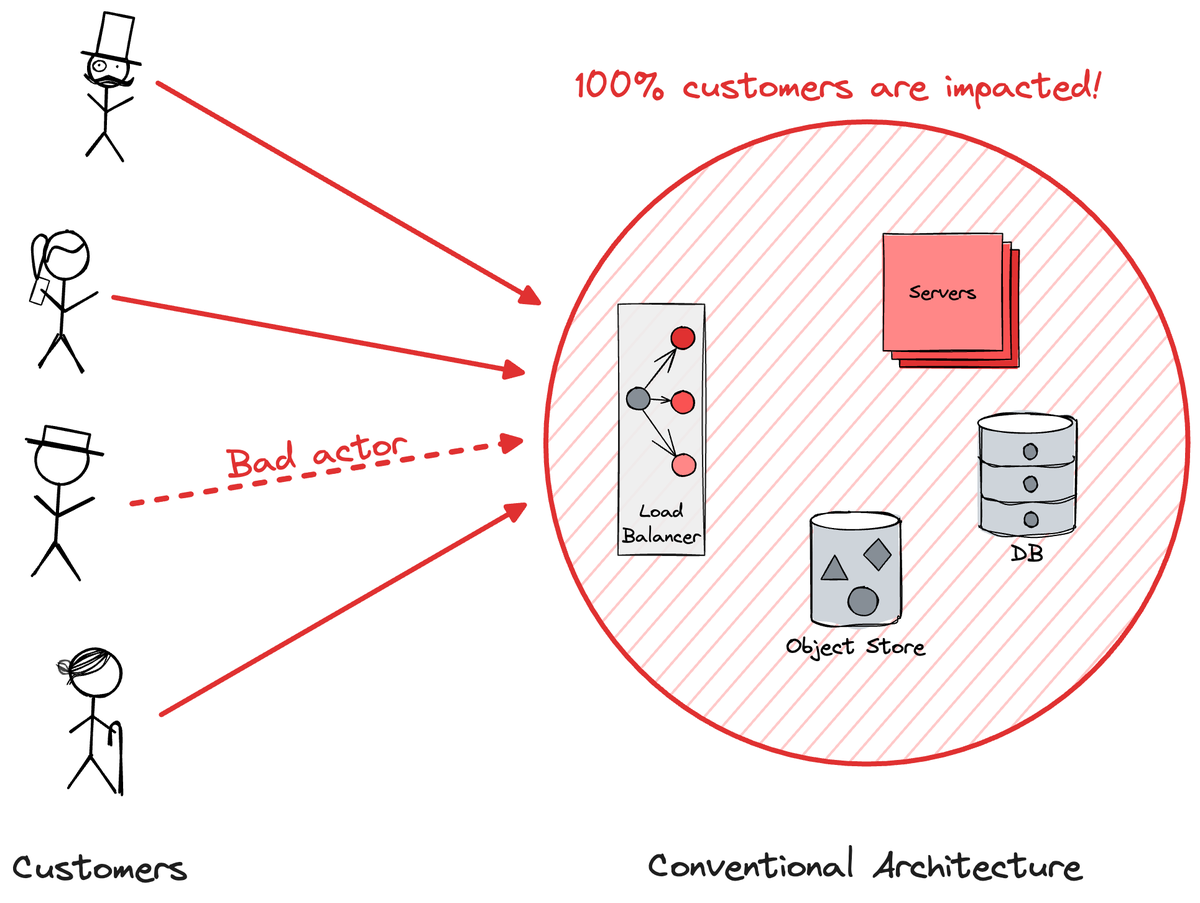
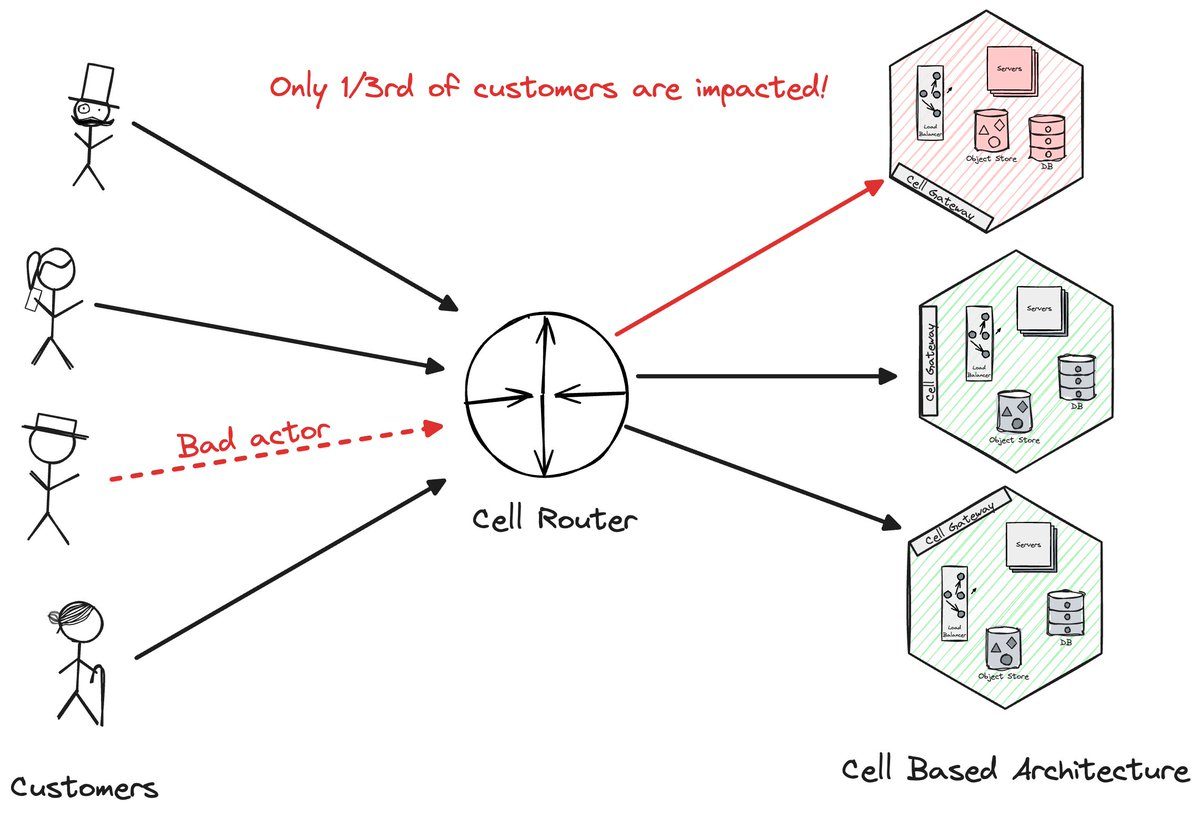 Same bad actor, two architectures. In the conventional one, everyone shares one blast radius. With cells, it’s one cell out of three.
In a conventional architecture everything is shared: one load balancer, one fleet of servers, one database. A bad actor (a malicious customer, a poison-pill request, a runaway integration) saturates those shared pieces and 100% of customers feel it.
With cells, the router sends that bad actor to the cell they live in. That cell has a terrible afternoon and the other two just carry on. In the drawing that’s a third of the customers instead of all of them, and the more cells you have, the smaller that share gets.
The same logic covers your own mistakes. Roll a deployment out one cell at a time, watch it, then move on to the next. A bad change hurts one cell’s worth of customers and gets rolled back before it reaches the rest. Slack’s post on their migration to a cellular architecture is a good real-world read on this. They treat each availability zone as a cell, and after a 2021 outage that started with a network problem in a single zone, they built a way to drain traffic away from a sick zone.
Parallelisation, peak loads and hypergrowth
Cells are independent, so they work in parallel. Big tech companies use this to manage huge amounts of traffic: during a peak each cell absorbs its own share of the load, and the service stays up through high-traffic events.
Financial services and global platforms, where uptime is critical, get a lot out of this pattern. Uninterrupted operations is how they keep user trust, and in finance a lot more than trust rides on it.
It isn’t only a big-tech thing, though. For startups, it’s an interesting answer to the problems of hypergrowth. 🚀
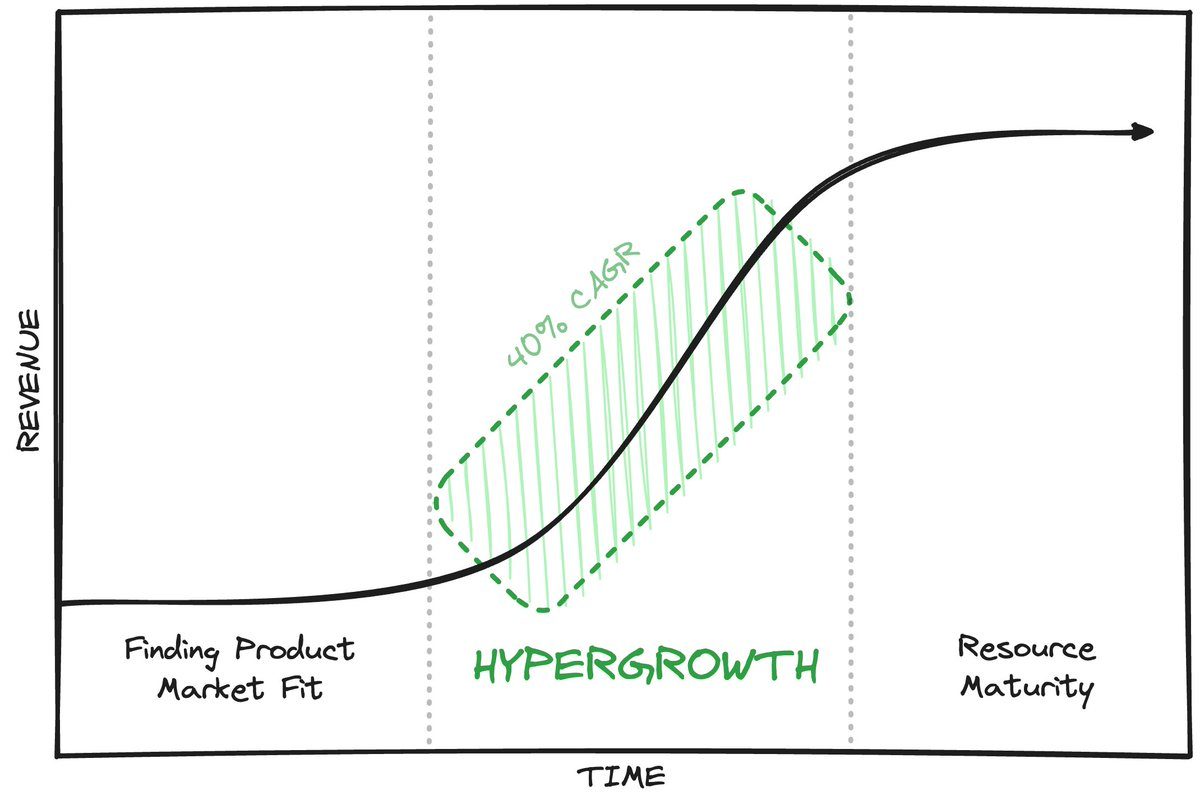 Hypergrowth: the steep middle of the S-curve, between finding product market fit and maturity.
The classic pitfall of rapid growth is that the system you built for your first thousand customers suddenly has to work for a million of them, usually while you’re shipping features as fast as you can. With cells, going from a small user base to a global audience is more of the same: when one cell fills up you add another, and existing customers don’t see their service get worse.
🟢 Summing it up!
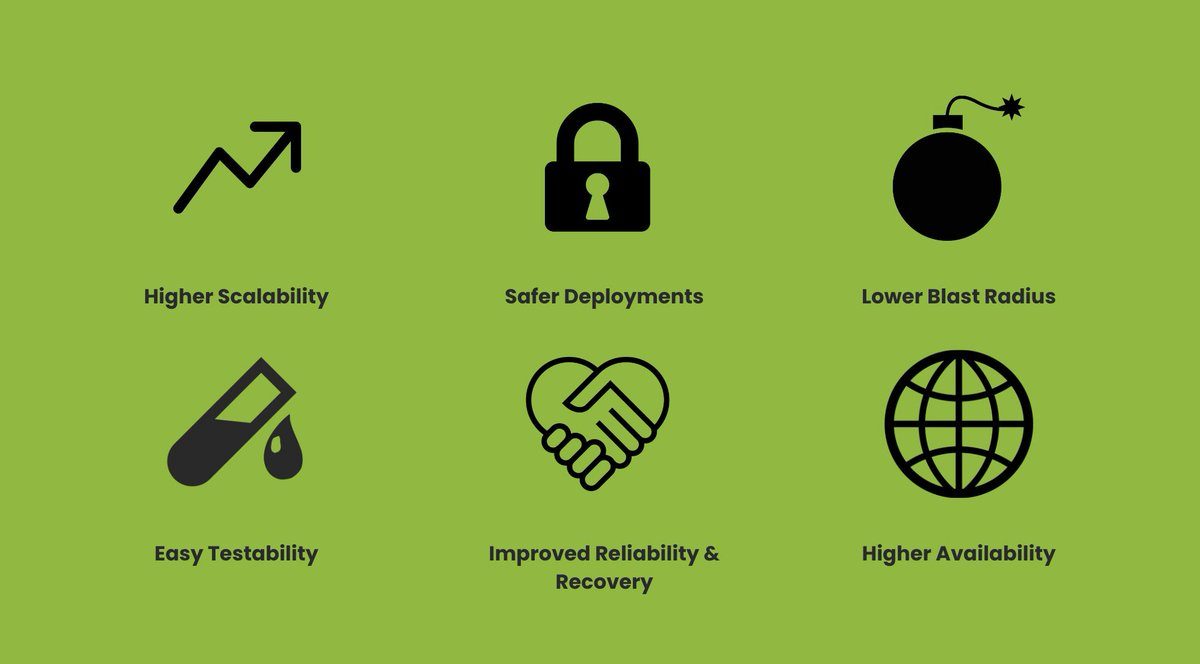 The good parts.
- Higher scalability: add cells to manage growth.
- Safer deployments: changes go out to one cell at a time.
- Lower blast radius: a failure stays in the cell where it started.
- Easy testability: a cell has a known, bounded size you can test against.
- Improved reliability and recovery: controlled change management, and you only ever recover one cell at a time.
- Higher availability: add all of that up and you get a more stable service that recovers quickly.
🔴 But it isn’t free
Like any engineering concept, CBA does have its own trade-offs, and they’re very real.
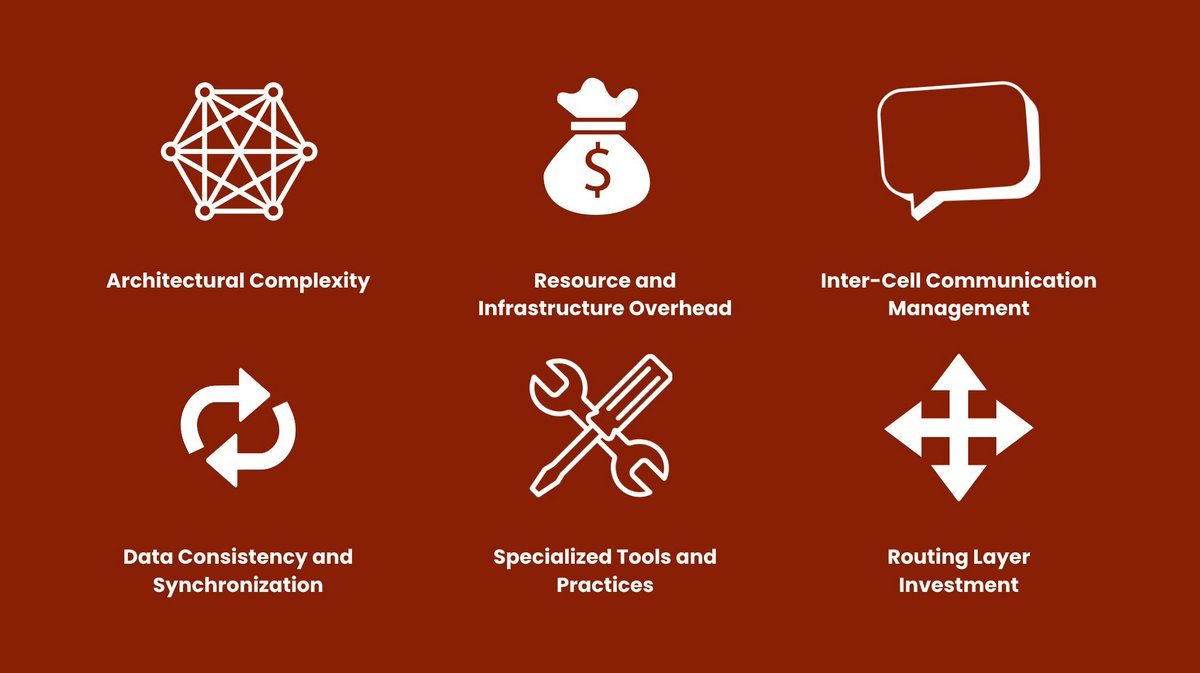 The bill.
- Architectural complexity: someone has to design the cell boundaries carefully. Pick the wrong partition key and you’ll be paying for it for years.
- Resource and infrastructure overhead: every cell carries its own copy of everything, so you run more infrastructure than one big shared fleet would need.
- Inter-cell communication management: some things don’t fit neatly into one cell, and anything that has to talk across cells needs careful design or the isolation leaks.
- Data consistency and synchronisation: data that everyone shares, or a customer that has to move from one cell to another, means copying and syncing data between cells without breaking anything.
- Specialised tools and practices: deployments, dashboards and on-call all need to understand cells, and off-the-shelf tooling usually doesn’t.
- Routing layer investment: the router sits in front of every request, so it has to be fast and reliable, and getting it there takes significant investment.
Further reading
Cell-based architecture is a modern way to build services that scale and stay up, taking cues from distributed systems and microservices design patterns. Some of the orgs that adopted it recently have written about it, and these are worth your time:
- Slack: Slack’s Migration to a Cellular Architecture
- DoorDash: Staying in the Zone: How DoorDash used a service mesh to manage data transfer, reducing hops and cloud spend
- Roblox: How We’re Making Roblox’s Infrastructure More Efficient and Resilient
- Amazon: Reducing the Scope of Impact with Cell-Based Architecture, an AWS Well-Architected whitepaper
- WSO2: the cell-based reference architecture
Before you go
Kudos to you if you made it this far! Feel free to ask me any questions on the thread, I’d love to start a discussion there. 🙏
If you like design patterns explained this way, I drew up the Outbox Pattern last May, and did a thread on polymorphic entities in database design last July. If talk write-ups are more your thing, my last one was The Redis Paradox from DelhiFOSS 2.0 in March. And cells sit pretty close to data residency, where the question is which region a customer’s data lives in. I wrote about our journey with multi-region cloud architecture and data residency in January.
Keep reading
The Redis Paradox: my DelhiFOSS 2.0 talk at IIT Delhi, written up
The written version of my DelhiFOSS 2.0 talk on Redis beyond caching: a short history of caches, live driver matching with GEO commands, and Pub/Sub.
Speccing a Shopify app for a friend: Etsy-to-Shopify inventory sync
A friend needed a Shopify app that keeps stock in sync with Etsy. Before any code, I wrote him a spec to hand to a developer: scope, diagrams and a 70-hour initial estimate.

Our Journey with Multi-region Cloud Architecture and Data Residency
How Atlassian built its multi-region cloud architecture for data residency, covering region creation, service hydration, tenant migration and self-serve moves.
Leave a comment