Getting around site blocks in India: VPNs, proxies and one nasty VPN scam
How to get back on Telegram during India's ban, why incometax.gov.in barely loads for me without a VPN, and a fake VPN sponsorship that stole a dev's creds.
 Jatin Kumar Malik First published on
 X
Back in 2016 I wrote a post on 5 cool ways to surf blocked sites in your office/college. Ten years later the block is sometimes the government’s, and sometimes it’s a government website blocking me.
I’ve tweeted about both sides over the last couple of years: getting people in India onto a banned app, and me sitting outside India trying to open the Income Tax portal. There’s also a scary one about a “VPN company” that turned out to be a credential stealer. So here it all is in one post.
Usual disclaimer, this isn’t legal advice. Check what’s allowed where you are, and what the terms of the service you’re using say, before you go around a block.
The Telegram ban PSA
In June 2026, Telegram got restricted in India until June 22. As per Pavel Durov, Telegram’s founder, the IT ministry pulled the plug for a week because some users were sharing leaked exam questions on the platform. His argument was that it punished 150M+ regular users while the leaks just moved to other apps.
Millions of genuine users got locked out of their study groups, trading bots and daily chats, students and devs included. So I put out a PSA on X on how to get back online safely with a VPN or an in-app proxy. 43 people bookmarked it.
Option 1: the VPN route (quickest)
- Download a trusted, reputable VPN, like ProtonVPN, Surfshark, or Cloudflare’s 1.1.1.1.
- Connect to any server outside India, e.g. Singapore, US or Germany.
- Fire up Telegram. It should connect instantly.
Option 2: Telegram’s built-in MTProto proxy
If you don’t want a VPN running in the background all the time, you can set up a proxy inside the app itself:
- Turn on a VPN temporarily, just to get the app connected.
- Go to Settings → Data and Storage → Proxy Settings.
- Tap Add Proxy and select MTProto.
- Enter the details from a trusted public MTProto proxy provider. You can find active, free ones easily on GitHub or from trusted tech channels on X.
- Save it, turn your VPN off, and Telegram will stay connected through the proxy.
Either way, stick to reputable VPNs and well-known proxy providers.
Personally, I’ve been using Surfshark for 3 years now. Highly recommended! If you want to try it, you can get 3 months free on Surfshark with my link.
(Referral link: it’s my personal Surfshark referral, so I get credit if you sign up through it.)
My two cents on the ban itself
I think banning a platform like this is a knee-jerk move. Banning a social media platform the govt can’t control is such a cliche, especially when VPNs cost almost nothing and anyone can bypass the ban anyway.
The reverse problem: Indian govt portals from abroad
I live in the US, and there my problem is the opposite one: Indian websites not loading for me outside India.
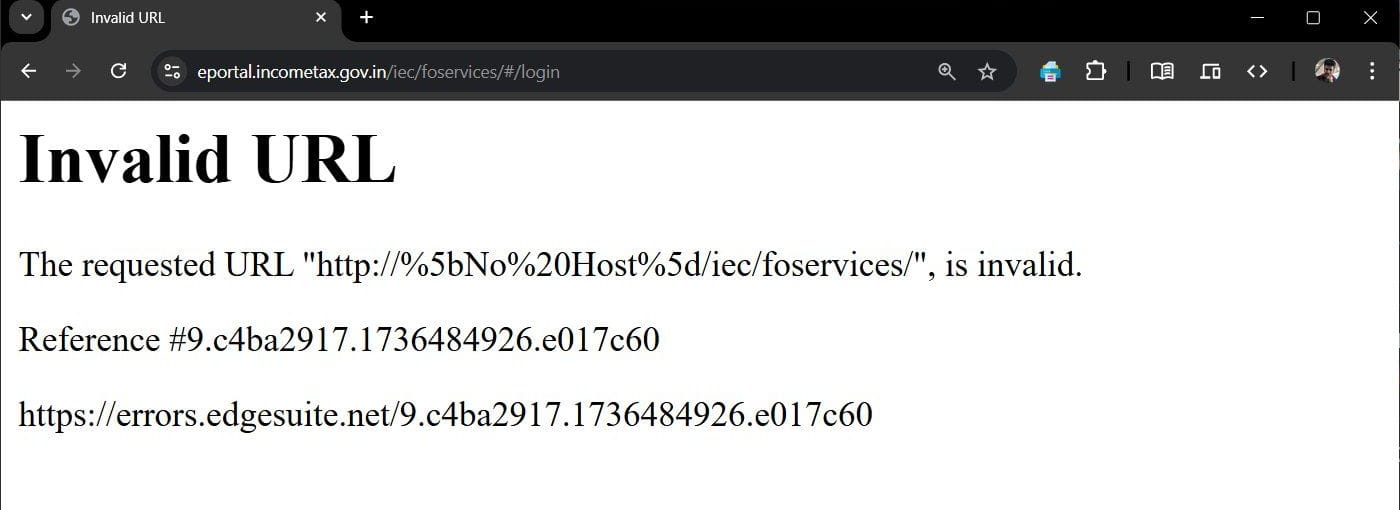
The Income Tax portal is the one that keeps getting me. Back in January 2025 I was trying to log in to eportal.incometax.gov.in and got this:
And then, on the main portal, this:
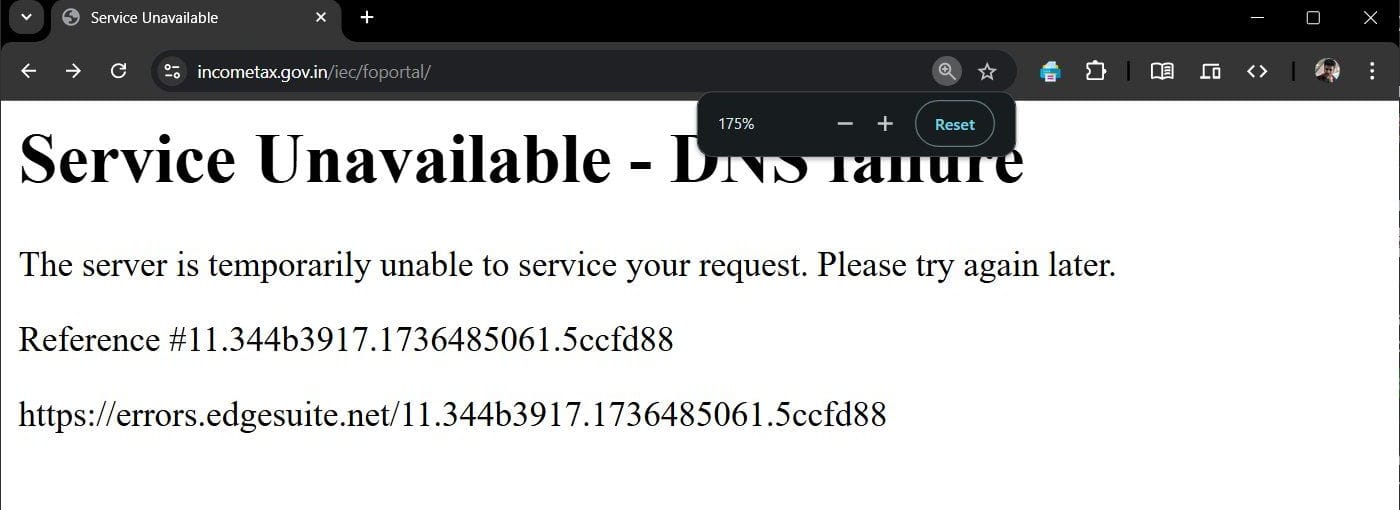
It felt like a never-ending battle. Is the server down? Does my VPN offend them? Does my ISP get the cold shoulder? Or is it my DNS? Both error pages come from Akamai, the CDN in front of the site (that’s what the errors.edgesuite.net reference link is).
By November 2025, incometax.gov.in almost never worked for me unless I switched to a VPN. Here’s my Surfshark connected to an India server:
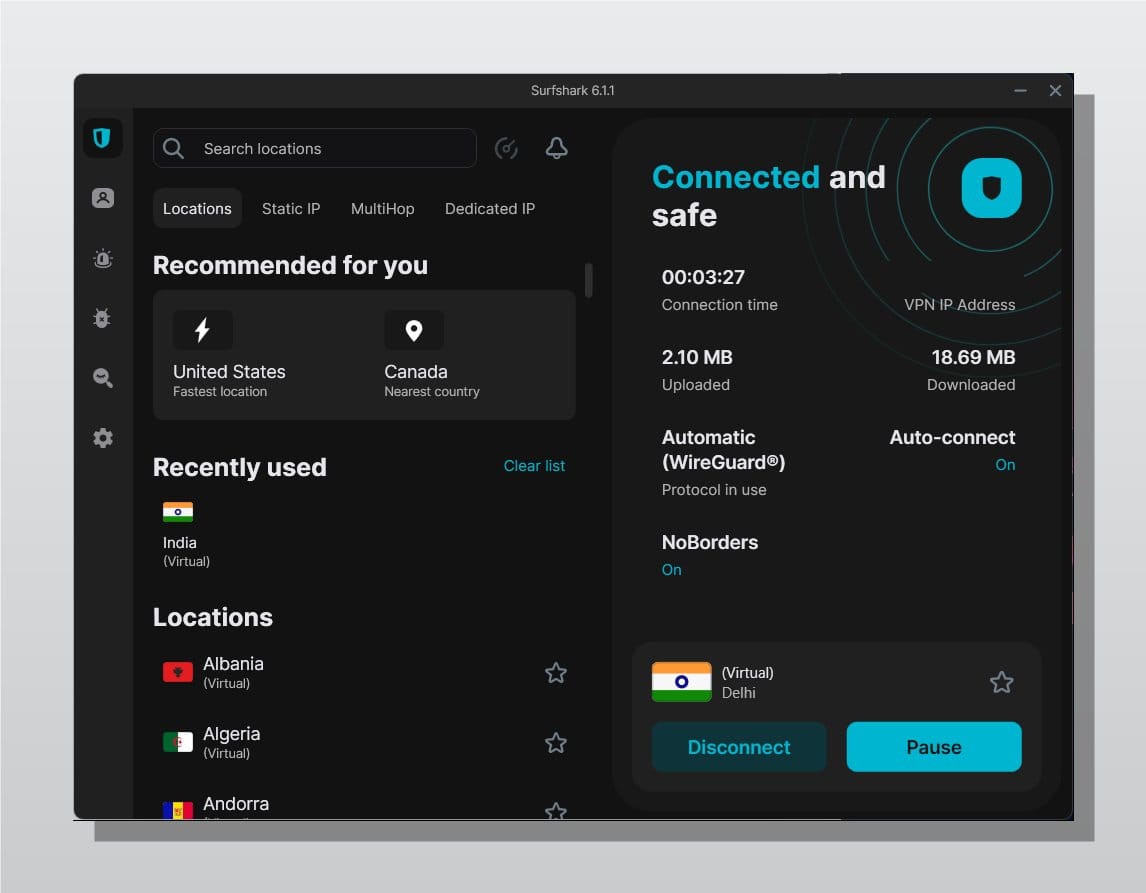
Is it some babu hack to save bandwidth cost? Whatever the reason, the block itself is geo-blocking at the CDN. Akamai blocks non-Indian IPs, so changing my DNS didn’t help, even though the second error page literally says “DNS failure”.
So if you’re outside India and the portal won’t load, a VPN connected to an Indian server is what works for me.
Other options: DNS-over-HTTPS and Tor
A VPN is the quick fix. There are two more tools worth knowing about, and both have their limits.
DNS-over-HTTPS
One common way ISPs block a site is at the DNS level. You look up a blocked domain, their DNS server doesn’t give you the real IP, and the site never loads. DNS-over-HTTPS (DoH) sends your lookups encrypted over HTTPS to a resolver you pick, like Cloudflare’s 1.1.1.1, so your ISP can’t see or change them.
It won’t help if the ISP blocks the site’s IP address, or reads the domain name from the SNI field in the TLS handshake and drops the connection. It also does nothing for a geo-block like the Income Tax one, since that’s about where your IP is from.
Switching it on takes a minute in most browsers:
- Firefox: Settings → Privacy & Security, scroll down to DNS over HTTPS and pick Increased or Max Protection. Mozilla has a full guide.
- Chrome: Settings → Privacy and security → Security, turn on Use secure DNS and pick a provider.
- Edge and Brave have the same Use secure DNS toggle.
Cloudflare’s browser guide walks through all of these. For the whole device, Windows 11 lets you turn on DNS over HTTPS when you set a DNS server manually in network settings, and on phones Cloudflare’s 1.1.1.1 app does it for you.
Tor
Tor Browser bounces your traffic through three volunteer-run relays before it reaches the site. Your ISP can see that you’re using Tor, but not which site you’re opening, so it gets around most of these blocks.
The catch is speed. It’s fine for reading a page and painful for anything heavier. Some sites also block known Tor exit nodes or keep throwing CAPTCHAs at them, so not everything will open. And only download it from the Tor Project’s own site, for the same reason as the scam below.
The VPN scam to watch out for
In April 2026 I heard about a software engineer who got hacked by a “new VPN company” that wanted to sponsor his YouTube channel.
They offered good money and asked him to try the VPN before agreeing to the sponsorship. Then they sent an innocent looking curl | sh command to “install the VPN”, and the script stole all his creds in just a few minutes.
So don’t pipe a script from someone you don’t know straight into your shell, however good the sponsorship money looks. And same as with Telegram, stick to reputable VPNs.
TL;DR
- Blocked app in India? A reputable VPN connected to a non-India server is the quickest fix. For Telegram, the built-in MTProto proxy works without keeping a VPN on.
- Can’t open incometax.gov.in from abroad? It’s geo-blocked at the CDN, so changing DNS won’t fix it. Use a VPN with an Indian server.
- ISP blocking a site at the DNS level? Turn on DNS-over-HTTPS in your browser. Tor works too, just slowly.
- Only use reputable VPNs and proxies, and never run a
curl | sh“installer” that someone sends you.
Accessing the @IncomeTaxIndia website from outside India feels like a never-ending battle. Is the server down? Does my VPN offend them? Or does my ISP get the cold shoulder? Or is it my DNS? The struggle is real!
@jatinkrmalik, 10 January 2025
so... almost never works unless I switch to VPN, is it some babu hack to save bandwidth cost?
@jatinkrmalik, 9 November 2025
@paraschopra This is insane! I recently heard of a SWE who got hacked by "new VPN company" wanted to sponsor his YT channel and they offered good $$$ and asked him to try VPN before agreeing to sponsorship. They sent an innocent looking `curl | sh` command for them to "install vpn", and…
@jatinkrmalik, 5 April 2026
@jasveer10 @durov This is such a L take bro. Banning a social media platform that govt can't control is such a cliche & knee jerk reaction especially when VPNs exist for almost no cost and allows you to bypass it anyway.
@jatinkrmalik, 16 June 2026
🚨 [PSA] How to Access Telegram in India During the Temporary Ban? With Telegram restricted in India until June 22, millions of genuine users, students, and devs have been locked out. If your study groups, trading bots, or daily chats are down, here is how to get back online…
@jatinkrmalik, 16 June 2026
Keep reading
5 cool ways to surf blocked sites in your office/college
One click process to unblock banned sites in Chrome, Windows, Android, and iPhone. Now you can watch youtube, download torrents without getting noticed.
How to block intrusive MTNL broadband ad popups in your browser?
Learn how to block the annoying MTNL pop up ads which appears out of no where in your browser on bottom right side. Say no to shady practises by MTNL!

How to disable ads from uTorrent like a pro?
Admit it! Web user like us hates ads to the core! They are just omnipresent. Discover how to disable ads from uTorrent & make p2p file sharing a breeze?
Leave a comment