Saving a 7-year-old HP laptop from the landfill with Zorin OS
A laggy HP 15 with an AMD A6 got fresh thermal paste, 4 GB more RAM, a new battery and Zorin OS 17. Here's what I did and what's still on the list.
 Jatin Kumar Malik First published on
 X
Hello folks,
I’ve got a 7 year old HP laptop that had become a laggy mess on Windows 10. The easy option was to call it e-waste and move on. I fixed it up instead, and tweeted the result today:
Project update: Saved a 7 year old @HP laptop which was a laggy mess from ending up in a landfill. 🤓
A tweet only fits so much, so here’s the long version: what I changed, and what’s still left to do.
The patient
It’s an HP Laptop 15-bw0xx with an AMD A6-9220 APU. That’s a dual core chip at 2.5 GHz with Radeon R4 graphics built in. The date code on the chip reads 1714, so it was made in early 2017. Yep, 7 years old!
Stock, it had 4 GB of DDR4, a slow 5400 RPM hard disk, Wi-Fi that only does 2.4 GHz, and its original battery.
Picking a distro before touching a screwdriver
I knew Windows 10 was going. The question was what to put on instead, so two days ago, on 19 March, I was toying with Zorin OS in a VM on my M1 MacBook. 🤞
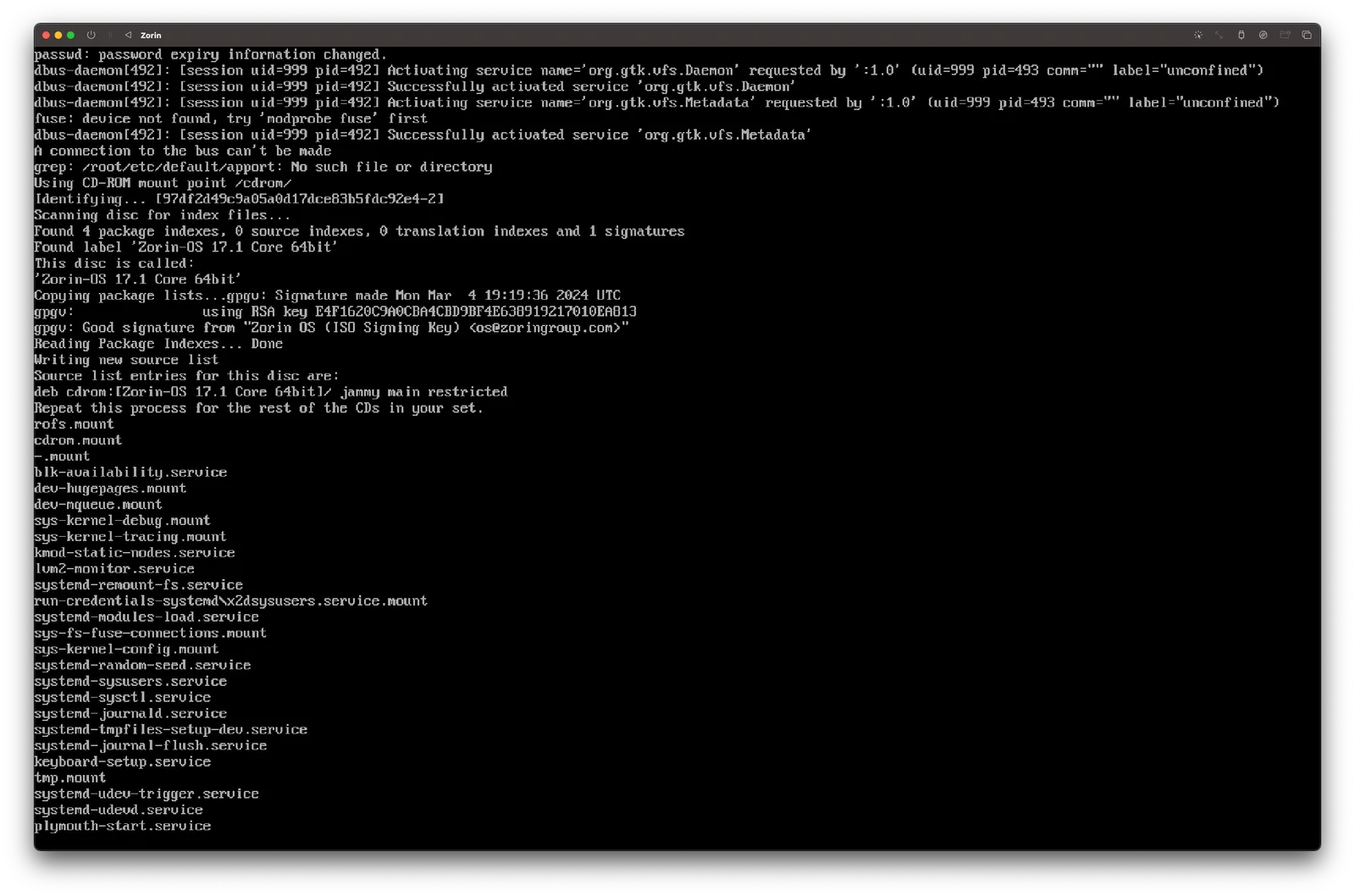
That’s Zorin OS 17.1 Core booting under UTM, still stuck on the text console. Emulating an x86 distro on an ARM Mac can be a pain sometimes! Still, when someone asked me whether Linux VMs on Apple Silicon are smooth, my answer was: well, it is much better now. UTM works like a charm, and I’ve got Debian, Arch and Windows 11 VMs on the same Mac with ~8 GB of RAM still to spare.
Why Zorin? My personal setup is Pop!_OS and Manjaro with i3wm, but that’s on hardware with decent specs. For this one, Zorin caught my attention as an effective Windows substitute: lightweight, easy to use, and it doesn’t demand much in terms of resources. It felt like a fitting choice for this specific build.
I’ve done this dance before. Back in 2015 I tried eight distros on my old Pentium 4 PC before LXLE won, and the brief that time was something my parents could pick up easily.
Opening it up
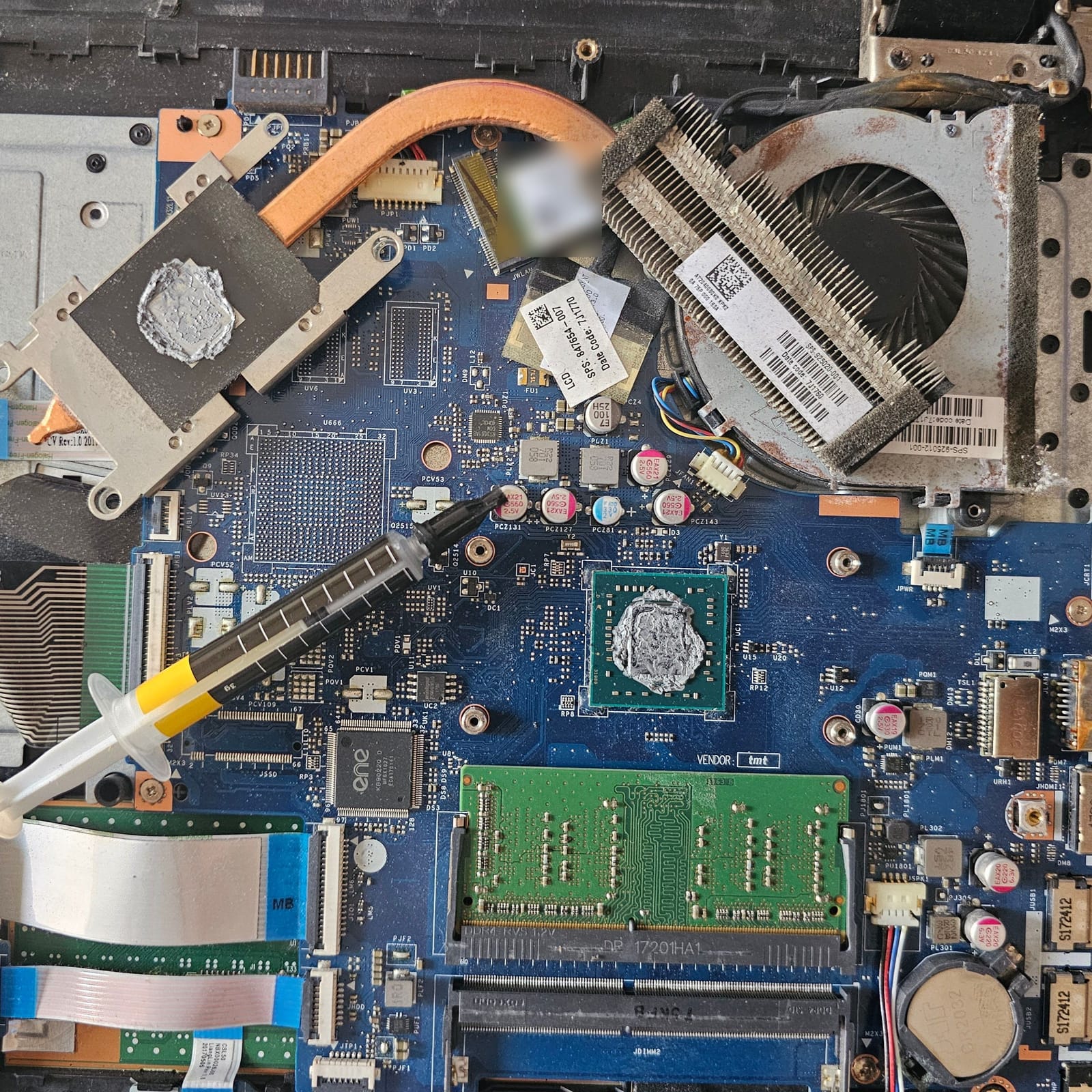
This is the board with the cooler unscrewed and flipped up. The whole cooling system is one copper heat pipe going from the APU plate to a small blower fan. Now look at the APU (centre) and the heatsink plate (top left). The old paste had dried into a crusty grey layer on both sides. Yikes!
The fan fins were dusty, and the fan shroud had rust spots on it.
Here’s what I did on this side:
- Cleaned the old paste off the APU die.
- Cleaned the fan, the heat pipe and the motherboard with isopropyl alcohol.
- Put fresh thermal paste on the A6 and screwed the cooler back down.
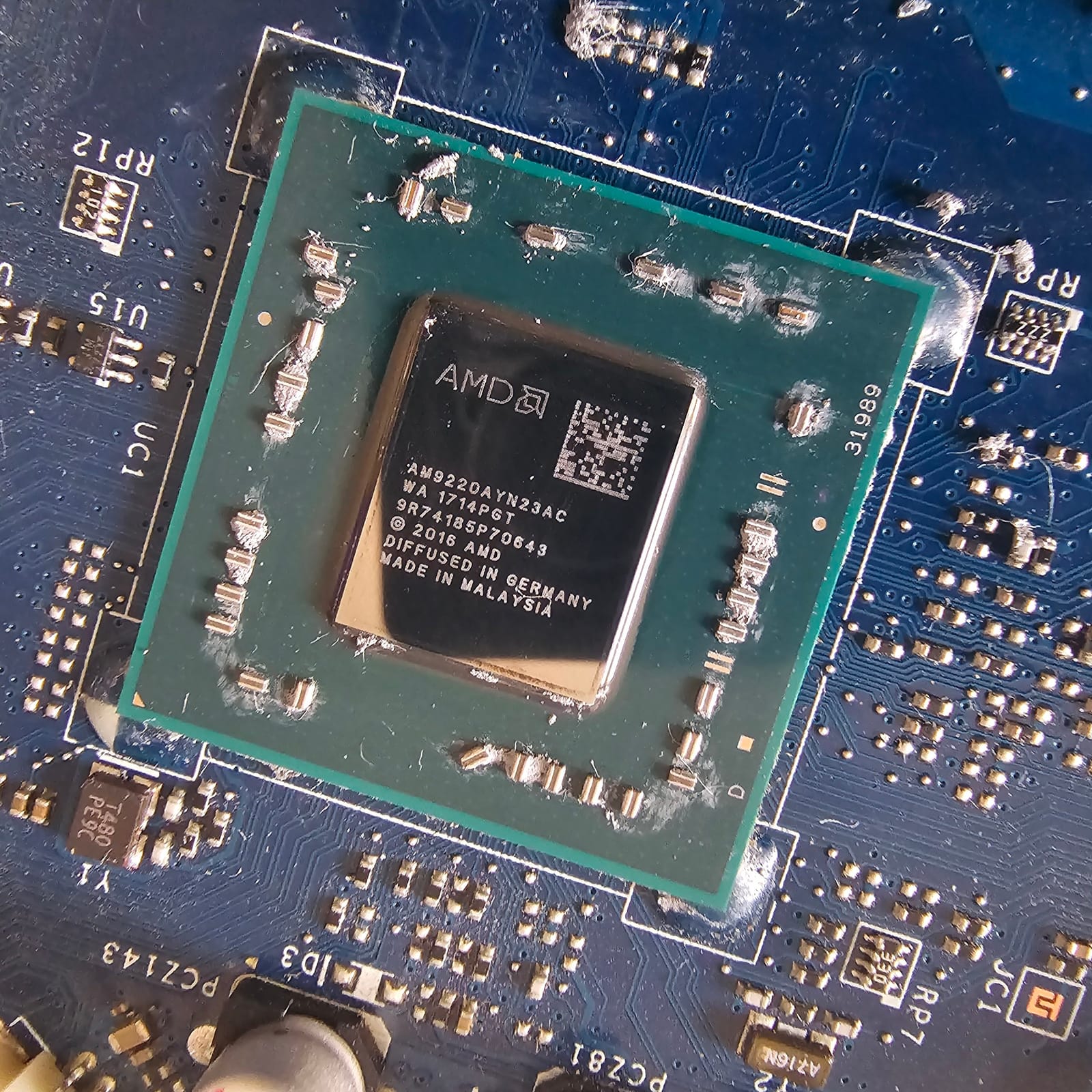
The die after scraping. You can see the paste and lint still stuck around the tiny SMD capacitors next to it.
The result? A 15~20°C improvement in thermals from the repaste alone!
Two new parts
You can see both RAM slots in the motherboard photo: one stick in, one empty. So there was room for one more.
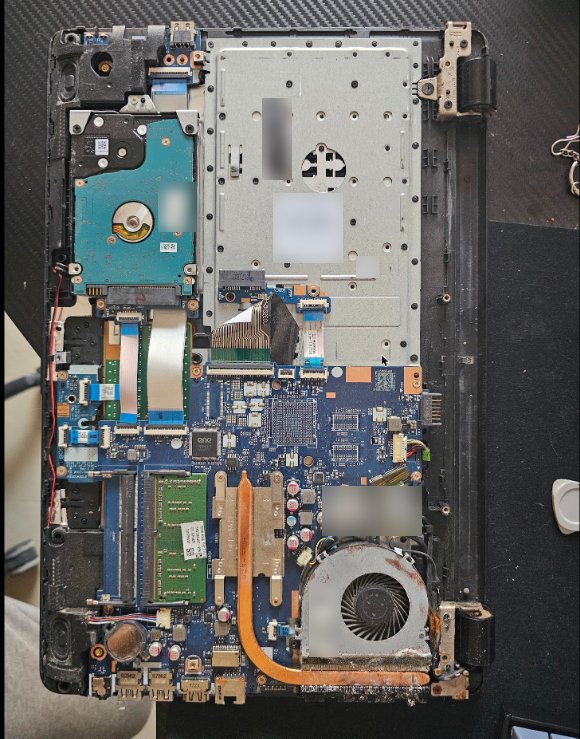
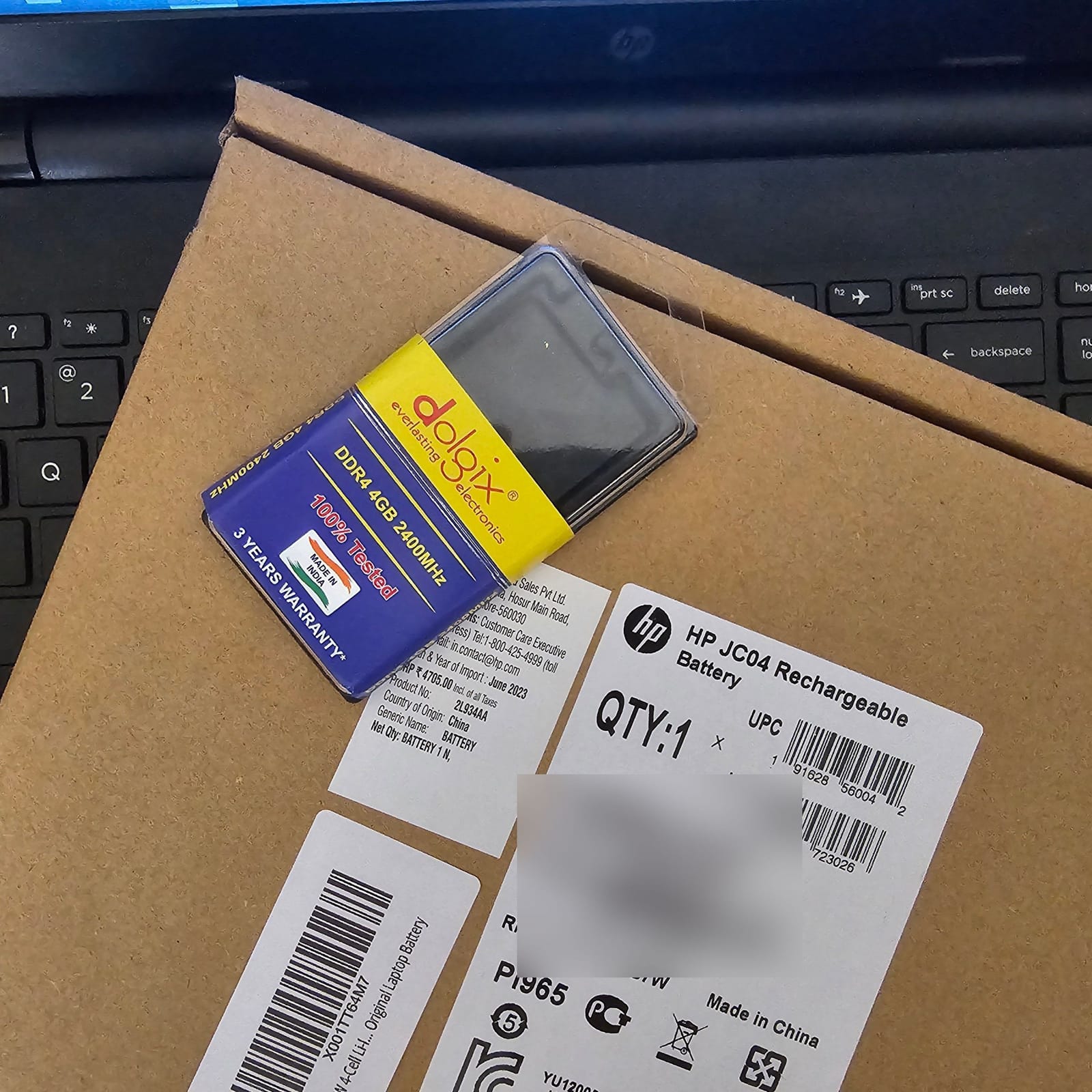
I added another 4 GB DDR4 2400 MHz stick (a Dolgix), which takes it to 8 GB. I also swapped the stock battery for an original HP one, the JC04. The box has an MRP of ₹4705.
Windows 10 out, Zorin 17 in
With the hardware done, Windows 10 went out and Zorin OS 17 went in. It was a super slick experience, and it works pretty well on this ancient APU!
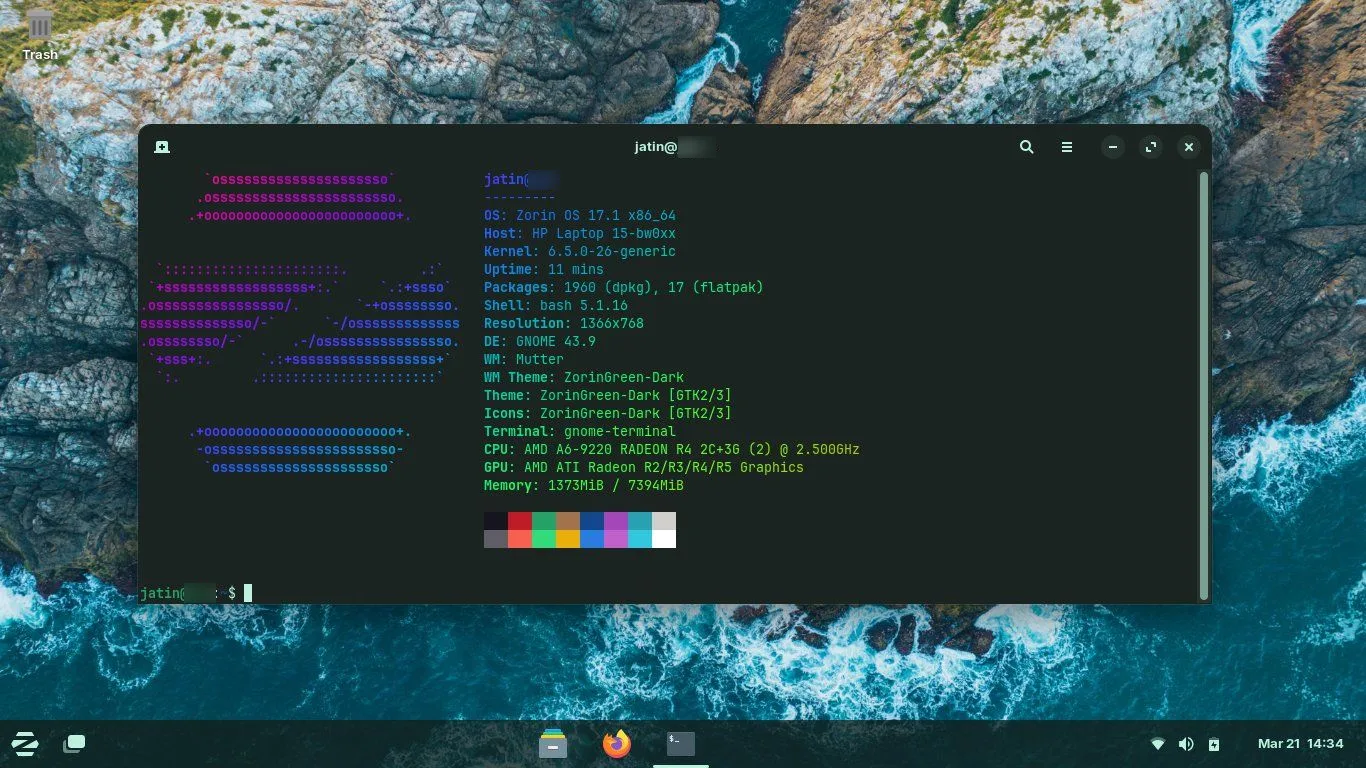
Eleven minutes after boot, the whole desktop is using 1373 MiB of RAM out of the 7394 MiB the system can see. Not bad at all.
Someone asked about the terminal theme. It’s the out of the box dark theme with the JetBrains Mono font, and neofetch for the MOTD. Nothing fancy.
Still TBD
My tweet had a TBD list too, and it’s only fair to share it:
- Replace the slow 5400 RPM HDD with a SATA SSD. This should be a massive boost for performance.
- See if I can find a cheap 5 GHz Wi-Fi card to replace the stock one, which only supports 2.4 GHz. I’m on a Cat6 LAN cable for now, so it’s not a huge concern.
- Figure out a use for this machine, or else donate it to someone who needs it.
If you’re about to do this yourself
A few things I’d tell anyone with an old laptop lying in a drawer:
- Test the distro before you wipe anything. Give it a spin in a VM or boot it via live USB.
- Pick the distro for the machine and for whoever will use it. My own setup is Pop!_OS and Manjaro with i3wm on decent hardware, but this build needed something lightweight, easy to use and Windows-like.
- Check the thermal paste. On this one, a repaste alone was worth 15~20°C.
- Look for the easy upgrades first. The second RAM slot was empty, so 8 GB was just one stick away. The 5400 RPM disk is next on my list.
- When you put it back together, check that every ribbon cable is seated properly. Someone in the replies said they needed to save their own dying laptop too. They opened it up, cleaned it, and after reassembly the screen was dead, probably a loose ribbon cable. They did get it working in the end, phew!
Happy tinkering! 🛠️
Keep reading
Raspberry Pi 2 - Model B 1GB | All you need to know
Planning to buy a Raspberry Pi 2? Or have a spare one lying around? This is the Wiki post for you. Learn how to set it up & make interesting DIY projects.
Zion, part 1: one man's trash is another man's homelab
An HP Envy left in my building's garbage room with a 'Free for parts' note is now Zion. Part 1: the rescue, the drives, a 3D printed cage and a stubborn PSU.
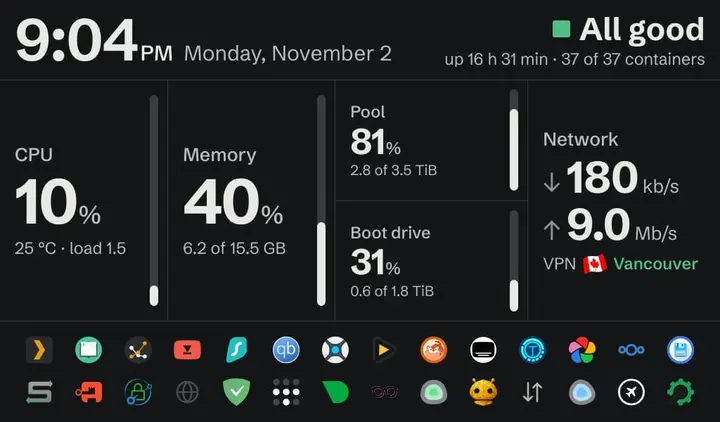
Zion, part 3: a dashboard that says 'All good' and a 2015 tablet on the wall
Why I wrote my own homelab dashboard in stdlib Python, and what it took to keep a 2015 Fire 7 on LineageOS showing it on the wall 24/7.
Leave a comment