My desks, 2018 to 2026: Cherry MX Blues, an ultrawide and an Airbnb table
Eight years of desk tweets: a 4K Dell and MX Blues, a 34-inch ultrawide over a walking pad, a vertical monitor, a dog crate desk and a G502 with weights.
 Jatin Kumar Malik First published on
 X
Every so often I post a photo of my desk on X with a list of everything on it. Lined up, those tweets make a decent changelog of how I work: what I bought, what I sold, and what made it across the world in a suitcase.
So here’s eight years of it in one place.
2018: Dev Setup Thursday
In August 2018 I posted a “Dev Setup Thursday”:
- Laptop: Apple MacBook Pro with the Touch Bar (2017)
- Monitor: Dell U2718Q, 27-inch 4K UHD
- Keyboard: HyperX Alloy FPS Pro with Cherry MX Blues
- Mouse: Logitech G300s
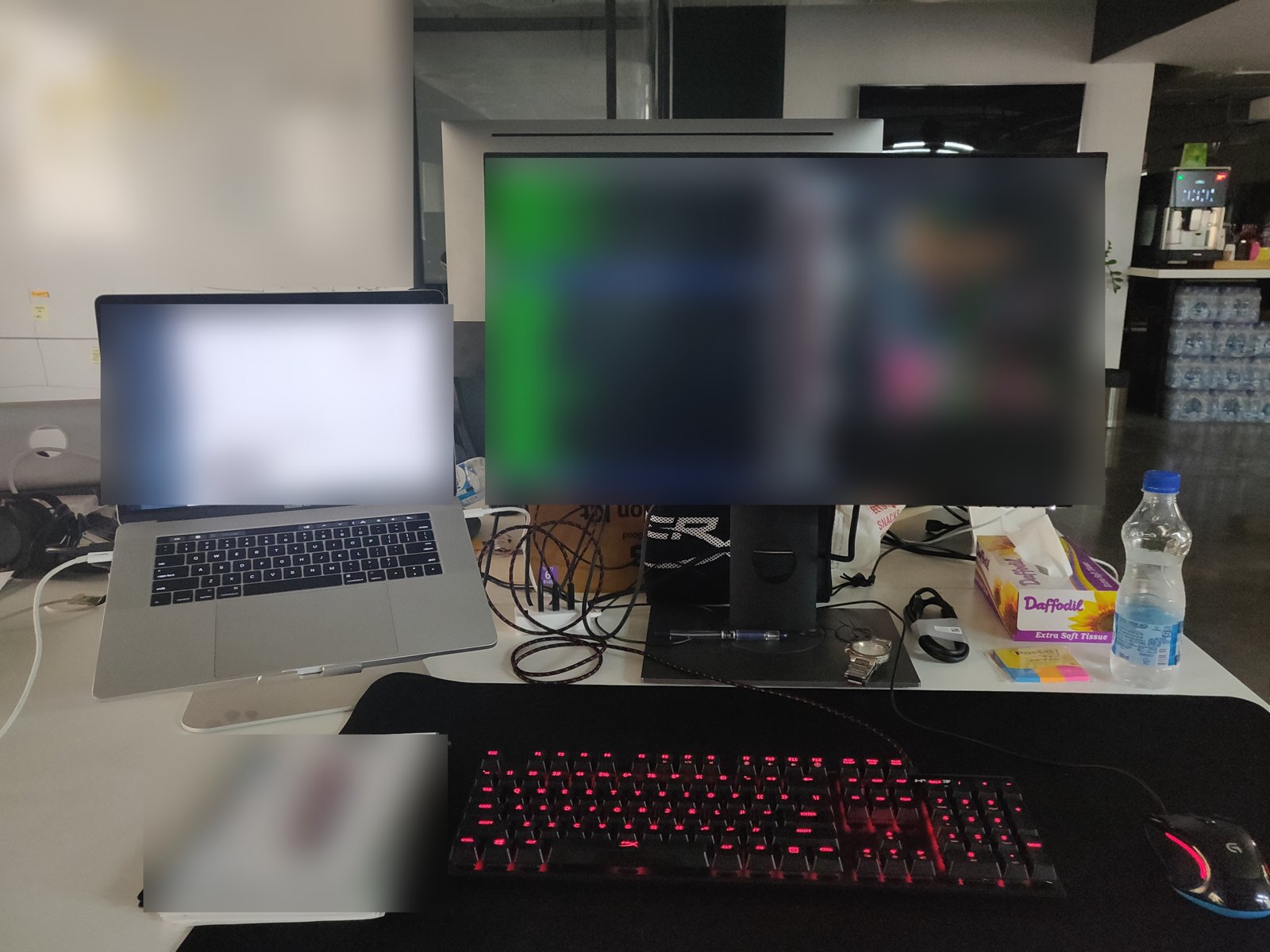 The Dev Setup Thursday desk, August 2018.
That MacBook shows up in two other tweets that year. The day before the setup post, Chrome was “taking over my mac”. On Christmas I was asking for StickerMule stickers, because my naked MacBook felt embarrassed in public and started throttling its CPU. Or maybe that was just Apple’s poor ventilation. I needed the stickers to verify, for science.
The MX Blues are loud and clicky, and I was still on them in late 2022. That matters later.
2022: tiling windows and neofetch
By August 2022 the monitor was busy. I posted a “sneak peek on my dev monitor”: Amethyst tiling an M1 Pro MacBook Pro into bashtop, ranger, a shell, neofetch and vim open on oh-my-zsh.sh, all on one screen. The first tweet in that thread was just “neofetch + oh-my-zsh == ❤️”.
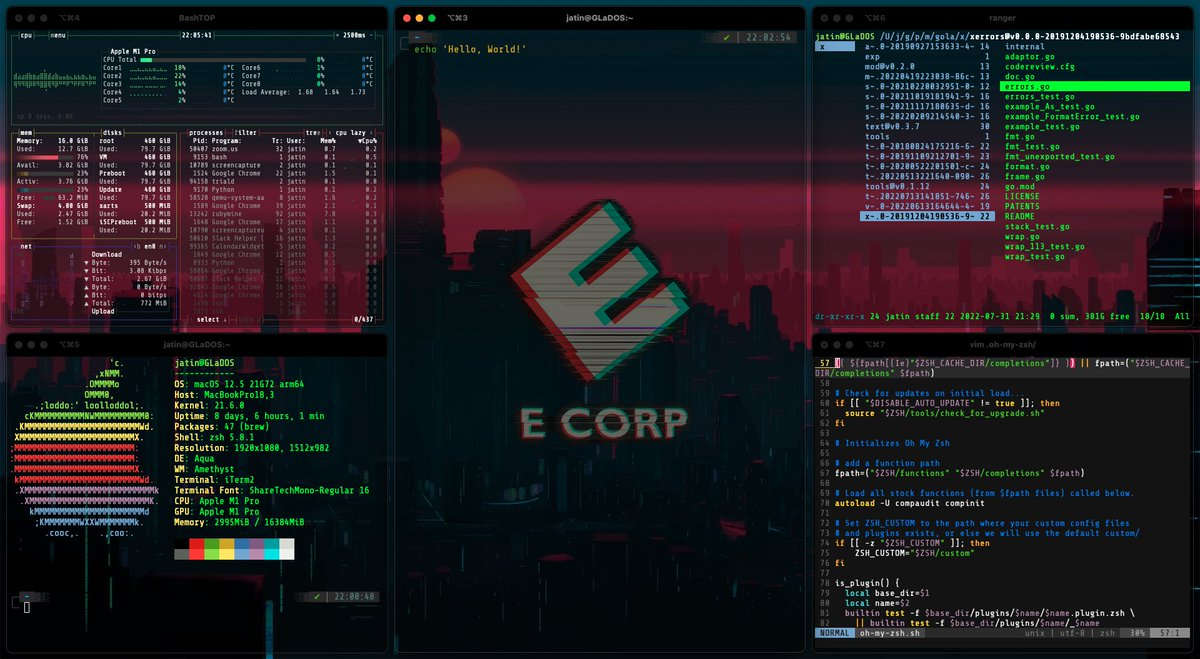 Amethyst doing its thing in August 2022. The E Corp wallpaper is a Mr. Robot reference.
Amethyst is an open source auto-tiling window manager for macOS. If you like the auto-tiling you get on Pop!_OS or Manjaro, it’s the closest thing on a Mac. It was my daily driver on the work machine, and it’s especially useful on an ultrawide, which is where this was going.
December 2022: work from home setup 3.0
In December 2022 I posted “Work from home setup 3.0”:
- Monitor: a 34-inch UWQHD 144 Hz monitor from MSI, on a monitor arm
- Keyboard: Keychron K8 Pro with G Pro Red switches
- Mouse: Logitech MX Master 3S
- Desk: a Green Soul electric sit-stand desk
- Under the desk: a walking pad
- And: a palm plant
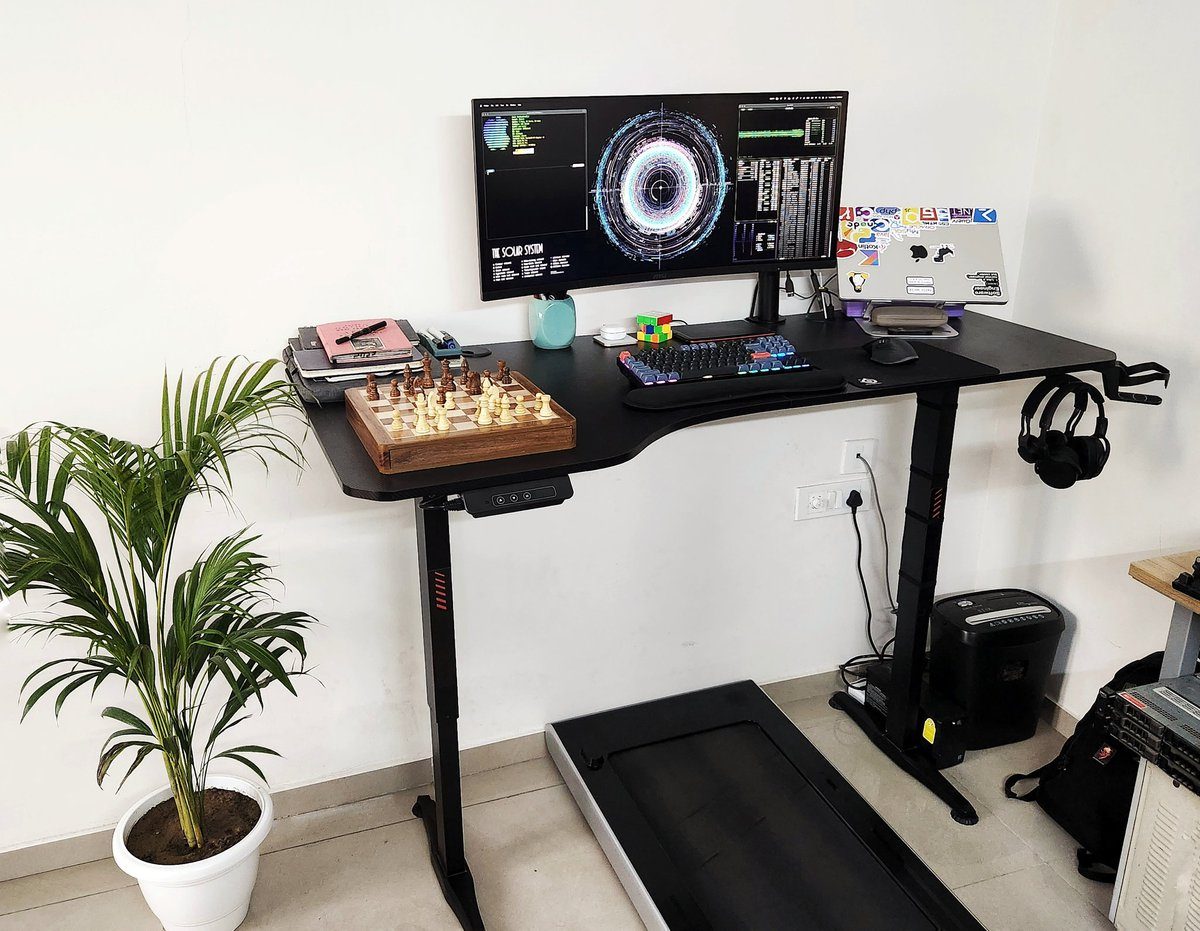 Setup 3.0, December 2022. The walking pad lives under the desk.
About those red switches. Two weeks before this post I was on X saying I’d been eyeing a Keychron K2 v2 with Browns, that I was on HyperX Blues, and that I absolutely hated Reds because linear switches felt mushy. Then I bought the K8 Pro with Reds. In the replies to the setup post I admitted I got used to them pretty quickly. That’s all I have to say about that.
Four years after the naked-MacBook tweet, the laptop on the stand is covered in stickers, so that got sorted too.
The standing desk and the walking pad
Earlier that month someone asked about the best investment of 2022, and my answer was the standing desk. When someone called the thing underneath a treadmill, I had to admit it’s more of a walking pad. But even if you only stand for half your workday, that’s 1.5x more calories burned.
The desk is electrically height adjustable. In that photo it’s at about 120 cm, which is perfectly comfortable for me to walk and work at. In April 2023 someone in the replies pictured me sitting and walking at the same time like Peter Griffin, and I had to explain that the angle of the photo doesn’t do it justice. A month before that, someone asked what to buy, and I recommended the same Green Soul desk and chair, because together they did wonders for my back.
One tip for the monitor arm, from October 2023, after 8 months of it holding a 34-inch screen: if your tabletop isn’t very thick, wedge a solid block of wood into the clamp. It reinforces the clamp and gives the mount a wider grip.
Why the K8 Pro
The K8 Pro is my third mechanical keyboard, after a Razer BlackWidow with Greens and the HyperX with Cherry MX Blues. In April 2023 I asked X to choose between the Apple Magic Keyboard and the K8 Pro, and someone asked why I’d picked the K8 Pro over the K2 v2. It was a tough call, and three things decided it.
QMK/VIA support is the big one. I’ve built so many coding and workflow macros on it that it’s now hard to go back to any keyboard without it. It also ships with sound-absorbing foam and a silicone pad, so it sounds and feels premium out of the box. I’m not into lubing switches and adding foam myself yet, so that just works. And it’s a standard TKL layout. That makes it a bit bulky, but I’ve been typing for over two decades and muscle memory is a thing.
I’m also really digging the hot-swappable PCB, for whenever I go further into the custom world. In 2025 I still thought TKL was right for long coding sessions at a desk, with 60% boards making sense when you need something portable. I love my Keychron and wouldn’t trade it for anything, but on days when I travel and work, the Apple Magic Keyboard is the portable one.
May 2023: a vertical second monitor
In May 2023 I started test driving a second monitor, in portrait, mainly for code reviews, a persistent Slack window and Spotify. The other option was to mount it above the ultrawide. That keeps my neck moving up and down instead of side to side, but it needs a second monitor arm. I drew it out:
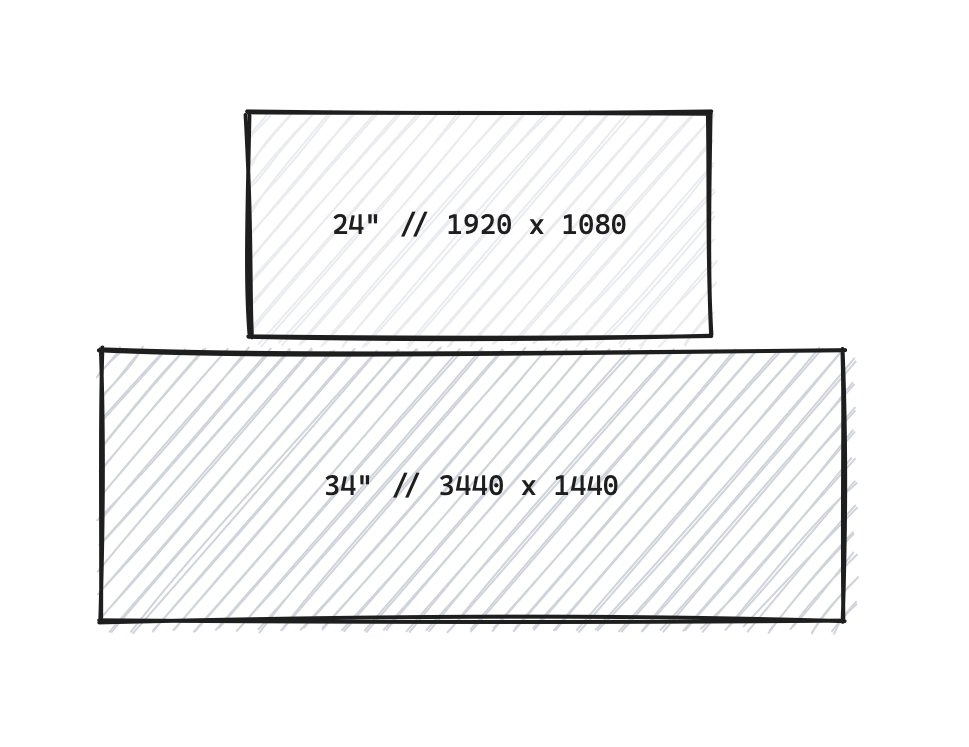
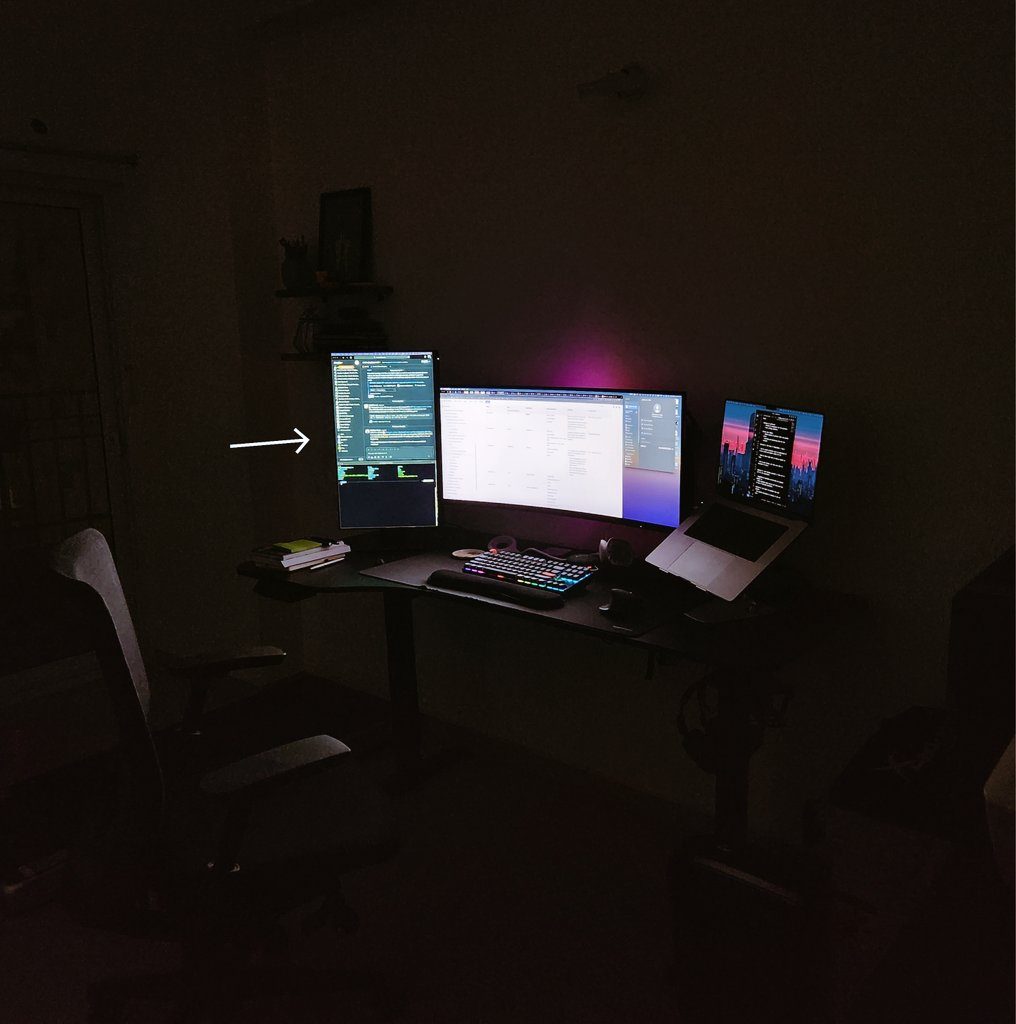
The two shapes are good at different things. On the ultrawide you can stack several editor windows side by side, which is great for refactors and writing unit tests. The vertical monitor is zen mode for writing new code: it only fits one editor window, but you see a huge amount of it at once.
I said I’d try it for a week and then decide. A month later it was still on the left, and still useful for code reviews and reference docs. It’s a Dell P-series, and in November someone on X turned out to have the exact same one.
In June 2023 I told someone choosing a monitor to get a 34-inch ultrawide over the usual 27-inch, partly because it “declutters your workspace by minimizing the need for dual monitors”. I had added the second monitor a few weeks earlier. Make of that what you will.
That ultrawide got a lot of use. In August 2023 I spread VS Code across it to read the Redis codebase at night (a topic I later gave a talk on). By December I was saying even 21:9 wasn’t wide enough for Chrome. And on Boxing Day 2023 I ran GTA III on my Galaxy S23 Ultra, projected onto it through Samsung DeX and played with an Xbox controller. Perfectly playable. The future is now, old man.
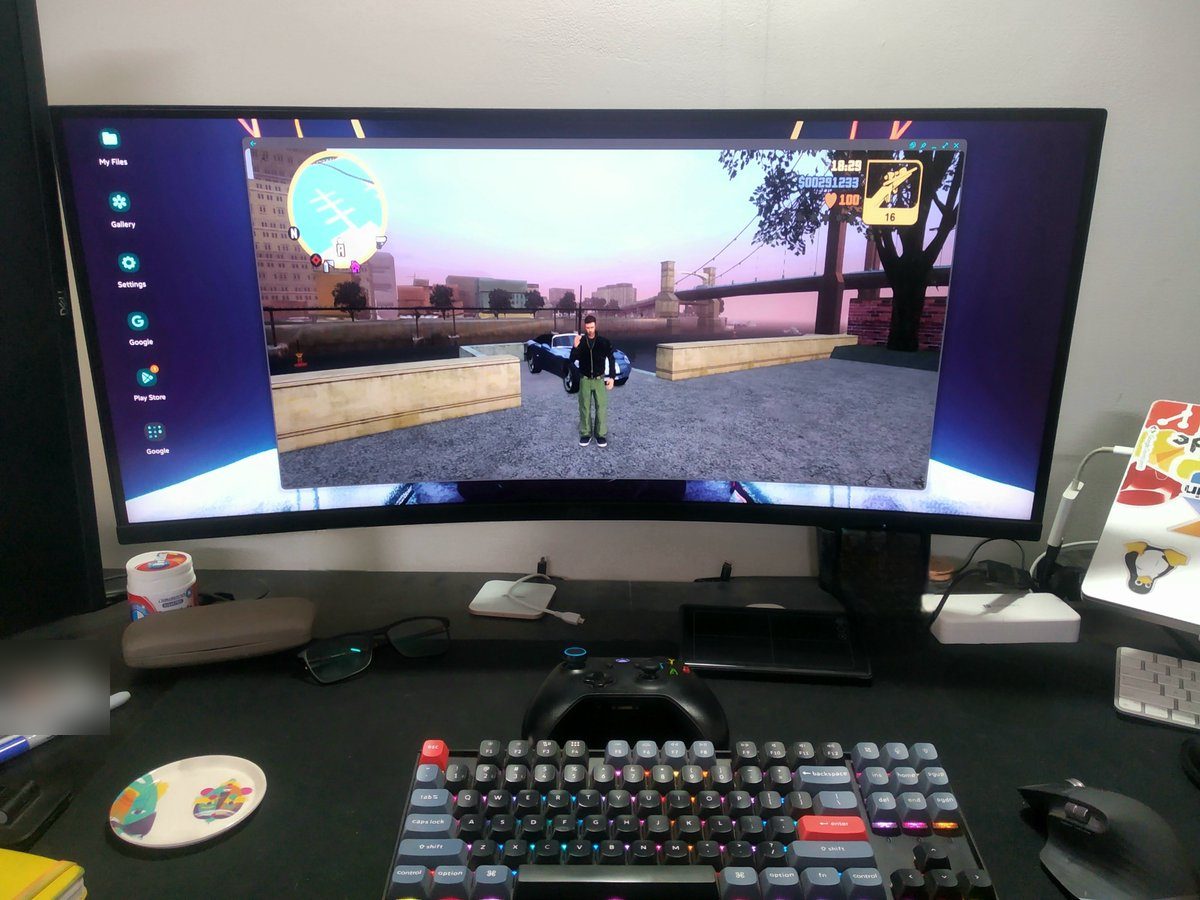 GTA III from a phone, on the ultrawide, December 2023.
One thing on that desk never changed. In July 2023 I posted the Zen of Python poster that had been taped to my desk for more than seven years.
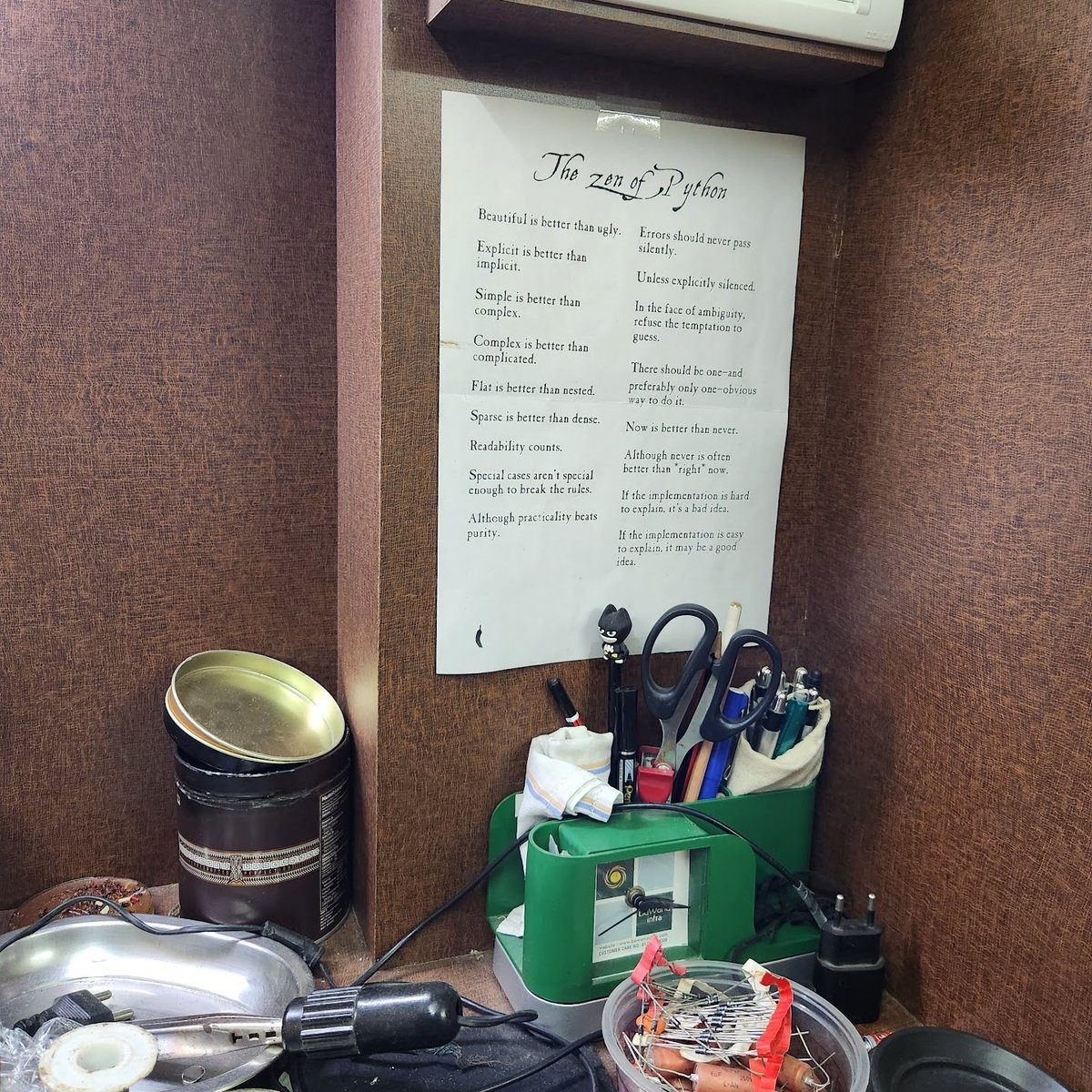 The Zen of Python, still taped up in July 2023.
2024: a garage sale and an Airbnb table
Before all that, in February 2024 the desk was briefly a poolside table in Goa: “Why work from home when you can work from Goa?!”
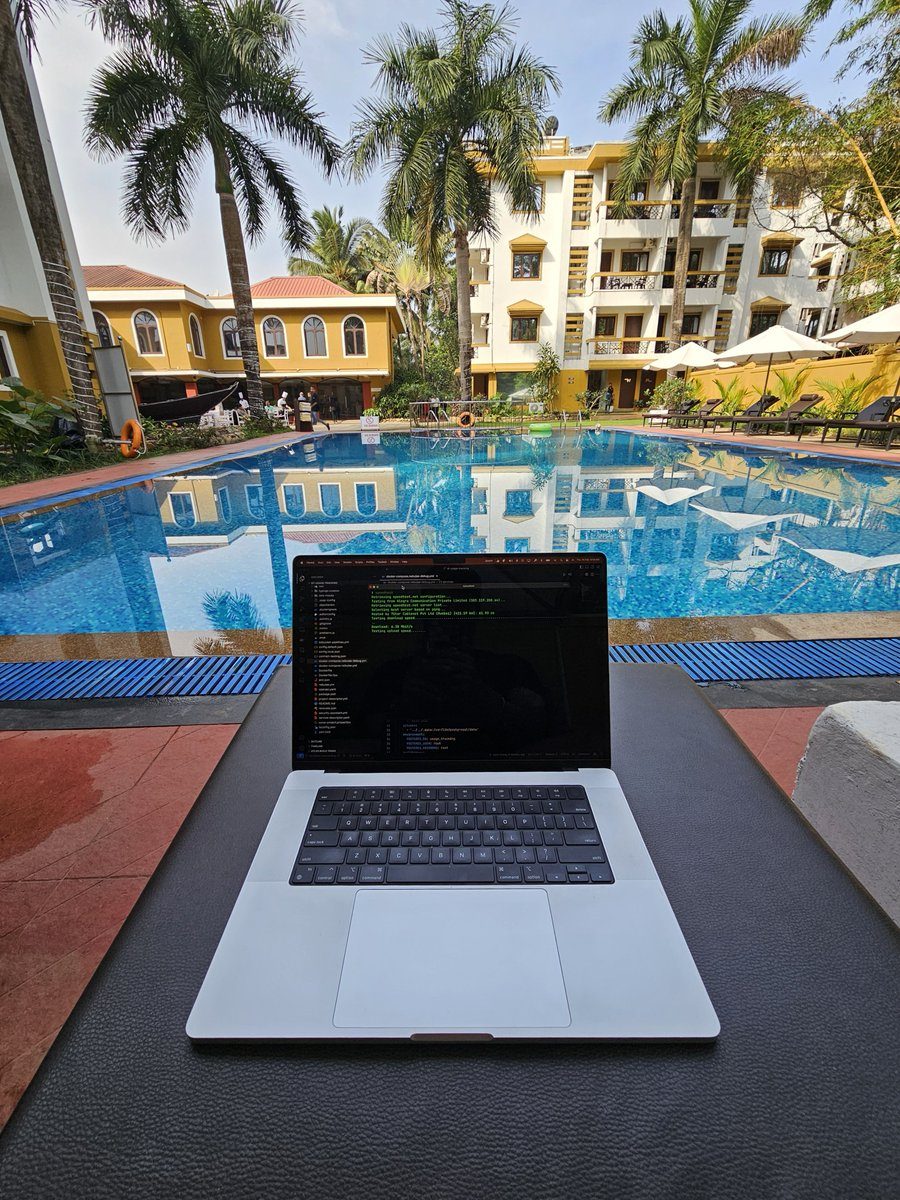 Working from Goa, February 2024.
On 1 August 2024, a month before relocating to the US, I announced a garage sale of everything I couldn’t take with me because of luggage limits. The desk was gone the same day. I also added the Apple Magic Keyboard and Magic Mouse to the sale.
The Keychron and the MX Master made the trip. In September 2024 I posted my old desk next to my new one, the setup back home in India on the left and the minimal setup in my temporary Airbnb on the right. The caption was a line from an old Hindi film song about stepping out of home, with a translation in the next tweet for everyone else.
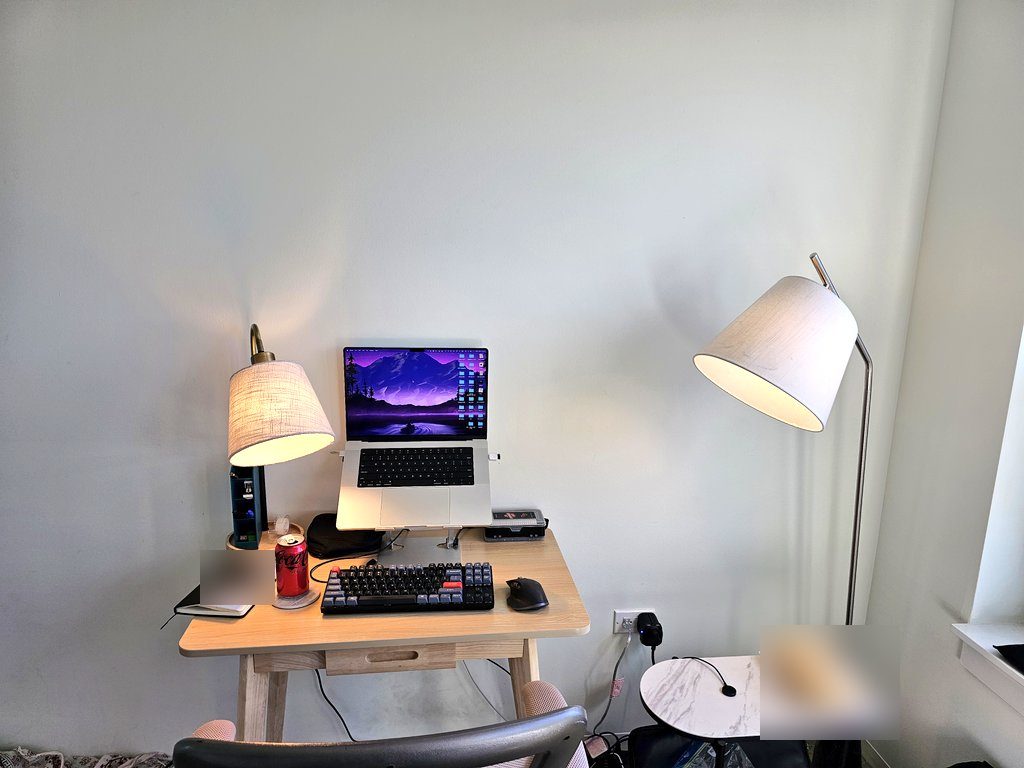
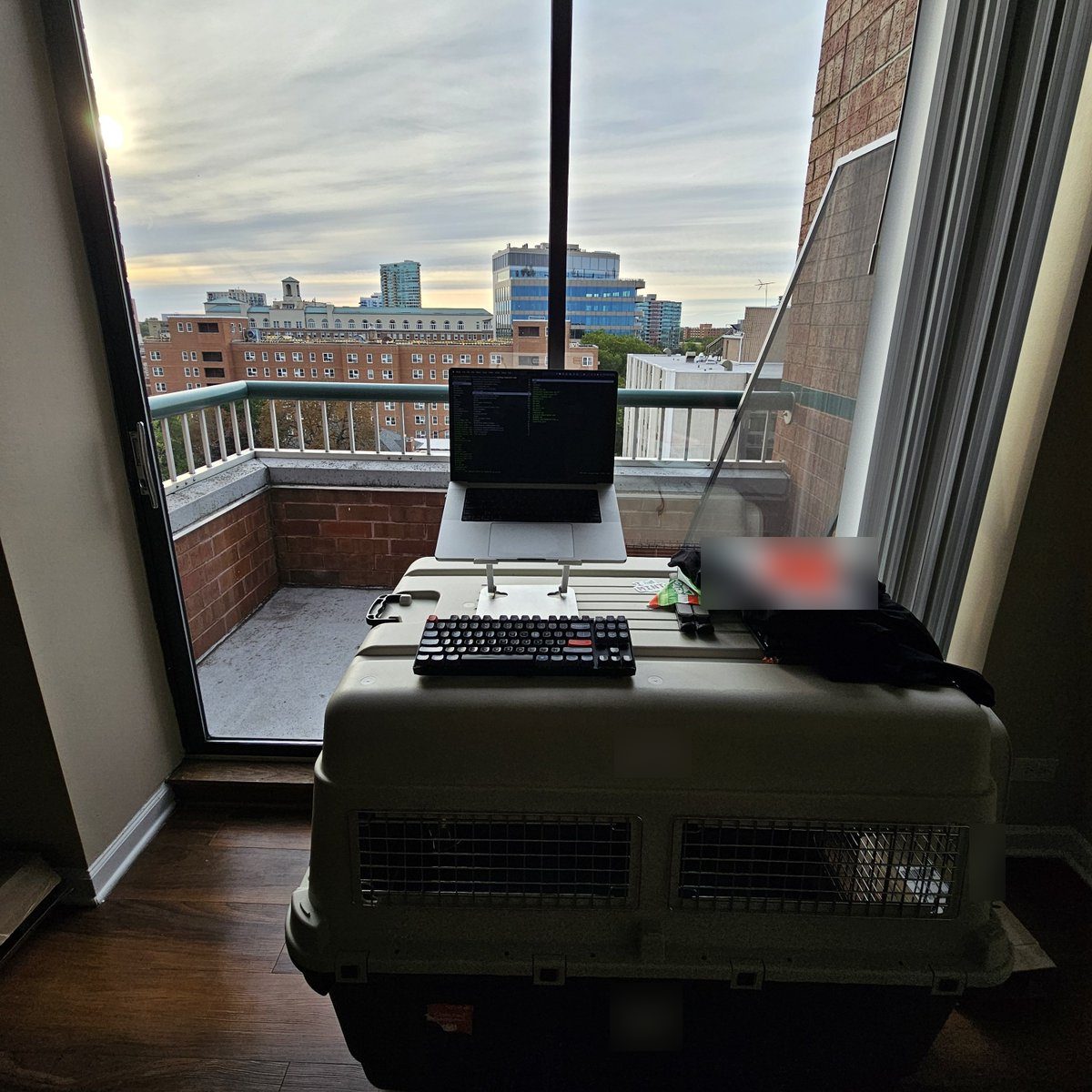
Left: the Airbnb table, September 2024. Right: what I called “peak dev productivity setup” later that month. Don’t @ me.
That second one is a laptop stand and a keyboard on top of a dog crate, in front of the balcony door. Not a bad view, though.
Everything stayed in boxes for two months, and I finally unpacked in November 2024. The homelab side of that is in my homelabs before Zion. The same month I decided to build a PC for homelab experiments and the occasional game, and by 20 November I had the parts, including a Ryzen 7 9800X3D and an RX 7900 XTX. A gaming PC changed what the mouse had to do.
The PC got a new monitor too: an INNOCN 32M2V, a 32 inch 4K mini-LED that runs at 144 Hz.
The walking pad didn’t make the move. I left it behind in India.
The desk didn’t make it either. In Chicago I had to buy a new one.
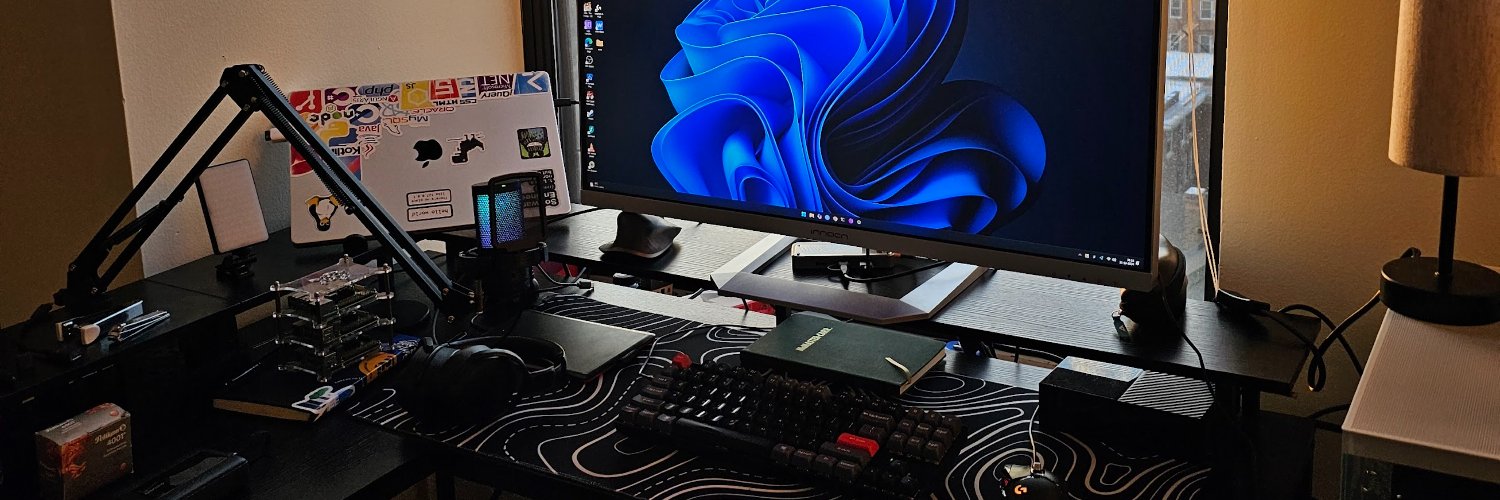 The Chicago desk, which also became my X header.
Then I moved from Chicago to Mountain View, sold that desk, and bought another one here.
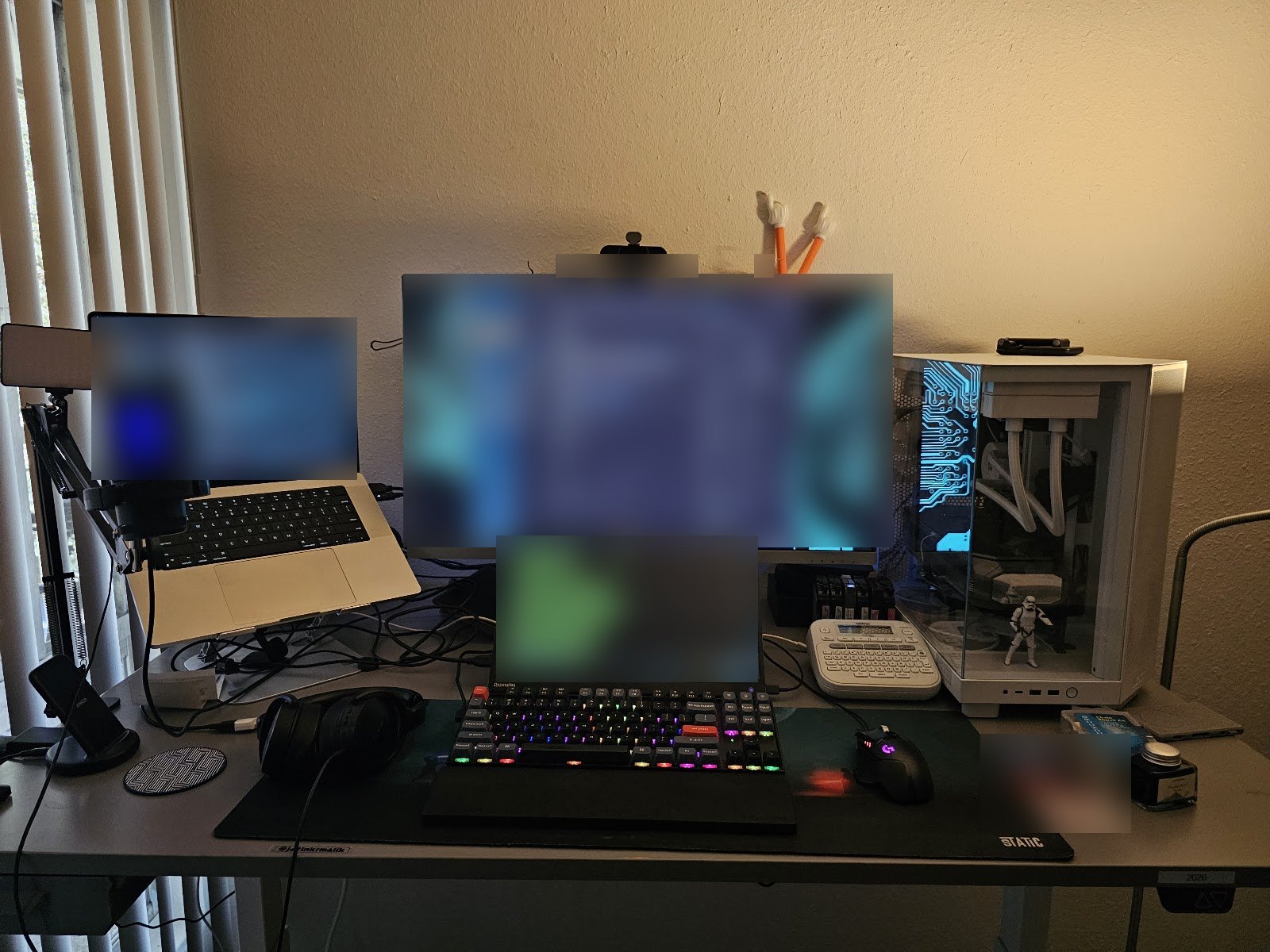 The Mountain View desk in June 2026. Screens blurred.
The mouse saga
In January 2024 I called the MX Master 3S the best mouse I’ve ever owned, mostly for the custom keymaps. In September 2024 it started double-clicking, so I opened it up. Later that month someone asked about its polling rate. My answer was that it’s not a gaming mouse, but on a 120 Hz MacBook display and a 120 Hz monitor I’d had no trouble with it.
The PC changed that. In December 2024 I was trying a Razer Basilisk V3, because the MX Master’s 125 Hz polling rate couldn’t keep up with my 144 Hz monitor, in games or even basic tasks. The stutter was noticeable even on the Bolt receiver. I was split between the Basilisk and a Logitech G502 HERO, which cost about the same.
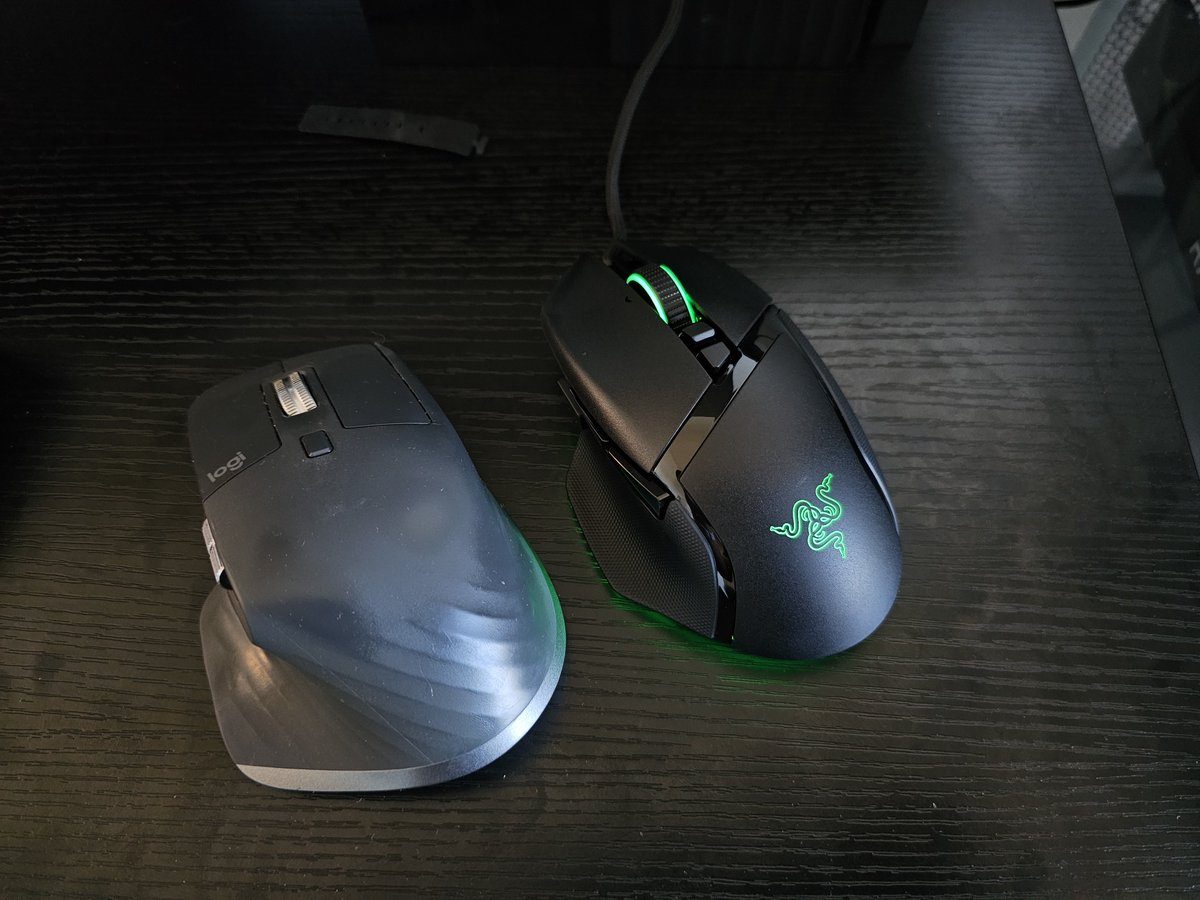
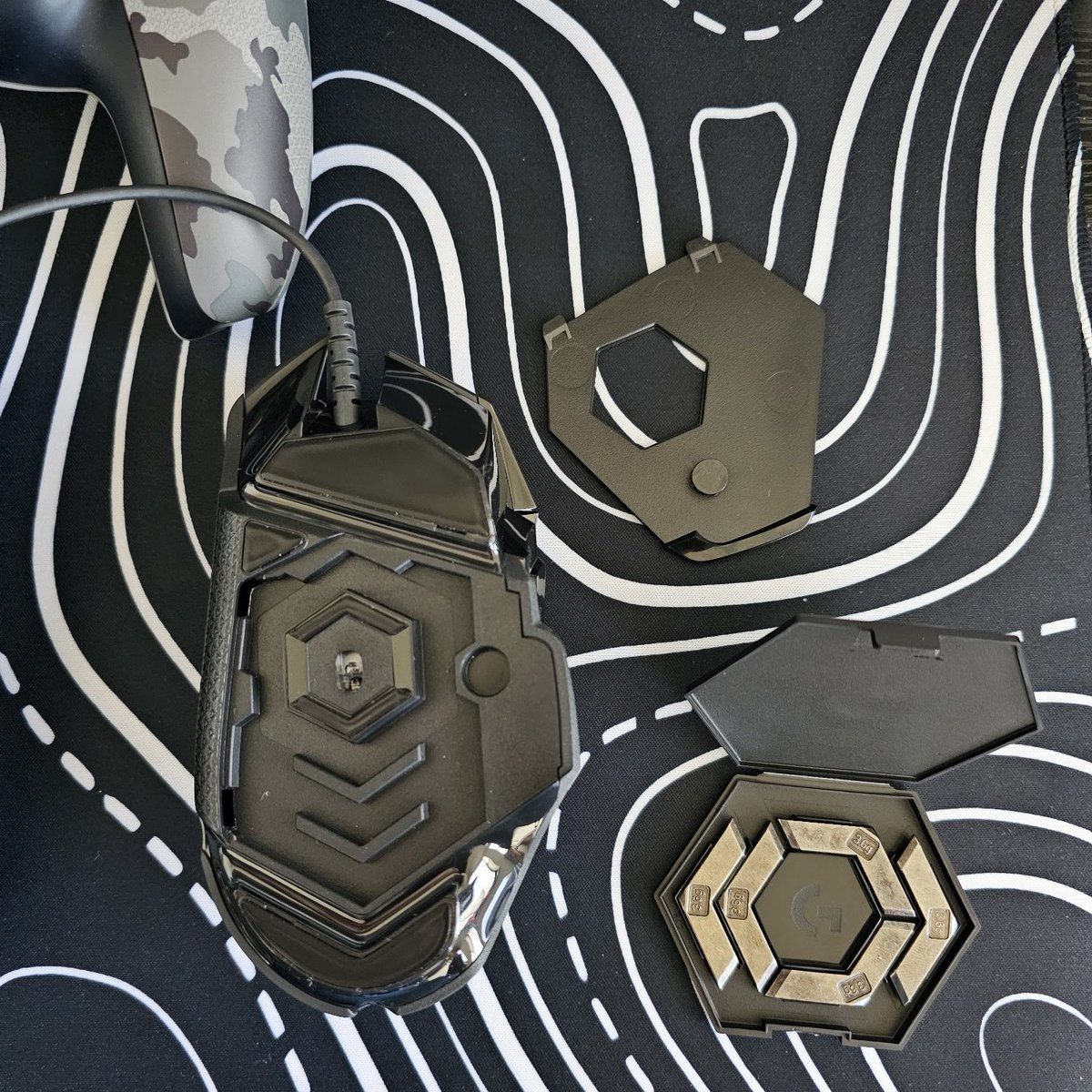
In the end the Basilisk went back, and by August the G502 HERO had won. I’d been all in on the MX Master, but its materials started degrading, and the G502’s layers of customisation won me over. My hot take: the G502 HERO’s removable weights are the most underrated desk feature of the last decade. Featherweight for eight hours of work, loaded tactical anchor for gaming at night.
2026: power bricks and a 15-inch touchscreen
The desk keeps growing. Around New Year 2026 I sketched an under-desk power brick mount with the S-Pen, had an LLM help turn it into a parametric OpenSCAD model, printed it and mounted the power bricks under the desk.
In May 2026 I started testing a portable 15-inch touchscreen monitor just for coding sessions, with a coding agent CLI running over tmux. An absolute game changer, because now I could focus on my chess games without interruptions. (That was sarcasm.)
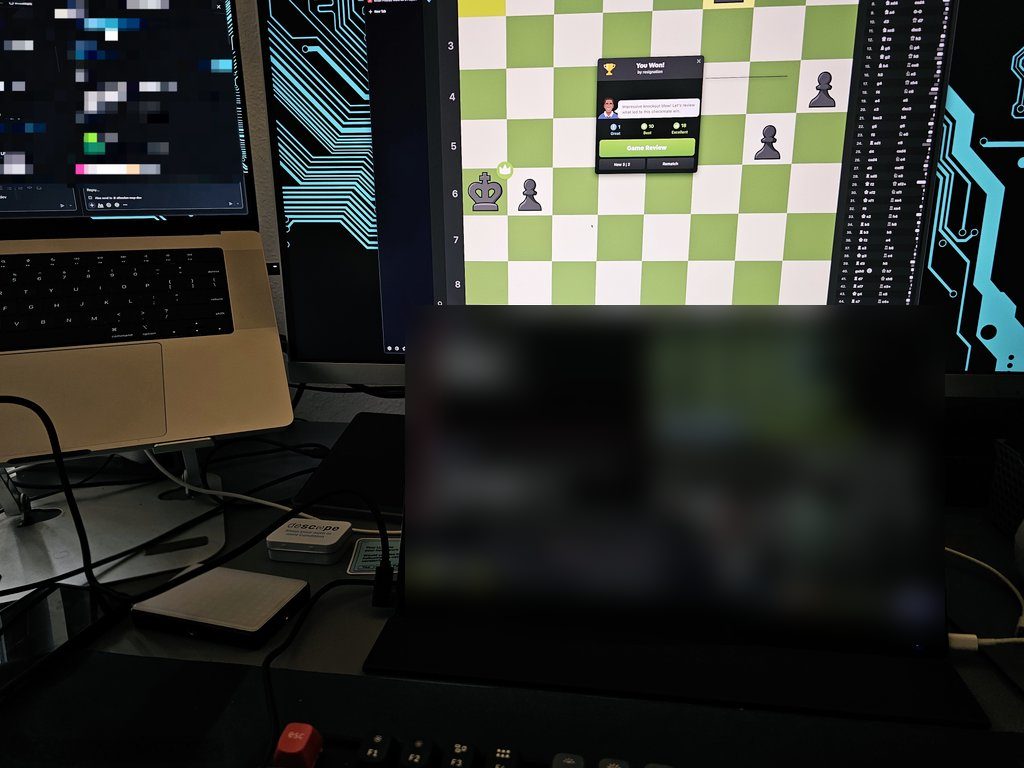 The portable touchscreen in May 2026. The terminals are blurred. The chess win stays.
A lot of my coding doesn’t happen at a desk anymore. About half of it happens on the go, on my phone, which I wrote up in Coding on the Go.
What eight years of desk tweets add up to
The gear changed a lot. The K8 Pro is the constant: it’s in the setup 3.0 photo, the GTA photo, the Airbnb and the dog crate, and the QMK/VIA macros are why. The Reds I swore I’d hate turned out fine.
On screens, I’d still take one ultrawide over two small monitors, unless the second one is vertical and holds code reviews. The sit-stand desk was one of my best investments of 2022. Amethyst and an ultrawide go well together. And the mouse is the part that keeps changing: G300s, MX Master 3S, a Basilisk trial, and now a G502 with weights in it.
One thing on my desk wasn’t gear at all: the Zen of Python poster. In July 2023 it had been pasted on my desk for more than seven years, and the principles translated surprisingly well to Ruby, Go and Kotlin as I moved between orgs and projects. Simple is better than complex. That one applies to desks too. I just haven’t applied it to mine.
Keep reading

Labelarium: I kept losing one sheet of paper, so I built an app
My Brother P-touch has 649 symbols indexed on one paper sheet I kept losing. Labelarium is the offline, open-source companion app I built instead, now on Product Hunt and Peerlist.
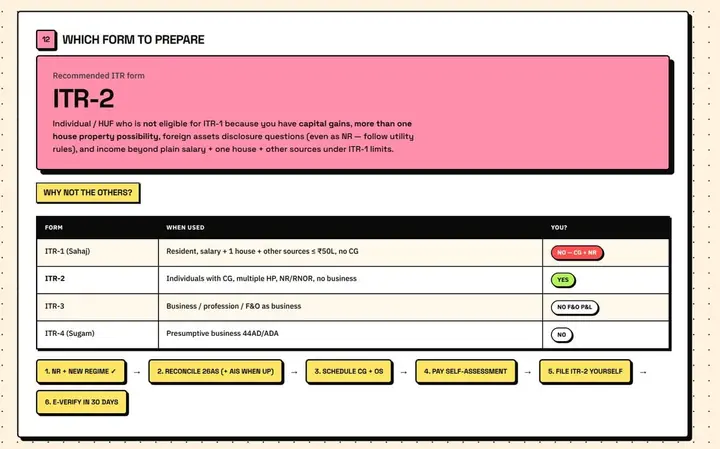
I filed my Indian taxes as an NRI with AI agents
My first time self-filing an ITR, done end to end with Grok 4.5 in the grok build CLI. I built a neo-brutalist dashboard and a 158-page audit packet, and still overpaid by ₹5,550.
pmptr: a dead simple teleprompter, with no ads and nothing to pay for
I built pmptr for my wife: a transparent, always-on-top, click-through teleprompter for macOS, Linux and Windows. Open source, one npm install.
Leave a comment