Zion, part 0: my homelabs before it, from a Pi stack to a Dell R510
Before Zion there was a Raspberry Pi stack in Bangalore and a Dell PowerEdge R510 in Delhi. What they ran, what I sold, and what made it to the US.
 Jatin Kumar Malik First published on
 X
In May 2026 I tweeted that I was tired of paying Google for storage, month over month, and that I was building my own cloud storage (yet again) that day. Two WD Red Plus 4TB drives were already sitting on my desk.
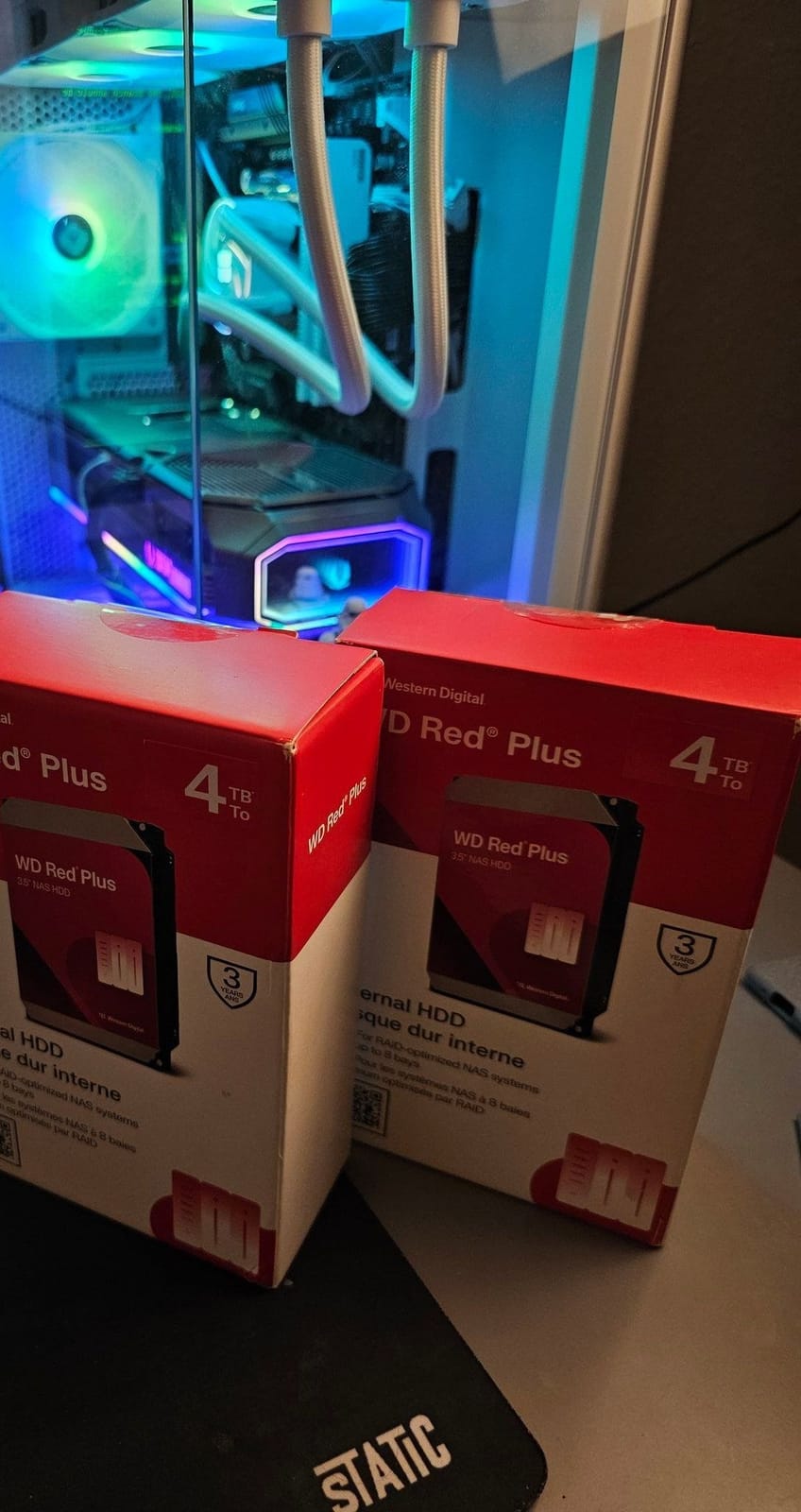
Someone caught the “yet again” and asked what happened. Fair question. I replied that I had set up a NAS twice before, in my previous life in Bangalore and Delhi: a Raspberry Pi stack in 2019 and a Dell PowerEdge R510 (I said 2022 in that reply, but it actually showed up in August 2020). I had to take both apart and sell them before moving to the USA. I also promised to write it up soon, so here it is, a bit late lol.
The machine that runs my stuff today is Zion, an HP Envy I pulled out of my building’s garbage room, and it has its own series. This post is everything that came before it.
It started with one Raspberry Pi 2
The first homelab I wrote about was a single Raspberry Pi 2 Model B with 1GB of RAM, back in 2015. I wrote a walkthrough of the board and then kept giving it new jobs: a NAS, a LAMP web server and a PirateBox. Before those guides it had already been a Twitter bot, an FTP/HTTP server, a RetroPie box and an ad-blocking DNS, all done quick and dirty.
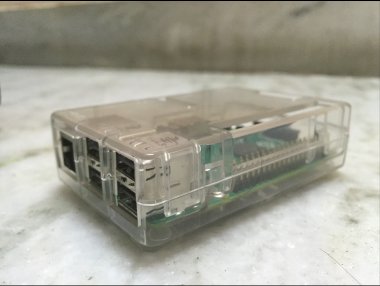 Where it all started: my Raspberry Pi 2 in its clear case, October 2015.
That same Pi 2 later ran Pi-hole in Bangalore in 2019, powered off my modem’s USB port. A month in, about 24% of the DNS queries on my network were ads and trackers.
2019: the Bangalore Pi stack
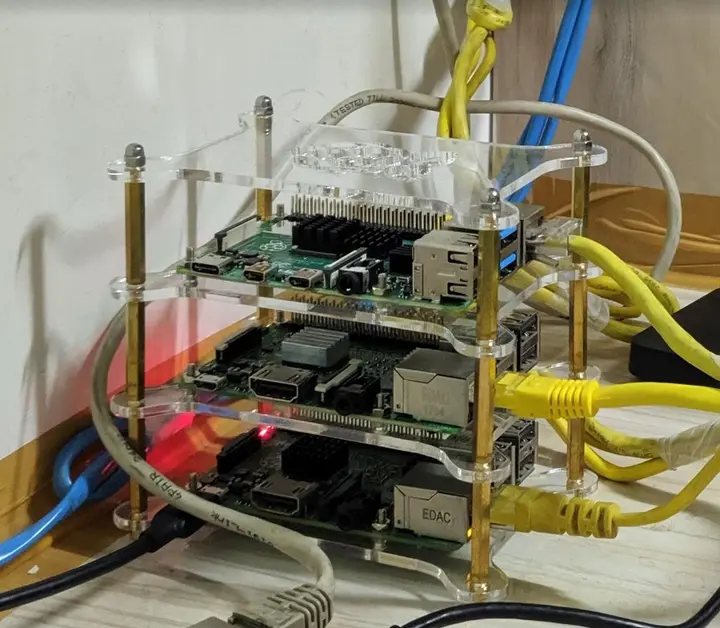
One Pi turned into four. One Sunday in Bangalore I put three of them in a clear acrylic stack, the fourth in a finned aluminium case next to it, wired them all to a gigabit switch, and posted a photo that said “Well, this was a productive Sunday!”
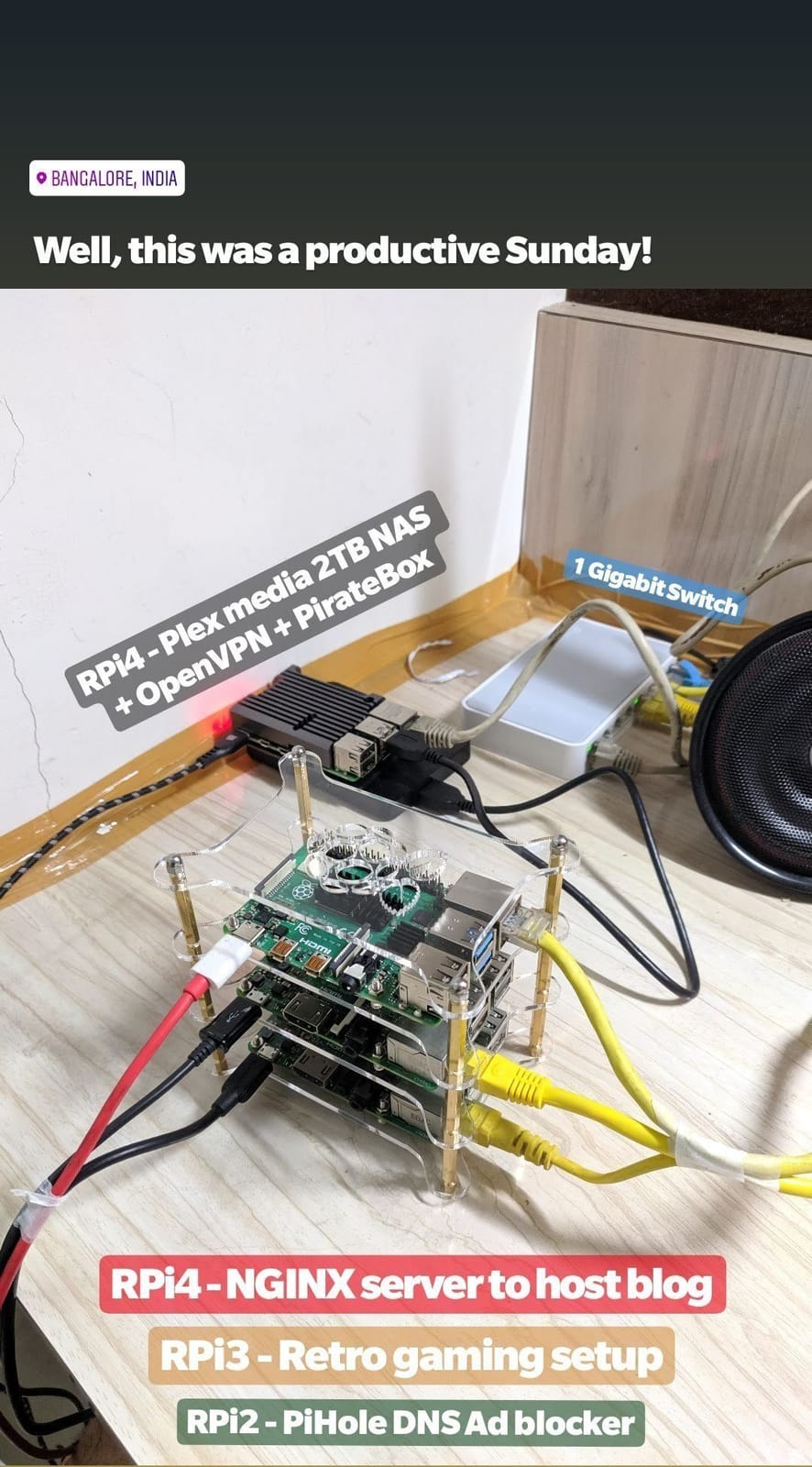
Here’s what each Pi did:
- A Pi 4 in a finned aluminium case ran Plex with a 2TB drive as the NAS, plus OpenVPN and PirateBox
- A second Pi 4, at the top of the stack, ran NGINX to host my blog
- A Pi 3 in the middle was the retro gaming setup
- The old Pi 2 at the bottom was still blocking ads with Pi-hole
That’s the “PiNAS + PiStack” from my tweet. It’s basically the NAS and PirateBox ideas from my old Pi 2 guides, spread across more boards. Years later I finally retired my RetroPie box and moved my emulators to my phone.
“I think I may have a problem”
In March 2021 I tweeted at @Raspberry_Pi: “Folks, I think I may have a problem. :P” The photo had five boards on my desk: three in the acrylic stack, one in a black finned case and one in a layered acrylic case with a tiny fan.
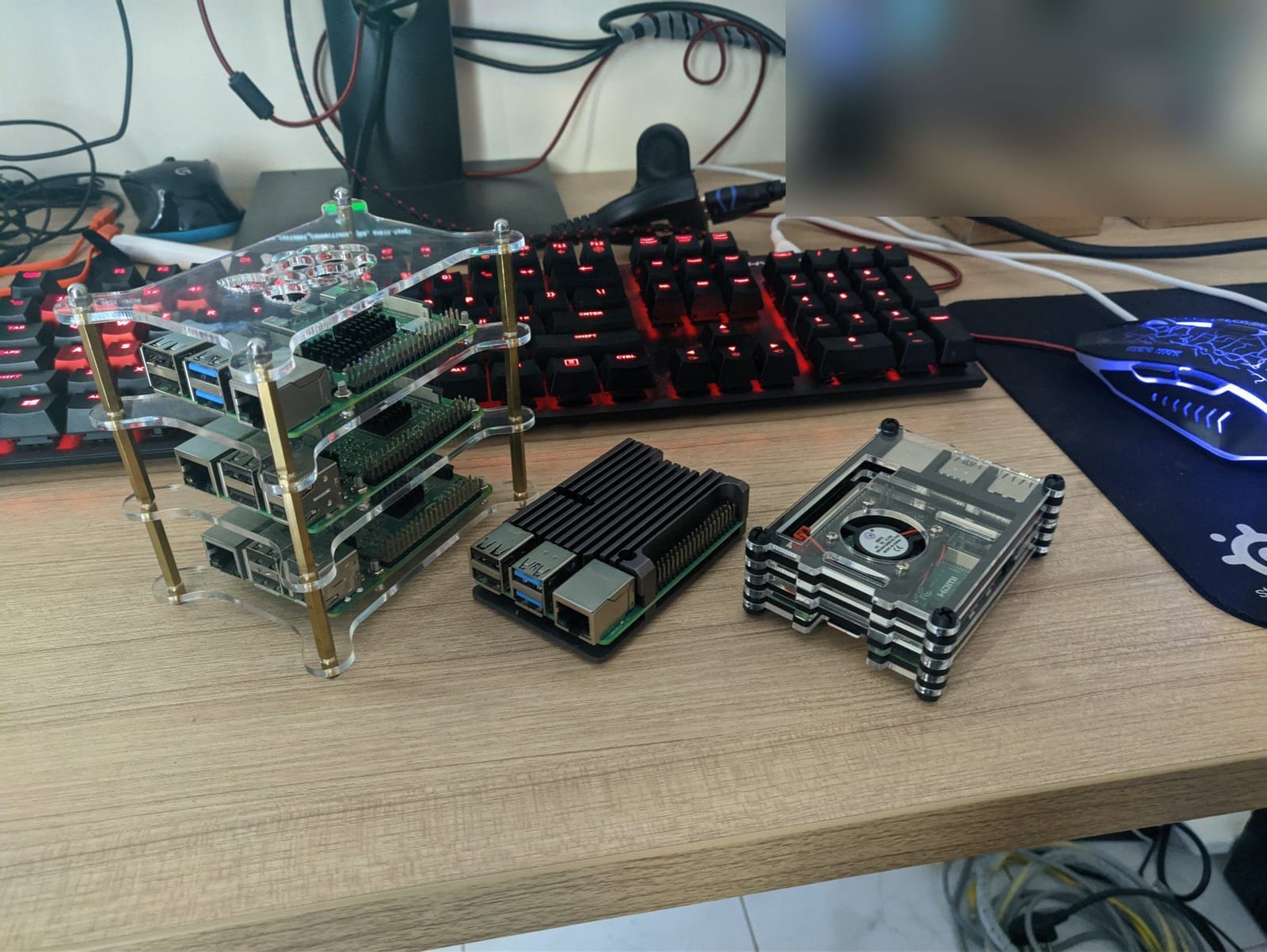
In 2024, when someone asked me why I’d run a Pi cluster instead of a cheap mini PC, the honest answer was that I’ve been collecting Raspberry Pis like Pokemon for the last 10 years. The longer answer:
While a cheap mini PC will give you more bang for your buck, a Raspberry Pi cluster is a great way to dive into distributed computing concepts. It’s a hands-on way to learn about load balancing, fault tolerance, and other cool stuff. Plus, it’s a fun project!
2020: a Dell PowerEdge R510 in Delhi
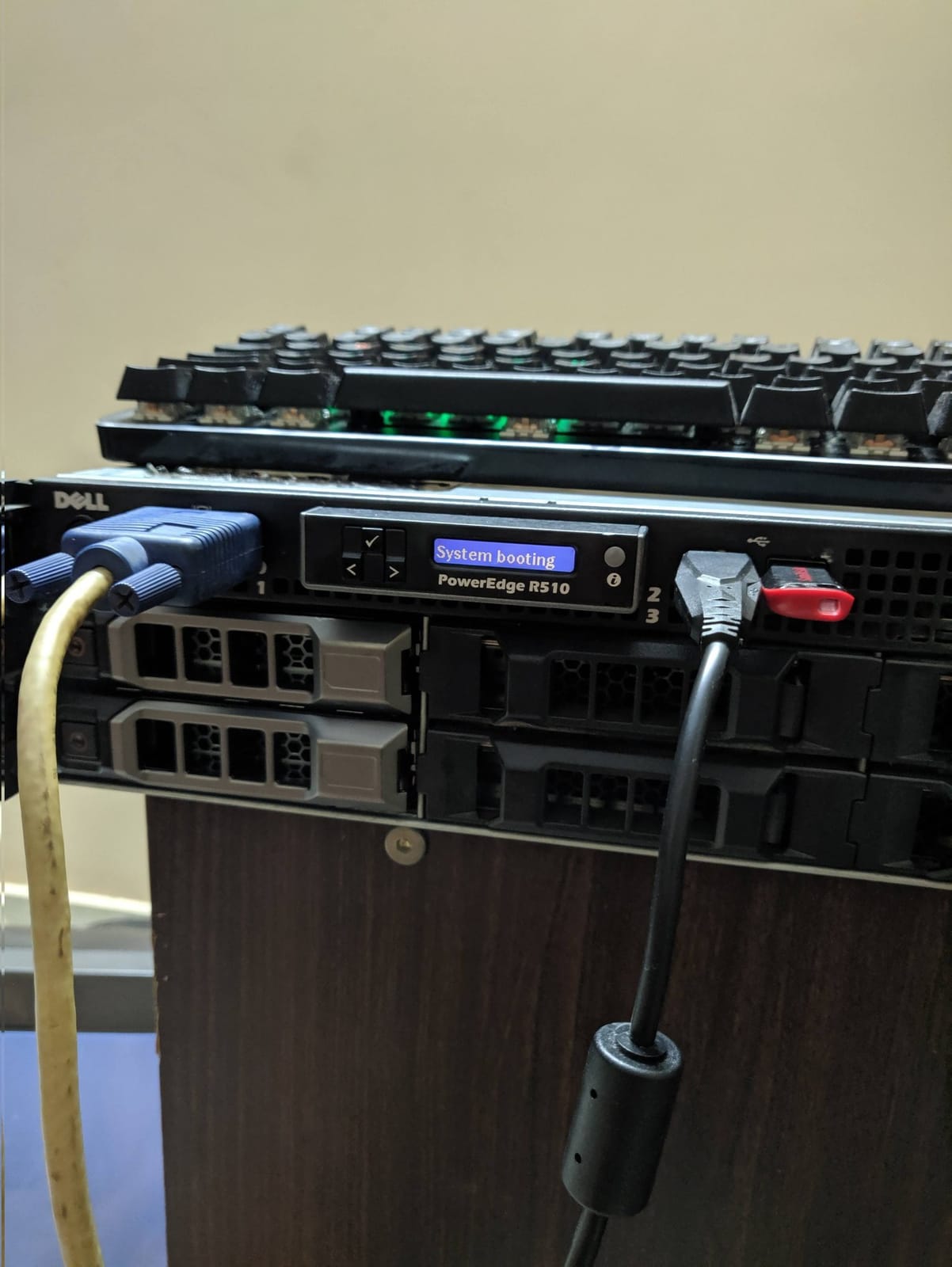
In August 2020 the Pis got a big brother in Delhi: a Dell PowerEdge R510 (its first month has a post of its own). No rack. It sat on a wooden cabinet with my mechanical keyboard parked on top, a VGA cable and a USB stick hanging out of the front. It sounded like a jet engine.
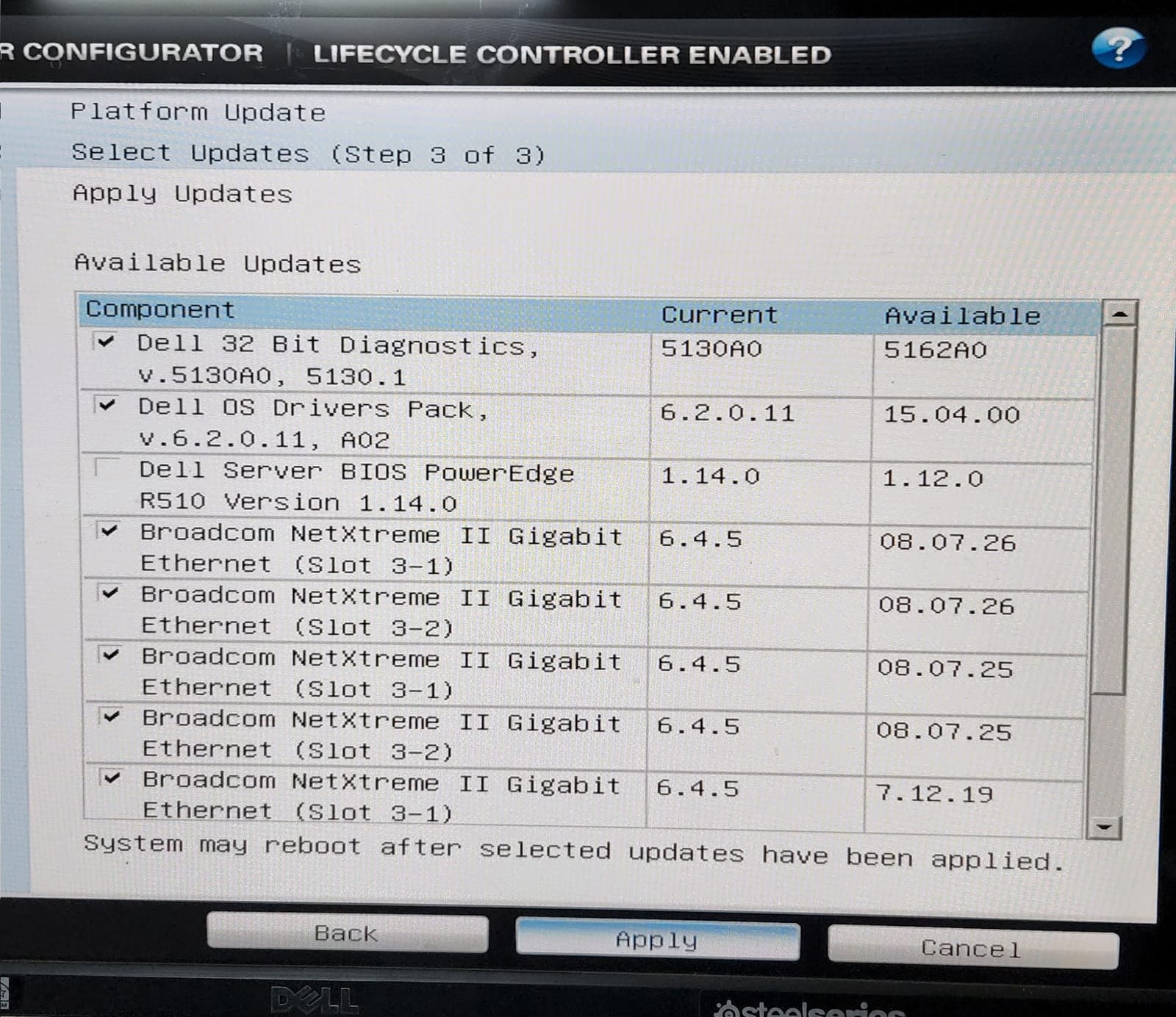
In June 2022 I updated my “ancient old Dell R510”, all thanks to @KWF and his site updateyodell.net. It’s a lifesaver 🙌
The Lifecycle Controller listed new diagnostics, a new OS drivers pack (6.2.0.11 to 15.04.00) and new firmware for the Broadcom NetXtreme II NICs. The one unticked row is the BIOS, and look at the versions: the one on offer, 1.12.0, is older than the 1.14.0 already on the box. My verdict at the time: “Beautiful. 🤌”
Proxmox, Matrix style
Next up was upgrading to Proxmox 7 🤞
The R510 ran Proxmox VE 6.4, whose support was ending on 31 July 2022. I called the node matrix, and the guests on it were named after Matrix characters: link, lock, switch, dozer, trinity, zion, neo, morpheus, architect, merovingian, smith and oracle, plus two plainly named ones, pentest and miner.
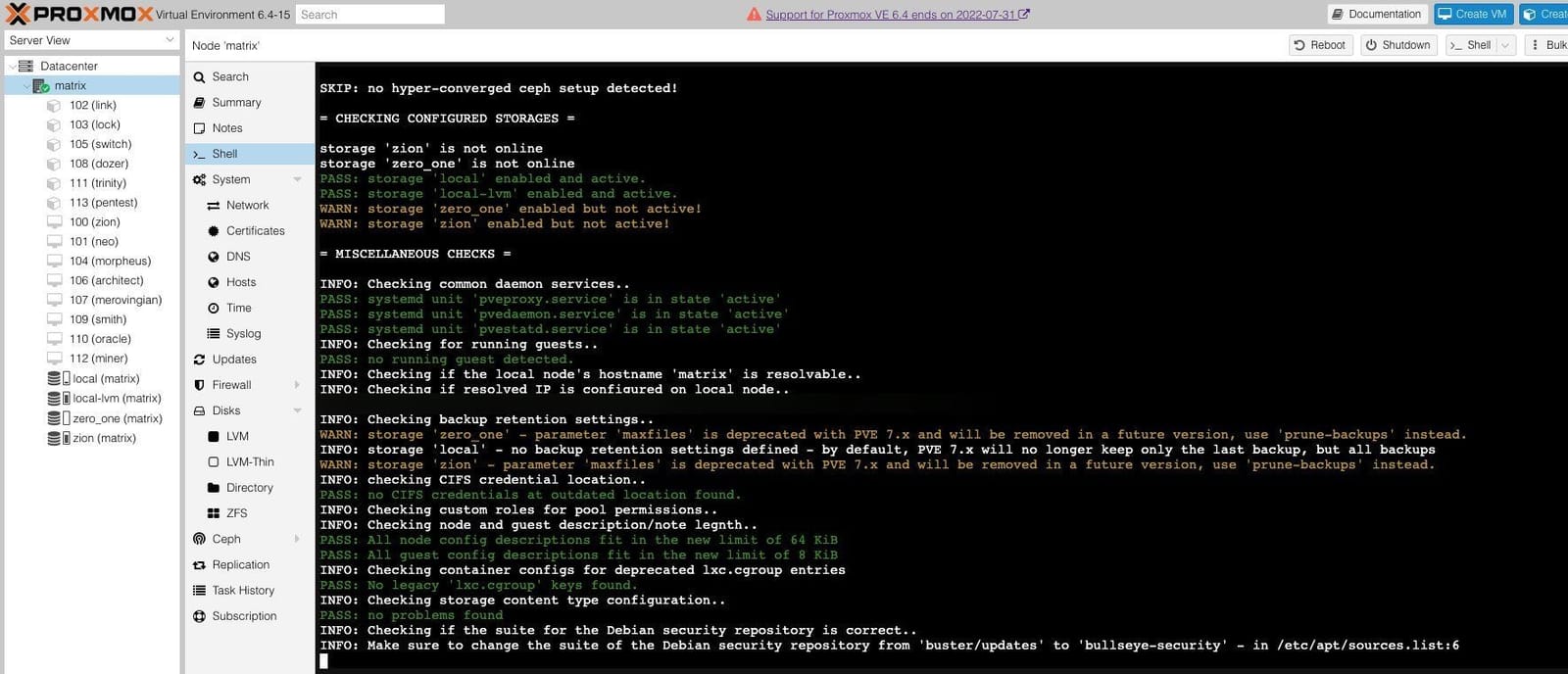
The screenshot is pve6to7, the checklist Proxmox ships for this upgrade. It found no running guests, warned that two storages, zion and zero_one, were enabled but not active, and flagged the old maxfiles backup setting as deprecated in favour of prune-backups. The last line tells you to switch the Debian security repo from buster/updates to bullseye-security in /etc/apt/sources.list.
My last setup before the move was Proxmox with TrueNAS in a VM.
There was already a storage (and a VM) called zion on matrix back in 2022. When I imported my old ZFS pool on the HP Envy this year, it turned out past me had named that pool zion too.
All my machines get quirky hostnames like this. In 2025 the list was anton (MacBook), sauron (PC), celsus (NAS), zion (laptop), neo, morpheus and trinity (the Pis) and zeus (phone). As I said back then, it makes them easy to find on the network!
Selling it all and moving to the US
Then I moved to the US in August 2024. The R510 was taken apart and sold before the move. What did make the trip: the four-Pi stack (“I hope they don’t end up confiscating it. :’)” I tweeted before flying), and three 2TB hard drives (2x WD Blue and a Seagate, all SMR) pulled out of my NAS server.
HomeLab 3.0
Everything stayed in boxes for two months. In November 2024 I finally unpacked it all and tweeted “HomeLab 3.0 // Coming soon™”. On the desk: the Pi stack, the fan-cased Pi, a Pi in a black aluminium case, a small switch, the boxes for a Sense HAT and a Camera V2, a multimeter, the external HDD (the black mini tower, my cold backup) and, of course, a ThinkPad.
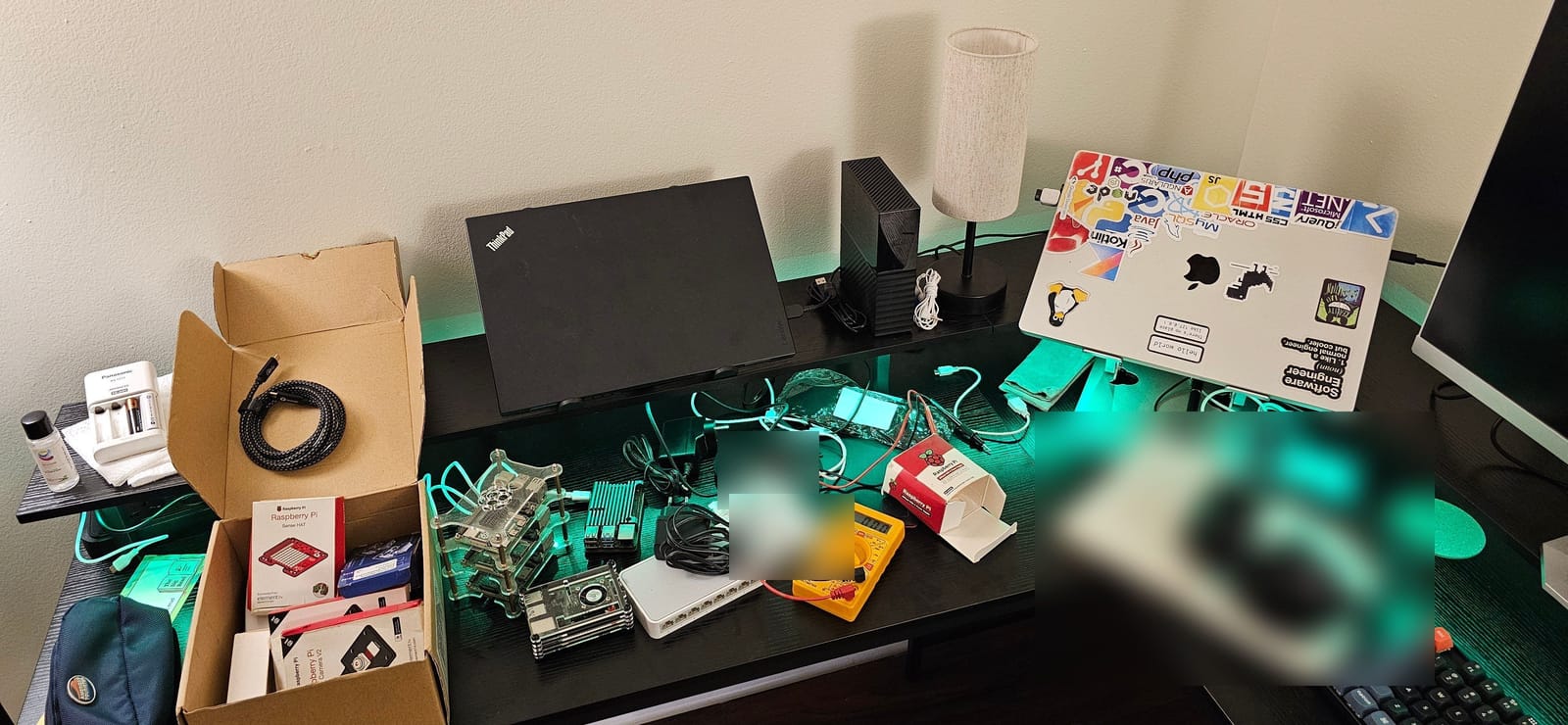
Someone asked if the ThinkPad was part of the homelab too. There was only one correct answer:

A couple of days later I booted everything up for the first time in months. I’d carried most of the hardware across without anti-static bags, so I was a bit worried. Thankfully, other than outdated apt packages, everything worked! The four raspberries on the boot screen are one per CPU core, not one per Pi.
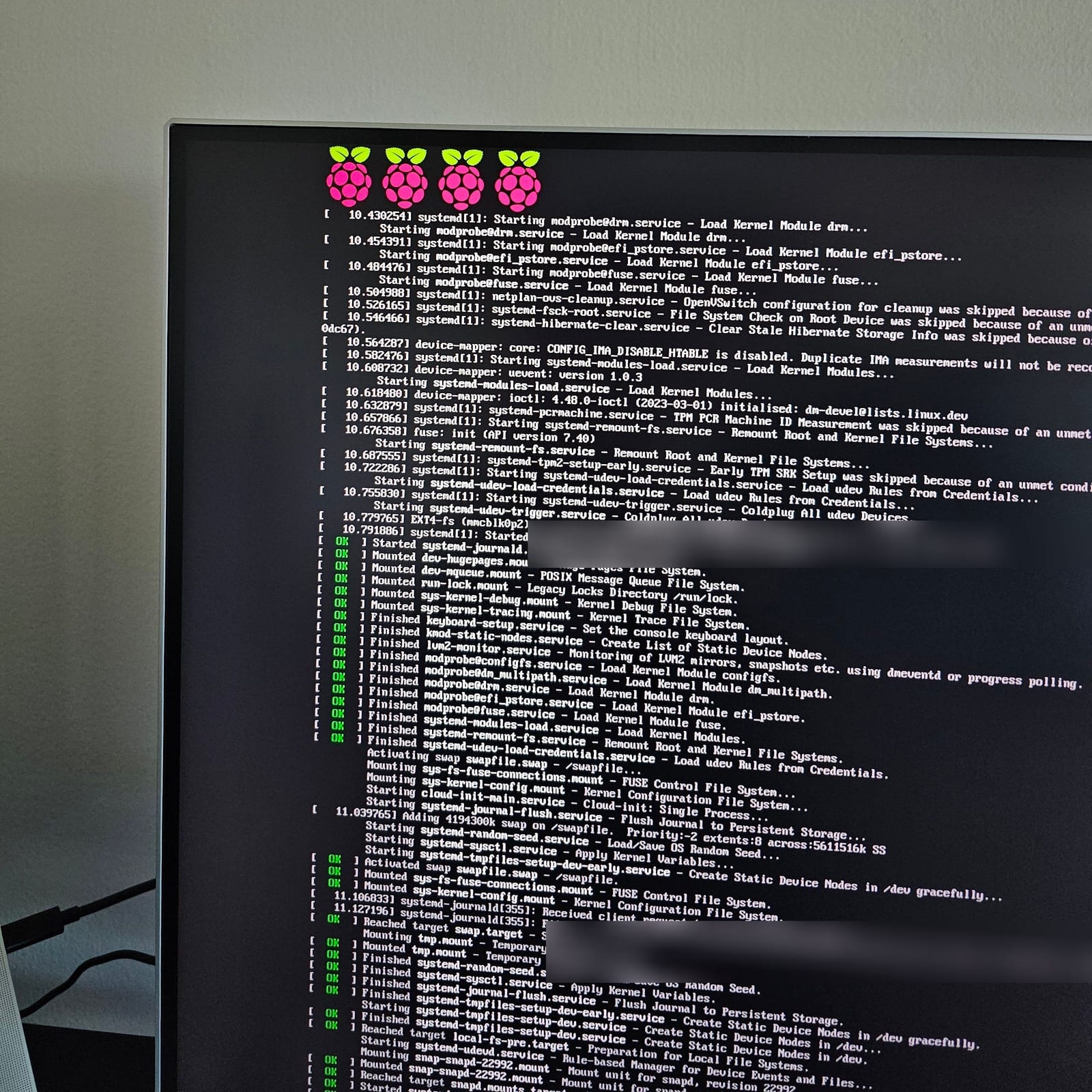
I hadn’t worked out my network topology yet, but the plan was Pi-hole for DNS-based ad blocking first, then probably PiVPN with WireGuard, then a Plex server (maybe on a Pi 5 or a mini PC, for that sweet transcoding support). For the three 2TB drives I was torn between a Synology and a custom PC. A week later I was also asking AMD or Intel for a PC rig to experiment with the homelab and game on once in a while.
The itch comes back
In October 2025 a South Korean government data center fire was in the news, with reports that 858TB of government data might be lost for good. I tweeted the 3-2-1 backup rule: three copies of your data, on two different kinds of media, with one copy off-site, ideally more than a few miles away from the other two.
Then came the May 2026 tweet from the top of this post. When someone asked about the RAID level, I said RAID 5, plus another 4TB sitting in an enclosure that I would shuck for the bare drive.
In September I dragged the Pi stack out again, with a box full of cables, for a project I’ll share soon. I was hoping the SD cards weren’t dead yet 🤞 (if you don’t have a box full of cables, are you even an engineer?)
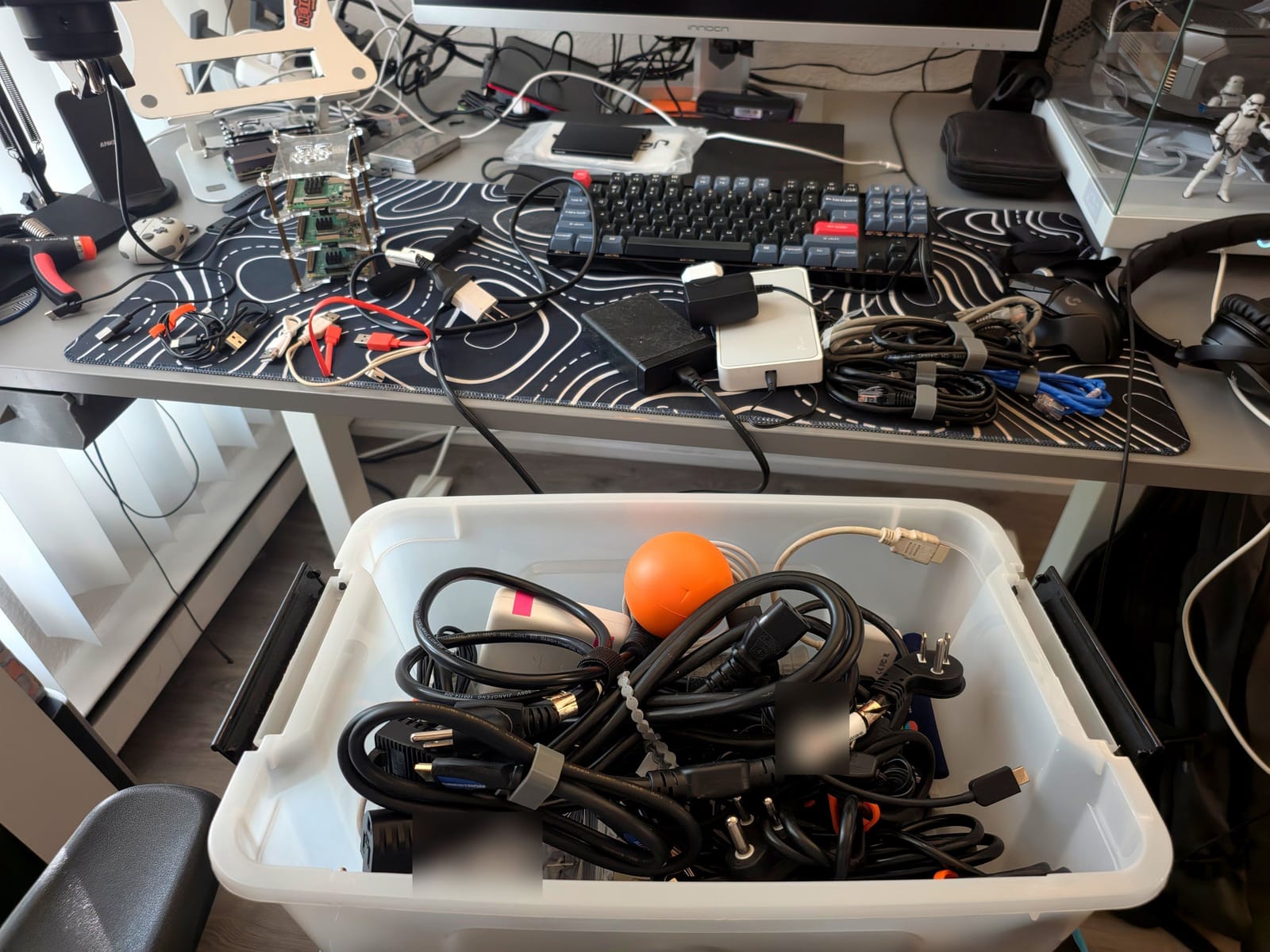
A couple of weeks later I found the HP Envy in the garbage room, and the rest is Zion. As I put it in a reply once Zion was up, I’ve run all kinds of home labs over the years: a couple of Raspberry Pis, a gaming PC, the Dell rack server, and now I’m starting again in a new city.
What I’d tell someone starting
Mostly things I’ve already said on X:
- If you want the most bang for your buck, buy a cheap mini PC. If you want to learn distributed systems, a Pi cluster is the fun way to do it.
- Follow the 3-2-1 rule, and keep a cold backup. Mine was an external HDD.
- Give your machines memorable hostnames. It makes them easy to find on the network.
- When it goes over your head, Google is your friend ;)
Zion’s story is in part 1, the software and my current backups are in part 2, and the dashboard is in part 3.
What was your first homelab? Tell me in the comments.
@Raspberry_Pi Folks, I think I may have a problem. :P
@jatinkrmalik, 24 March 2021
Updated my ancient old Dell R510 all thanks to the man - @KWF himself! is a lifesaver! 🙌
@jatinkrmalik, 10 June 2022
Beautiful. 🤌
@jatinkrmalik, 10 June 2022
Upgrading to Proxmox 7 🤞 #proxmox #homelab
@jatinkrmalik, 11 June 2022
@ratnam_chanakya I am planning to carry my 4 raspberry pi stack this time. I hope they don't end up confiscating it. :') I have a couple of Arduino boards here as well.
@jatinkrmalik, 24 August 2024
🏗️ HomeLab 3.0 // Coming soon™ Decided to unpack everything today finally after 2 months. What all can you spot? 😎
@jatinkrmalik, 7 November 2024
@Yagami_22_JSR Bud, I have just been collecting Raspberry Pis like Pokemon for the last 10 years. While a cheap mini PC will give you more bang for your buck, a Raspberry Pi cluster is a great way to dive into distributed computing concepts. It's a hands-on way to learn about load balancing,…
@jatinkrmalik, 7 November 2024
Then God said: "Let there be light", and there was light. ⚡ Booting up after months, I was worried as I carried most of my hardware without anti static bags. Thankfully other than outdated apt packages, everything works! 🤞 I'm yet to plan my network topology but will start…
@jatinkrmalik, 8 November 2024
@Iampatelajeet Google is your friend! ;)
@jatinkrmalik, 9 November 2024
I'm planning to build a PC rig to experiment with my homelab and use it for gaming once in a while. What team are we in 2024? I hear a lot more in favor of AMD than for Intel. Curious to hear thoughts here?
@jatinkrmalik, 15 November 2024
Always follow the 3-2-1 Backup rule!! - 3 copies of your data: Your three copies include your original or production data plus two more copies. - On 2 different media: You should store your data on two different forms of media. - 1 copy off-site: You should keep one copy of…
@jatinkrmalik, 9 October 2025
Tired of paying storage money to Google, month over month. Building my own cloud storage (yet again) today!! Let me know if you would like me to write about my setup and 3-2-1 backup strat.
@jatinkrmalik, 10 May 2026
@kunchenguid Hah! I have set up NAS twice before in my previous life in Bangalore and Delhi. Left: 2019 / PiNAS + PiStack Right: 2022 / Dell PowerEdge R510 Had to disassemble and sell off before moving to the USA. I have an itch to self-host a bunch of workload again.
@jatinkrmalik, 10 May 2026
@fredaayao1 Absolutely! Over the years I have run all types of home labs. I have had a very simple home lab with a couple of raspberry pis, with a gaming PC, with my Dell R620 rack mounted server, and now I'm starting again in a new city with this. The only peculiar thing is I have more…
@jatinkrmalik, 12 October 2026
Keep reading
A journey to mystical lands of the homelab: my Lord of the Rings homelab talk
Today I walked colleagues at Uber through my homelab, where every box has a Lord of the Rings name. Pi-hole at 48.3%, RAID 5 and idols as heatsinks.
My new hard drive ritual: badblocks, TLER and the SMR check
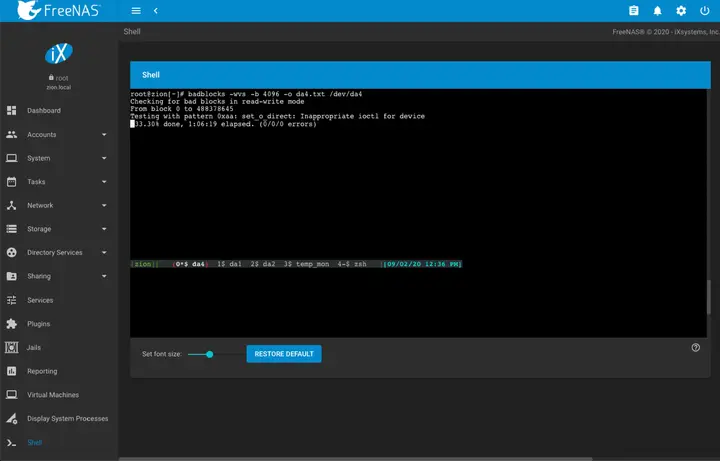
What a new hard drive goes through before it joins my NAS: a badblocks burn-in in tmux, TLER via smartctl, and the CMR, SMR and shucking checks.
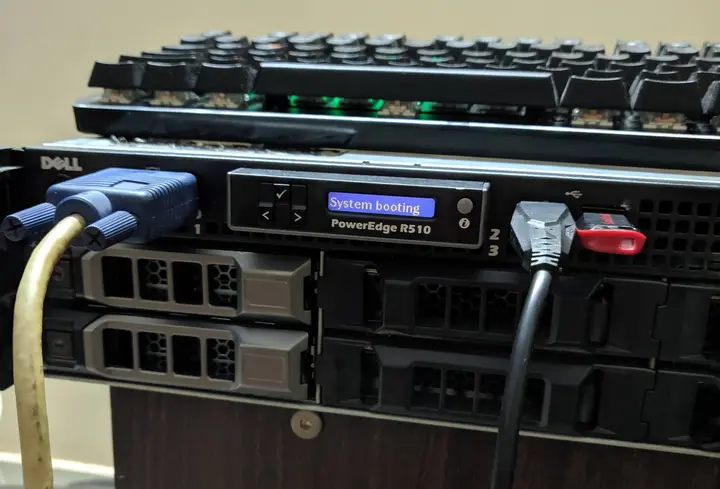
A rack server with no rack: my Dell PowerEdge R510
Two Xeon X5675s, 64 GB of ECC RAM, a PERC H310 crossflashed to IT mode and a CRT for a console. My first month with a Dell R510.
Leave a comment