From Spaghetti to Elegant: 5 Simple Ways to Refactor Your Java Code!
Five everyday Java refactors I keep suggesting in code reviews: guard clauses, streams, Optional, computeIfAbsent and try-with-resources, with before and after code.

TL;DR
Here are Five common patterns that I have observed reviewing code at work that can instantly improve your Java code. Whether you’re a beginner or an experienced developer, incorporating these patterns can significantly elevate the quality of your code. Read on for detailed examples and personal insights from my years of code reviews and mentoring fellow engineers.
While I don’t get a lot of time for hands-on coding at work these days, I still write a lot of code on my personal projects aka my homelab outside my working hours, which translates to tweaking my VPN config, PiHole, Plex server, Router, Reverse Proxy, Webservers, and various other self hosted services.

Over the last decade of working professionally, I’ve developed a keen eye for code that’s clean, maintainable, and easy to understand. More importantly, I’ve seen these patterns come up time and time again in code reviews, and I’ve found myself offering the same advice to my fellow engineers. So, I thought I’d share my top 5 go-to patterns that I often suggest to help write cleaner, more maintainable Java code.
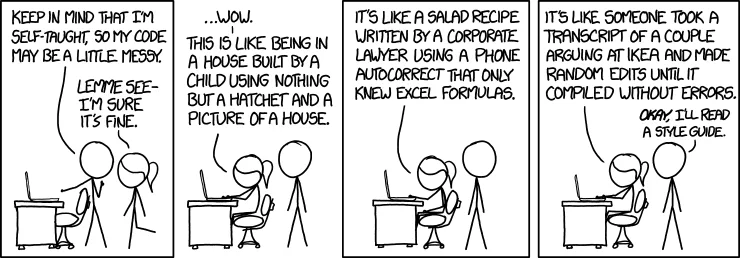
Note: These patterns have become second nature to me over the years, and I’ve seen firsthand how they can transform codebases. They’re not just about writing less code - they’re about writing code that’s easier to understand, easier to maintain, and less prone to bugs ensuring you don’t have to go through a code review like this:
#1. Replace nested if statements with guard clauses
I can’t tell you how many times I’ve seen deeply nested if statements in code reviews. It’s like a maze that you have to mentally navigate, and it’s easy to get lost.
Here’s a classic example, and the guard clauses I always suggest refactoring it to:
❌ Before
public String processUser(User user) {
    if (user != null) {
        if (user.isActive()) {
            if (user.hasPermission("admin")) {
                // Perform admin actions
                return "Admin actions performed";
            } else {
                return "User doesn't have admin permissions";
            }
        } else {
            return "User is not active";
        }
    } else {
        return "Invalid user";
    }
}
✅ After
public String processUser(User user) {
    if (user == null) {
        return "Invalid user";
    }
    if (!user.isActive()) {
        return "User is not active";
    }
    if (!user.hasPermission("admin")) {
        return "User doesn't have admin permissions";
    }

    // Perform admin actions
    return "Admin actions performed";
}
I love this pattern because it makes the code read like a checklist. Each condition is right there at the top, easy to see and understand.
It’s like those signs you see at amusement park rides: “You must be this tall to ride.” If you don’t meet the criteria, you’re out. Simple and clear.
#2. Embrace the power of stream()
I remember when I first discovered Java streams - it was like finding Jar Jar Binks Frozen in Carbonite. Suddenly, all these complex operations became so much simpler. I often see code like this in reviews, and I always get excited to show them how streams can simplify it:
❌ Before
List<Integer> numbers = Arrays.asList(1, 2, 3, 4, 5);
List<Integer> squared = new ArrayList<>();
for (int num : numbers) {
    squared.add(num * num);
}
✅ After
List<Integer> numbers = Arrays.asList(1, 2, 3, 4, 5);
List<Integer> squared = numbers.stream()
                               .map(num -> num * num)
                               .collect(Collectors.toList());
It’s like magic, isn’t it?
Once you get used to thinking in streams, you’ll find yourself reaching for them all the time. They’re not just shorter - they’re more expressive. They just flow with what you’re doing with the data.
#3. Make friends with Optional
Null checks are the bane of every Java developer’s existence.
Obligatory shoutout to recent Crowdstrike Outage starring NPE.
I’ve lost count of the number of NullPointerExceptions I’ve debugged over the years. That’s why I always encourage my team to use Optional. Here’s a common pattern I see, and how we can rewrite it using Optional:
❌ Before
public String getUserName(User user) {
    if (user != null) {
        String name = user.getName();
        if (name != null && !name.isEmpty()) {
            return name;
        }
    }
    return "Unknown";
}
✅ After
public String getUserName(User user) {
    return Optional.ofNullable(user)
                   .map(User::getName)
                   .filter(name -> !name.isEmpty())
                   .orElse("Unknown");
}
It’s like Optional is doing all the heavy lifting for you. No more null checks, no more worrying about NullPointerExceptions. It’s a breath of fresh air.
#4. Get clever with Map.computeIfAbsent
This one’s a bit of a hidden gem. I often see developers struggling with map initialization, especially when dealing with complex values. Here’s a common pattern, and a cleaner way using computeIfAbsent:
❌ Before
Map<String, List<String>> userRoles = new HashMap<>();
public void addUserRole(String user, String role) {
    if (!userRoles.containsKey(user)) {
        userRoles.put(user, new ArrayList<>());
    }
    userRoles.get(user).add(role);
}
✅ After
Map<String, List<String>> userRoles = new HashMap<>();
public void addUserRole(String user, String role) {
    userRoles.computeIfAbsent(user, k -> new ArrayList<>()).add(role);
}
It’s like the map is doing the thinking for you. “Oh, this key doesn’t exist? Let me create it for you.”
It’s these little quality-of-life improvements that can make your code so much more pleasant to work with.
#5. Embrace try-with-resources
Last but not least, resource management. I can’t tell you how many times I’ve seen unclosed resources in code reviews. It’s like forgetting to turn off the tap - it may not flood the house immediately, but it’s a habit that can lead to bigger issues down the line.
Here’s what I often see, and a better way to do it using try-with-resources:
❌ Before
BufferedWriter writer = null;
try {
    writer = new BufferedWriter(new FileWriter("example.txt"));
    writer.write("Hello, World!");
} catch (IOException e) {
    e.printStackTrace();
} finally {
    try {
        if (writer != null) {
            writer.close();
        }
    } catch (IOException e) {
        e.printStackTrace();
    }
}
✅ After
try (BufferedWriter writer = new BufferedWriter(new FileWriter("example.txt"))) {
    writer.write("Hello, World!");
} catch (IOException e) {
    e.printStackTrace();
}
It’s like the try-with-resources is your personal butler (yes! you are Batman 🦇), making sure everything is cleaned up properly when you’re done. No more worrying about unclosed resources or messy finally blocks.
Resources
For those of you who want to dive deeper into clean code practices, here are some resources I often recommend to my team:
- https://refactoring.guru/ - This site is a treasure trove of design patterns and refactoring techniques, with clear explanations and examples. One of my absolute favorites.
- https://www.baeldung.com/ - What I particularly appreciate about Baeldung is its practical, no-nonsense approach. The articles are typically straight to the point, with clear explanations and plenty of code examples. It’s like having a knowledgeable colleague explain things to you. Also, they have a kickass newsletter you can checkout.
- Modern Java in Action: Lambdas, streams, functional and reactive programming by Raoul-Gabriel Urma, Mario Fusco, and Alan Mycroft - This book is fantastic for really getting to grips with Java features like streams and lambdas.
- Effective Java by Joshua Bloch - If you’re working with Java, this book is a must-read. It’s full of best practices and design patterns specific to Java.
- Clean Code by Robert C. Martin - This book while controversial, is still like the Bible of clean coding practices. It’s a bit old now, but the principles are timeless. You can surely get some nuggets out of it.
Remember, clean code is a journey, not a destination. Keep learning, keep experimenting, and most importantly, keep sharing your knowledge with your peers.
That’s how we all grow as engineers.
If you enjoyed reading this and learnt something new, let me know if you would like me to write a follow-up part 2 featuring an additional 5 patterns.
Cheers 🍺
Keep reading
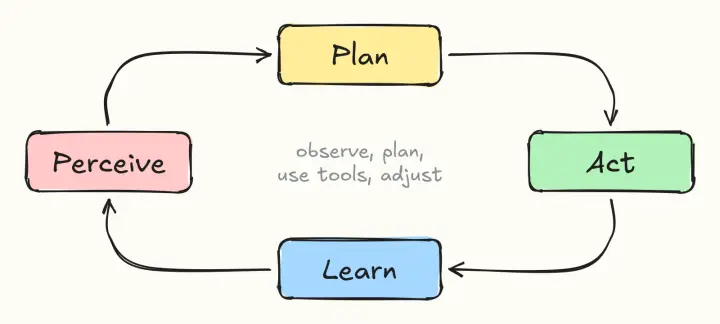
Anatomy of an AI Agentic Prompt: Building Effective AI Agents!
The parts of a good agentic prompt (role, tasks, tools, constraints, context, examples, evaluation and contingencies), plus a production-ready template to copy.

Back from Dead | Troubleshoot slow page loads & 503 errors of WordPress blog
How a slow, 503-throwing WordPress blog on GoDaddy shared hosting was traced to a bloated Jetpack postmeta table, and fixed by cleaning up the database.
Android 101 : Day 4 | Intent In Android
Activities, Yay! Learn how to design a Multi-Activity App using the concepts of Intent In Android & build something great. Oh, and Source code is included!
Comments
No comments yet. Start the conversation.
Comments couldn't load right now.