Typestash: fonts everywhere, found nowhere, so I built them a home
Years of fonts scattered across laptops, zips and folders. Typestash is the self-hosted font library I built for my homelab: upload, search, preview and download every font I own from any browser.

Over the years I’ve collected a lot of fonts. Zips from clients, folders copied off old laptops, a typeface I bought for one invite, and a long tail of downloads I can’t even place any more. They ended up spread across machines and folders. Fonts everywhere, found nowhere.
Every time I needed one it was the same hunt: which laptop, which folder, which zip.
So I built Typestash, a self-hosted font library. Point it at a folder of fonts and you get a searchable gallery you can open from any browser. It’s free and open source.
Here it is in 90 seconds:
What I wanted
One place where I could upload every font I own, search it, preview it, and download a font whenever I need it, from any device.
I already run Zion, my home NAS and container host, so a self-hosted web app was the natural home for it.
What I tried first
I started with what self-hosters already use. I tried fontl, a self-hosted font library web app, and the other options I could find. They were really poor: bare-bones, ugly, and not fun to use.
Desktop font managers do better. FontBase, Z Font Manager and NexusFont have good ideas: live previews, collections, comparing fonts, glyph views. But they’re tied to one machine. They aren’t self-hosted and they don’t run in a browser.
Nothing combined a good-looking, genuinely useful font manager with “runs on my server, open it from any browser”. So I built my own. I took the best ideas from those desktop apps, made it self-hosted, and tried to give it some style and a bit of fun.
One library, every device
That’s the part that matters most to me. A desktop font manager lives on one computer: install it on the laptop and your library is on the laptop. Get a new machine, or need a font on your work laptop, and you start again.
Typestash flips that around. It runs once, on a server or home lab on your network, and every device you own just opens it in a browser: the desktop, the work laptop, a tablet, your phone. Nothing to install on each one. If it has a web browser, it has your fonts.
The one thing desktop apps still do that Typestash doesn’t is install a font into your operating system. Syncing a collection to your desktop is on the roadmap.
What it does
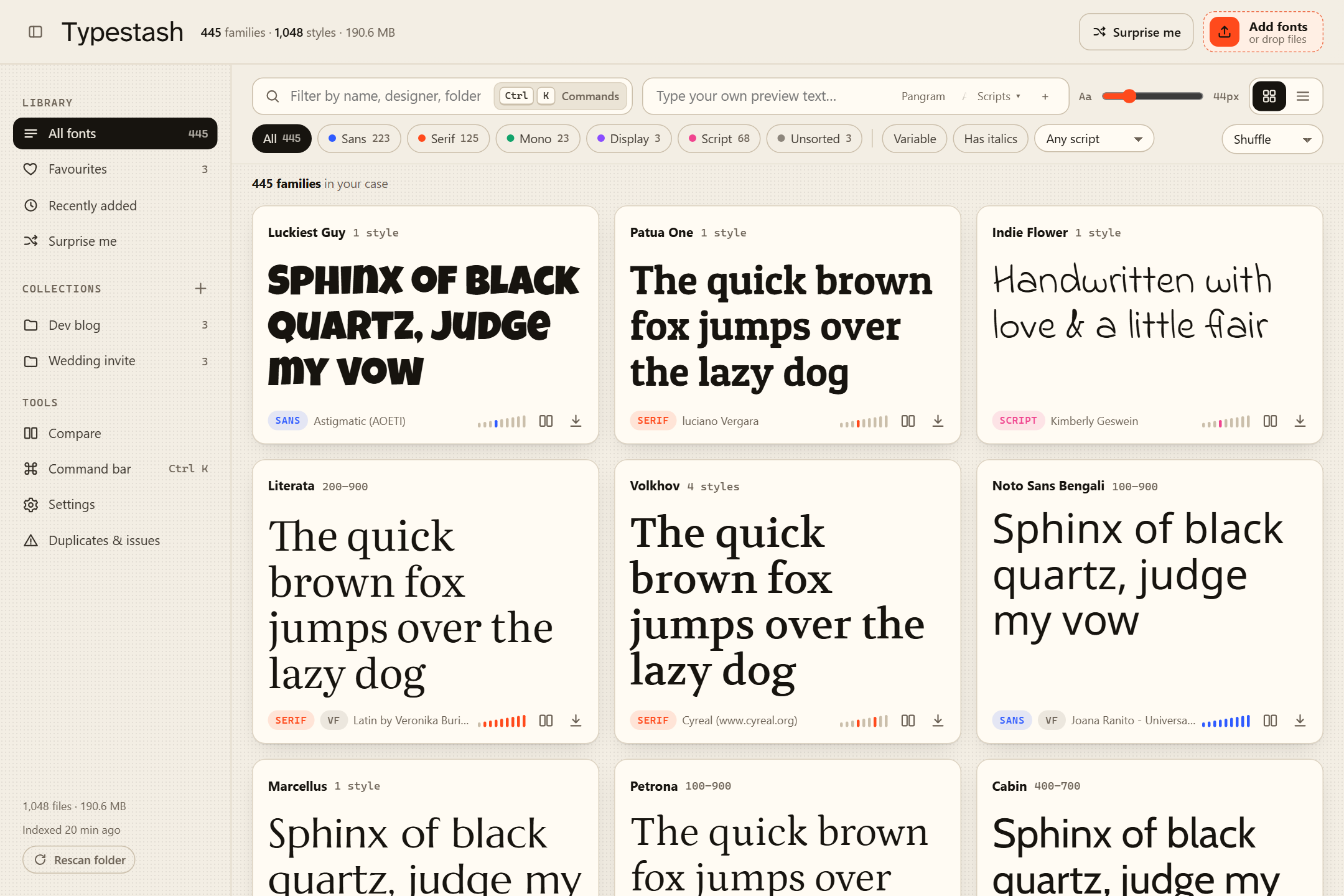
The gallery is the main screen. Every card is set in its own font, and you can type your own sample text, resize it, and switch between grid and list. There are filters for sans, serif, mono, display and script, for variable fonts, for families with italics and for writing systems. The Scripts menu is built from your own library, so you can preview Cyrillic, Greek, Arabic or Devanagari and see only the fonts that can render them. Sample texts you like can be saved as presets.
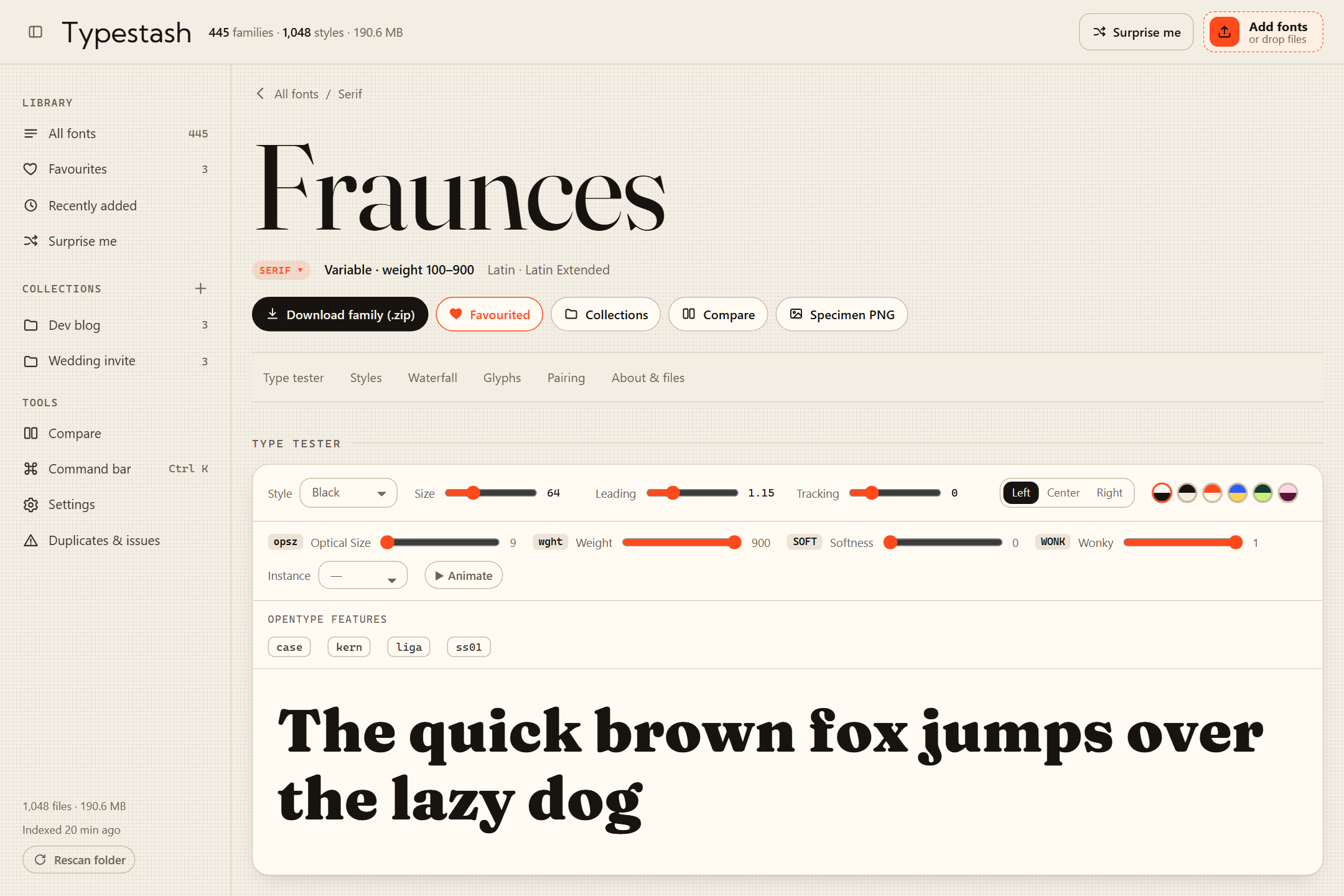
Each family gets its own page with a type tester: variable-axis sliders with an animate button, OpenType feature toggles, a waterfall, pairing suggestions and a full glyph map. Click a glyph to inspect it, double-click to copy it.
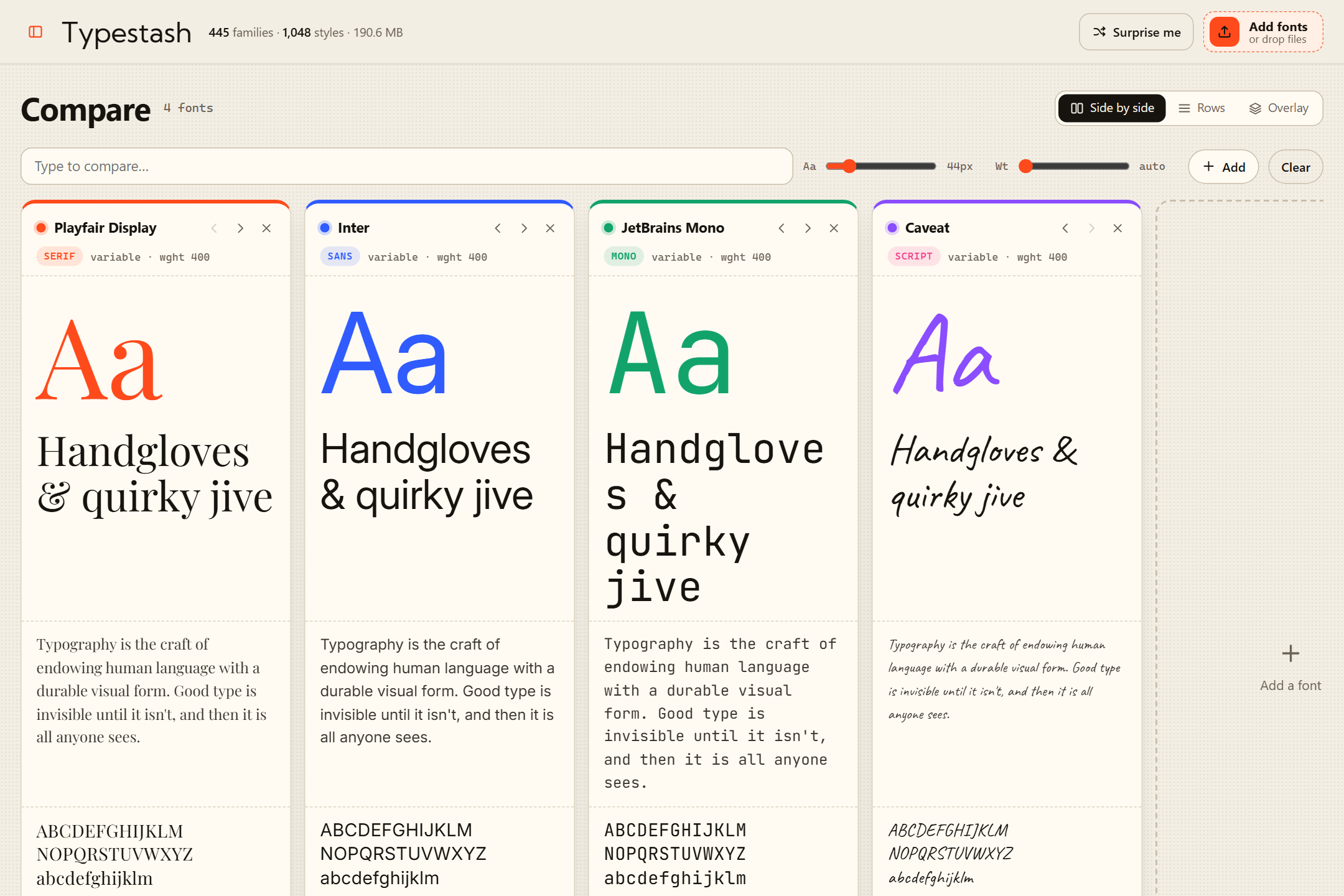
Compare takes up to 8 fonts, in columns, in rows, or overlaid on one baseline, with metric bars (x-height, cap height, width and so on) lined up so you can actually see the differences.
The rest is what makes it a library and not just a viewer:
- Organise: favourites, collections (downloadable as a zip) and notes.
- Download: a single style, a whole family as a zip, a collection, or a PNG specimen sheet.
- Add fonts by dropping them: drag fonts or zip archives anywhere on the page. They’re validated, de-duplicated and filed under
Uploads/<Family>. There’s a duplicates and issues page, and nothing is ever deleted. - Real metadata: it reads names, styles and the rest from inside the font files, not from the file names. TTF, OTF, WOFF, WOFF2 and TTC/OTC all work.
- Get around fast: a command bar for everything (⌘K, Ctrl+K or Super+K), 12 themes (Paper, Ink, Dracula, Nord, Tokyo Night, Catppuccin, Gruvbox and more), and it works on phones, foldables and tablets. The first visit gets a welcome tour.
Under the hood
I wanted it small enough to understand in one sitting, so there isn’t much to it:
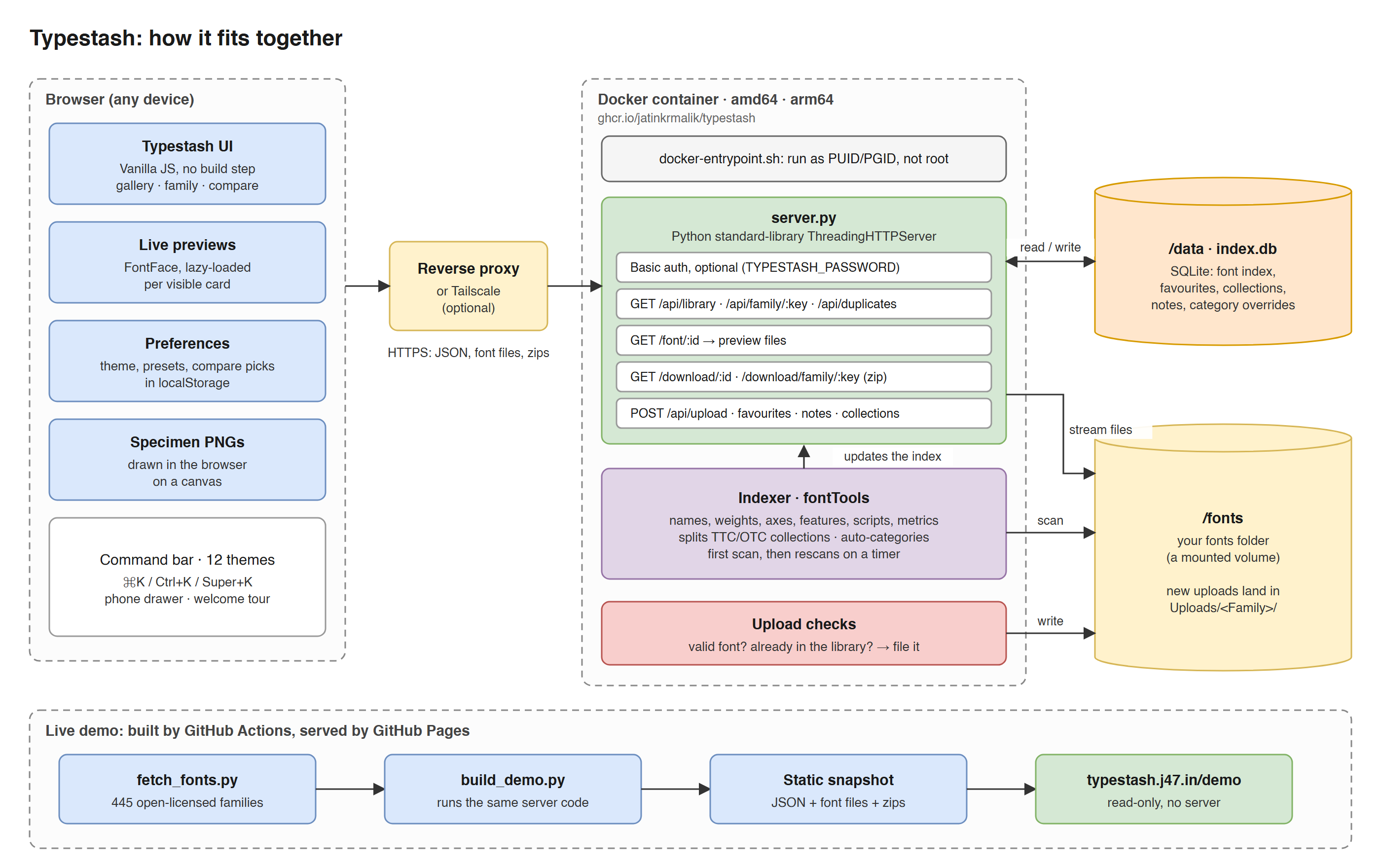
- One process, no framework. It’s Python’s standard-library HTTP server plus fontTools. The front end is plain HTML, CSS and JavaScript with no build step, and the Docker image is a slim Python base plus two pip packages.
- The indexer does the real work. It walks the fonts folder on start and every ten minutes, and only opens files that are new or changed. For each face (fonts inside TTC collections are split out) it reads the names, weights, variable axes, OpenType features, which scripts it covers, its metrics and licence text, then works out a category. Duplicates are found by hashing the files. It all lands in a single SQLite file.
- The browser does the rest. It loads the whole library index once and filters, sorts and searches locally, which is why it feels instant. Each preview font is only fetched when its card scrolls into view.
- Your files stay yours. Uploads are checked with fontTools, de-duplicated and filed under
Uploads/<Family>. Favourites, collections and notes live in the SQLite file next to the index, and Typestash never modifies or deletes a font. - The demo is the same code. A build script imports the real server, indexes 445 open-licensed families and writes every API response out as static JSON, so GitHub Pages can host it with no server at all.
It ships as one Docker image for amd64 and arm64, with a Docker Compose file and an Unraid template. There’s an optional basic-auth password, no accounts and no telemetry, and it’s MIT licensed. The README has the full architecture notes.
An end-to-end browser test suite (121 checks, in Playwright) runs in CI on every push. The current release is v0.3.0.
Try it
The easiest way is the live demo: 445 open-licensed Google Fonts families, nothing to install.
To run it on your own server, it’s one command:
docker run -d --name typestash \
  -p 8080:8080 \
  -v "$PWD/fonts:/fonts" \
  -v "$PWD/data:/data" \
  ghcr.io/jatinkrmalik/typestash:latest
Your fonts go in the fonts folder and Typestash is on port 8080. The website is typestash.j47.in, and the code is on GitHub.
What’s next
I’d love to turn Typestash into a font registry too, so the fonts in your library can be served as web fonts to your own sites and projects, straight from your own server. Pick a family, get a stylesheet link, done. Like Google Fonts, but for the fonts you actually own, including the ones you paid for. It needs some care around licences, since not every font is allowed on the web, so it would only publish the families you choose.
After that: tags and smart collections, licence and purchase tracking, “fonts that have ₹” search, syncing a collection to your desktop, and share links for clients. The full list is in the roadmap, and I’d like to hear which of these you’d actually use.
If you try it, tell me what’s missing, or which of your fonts it chokes on. And if your font folder is messier than mine was, I’d like to hear about it.
jatinkrmalik/typestash Self-hosted font library: preview, search, organise and download every font you own.Keep reading
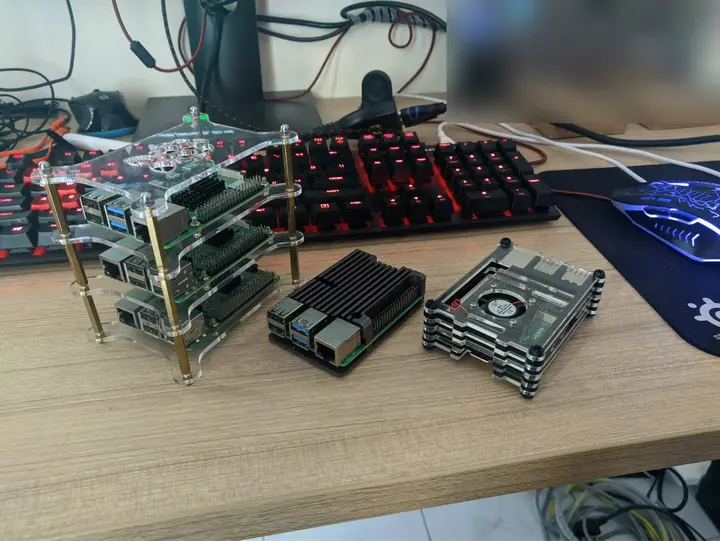
Zion, part 0: my homelabs before it, from a Pi stack to a Dell R510
Before Zion there was a Raspberry Pi stack in Bangalore and a Dell PowerEdge R510 in Delhi. What they ran, what I sold, and what made it to the US.
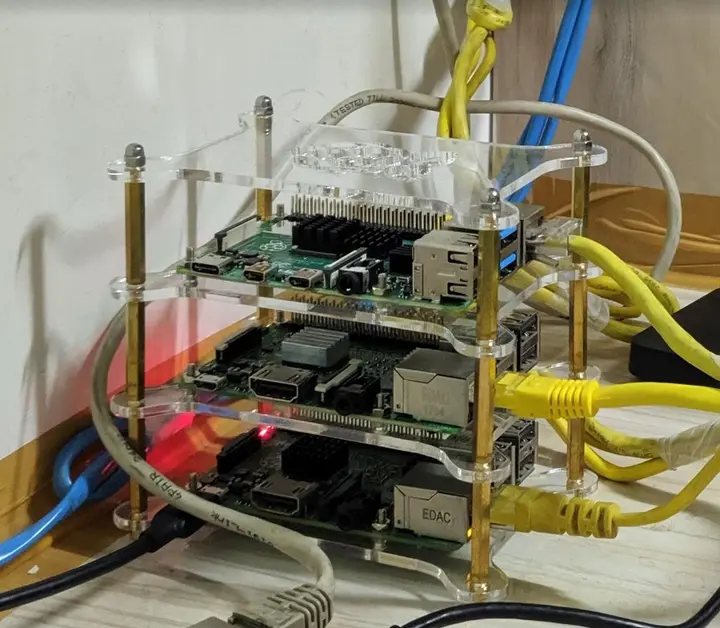
A journey to mystical lands of the homelab: my Lord of the Rings homelab talk
Today I walked colleagues at Uber through my homelab, where every box has a Lord of the Rings name. Pi-hole at 48.3%, RAID 5 and idols as heatsinks.
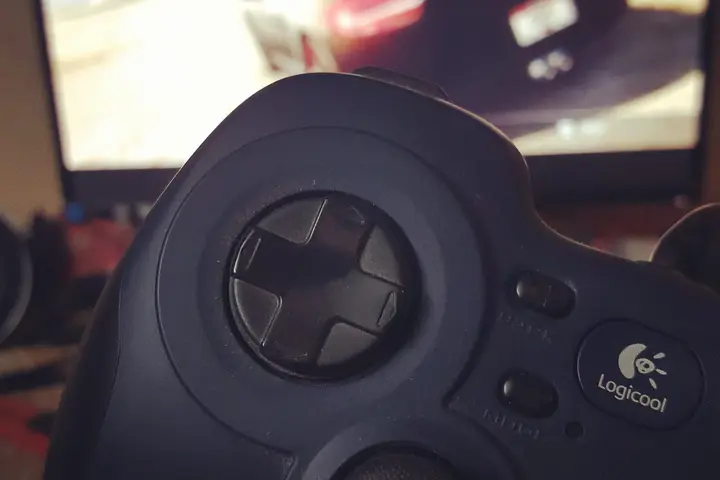
The Haswell box: the PC I built in 2015, four years on
The PC I built in 2015: an i5-4440 on a Gigabyte B85M, a GTX 960 a year later, a desk I drew in MS Paint, 16 GB for Chrome, and the dead hard drive that taught me 3-2-1.
Comments
No comments yet. Start the conversation.
Comments couldn't load right now.