Zion, part 2: about 40 containers and nothing exposed to the internet
The software on my trash-rescued homelab: ZFS, Docker Compose, Tailscale-only access with real HTTPS, a VPN'd download stack, Immich and the boring backup bits.

Part 1 was about pulling an HP Envy out of the garbage room and fighting its PSU. This one is about what actually runs on it. Short version: about 40 containers, real HTTPS on every app, and not a single port open to the internet.
The base
Ubuntu Server 26.04 on the stock 2TB WD Green, ZFS for the pool, Docker Compose for everything else. Every app gets its own folder with a compose file and an .env, and Dockge sits on top so I can poke at stacks from a browser. I ran Proxmox and TrueNAS on my old lab and this time I wanted something simpler, where the whole config is just files I can keep in git.
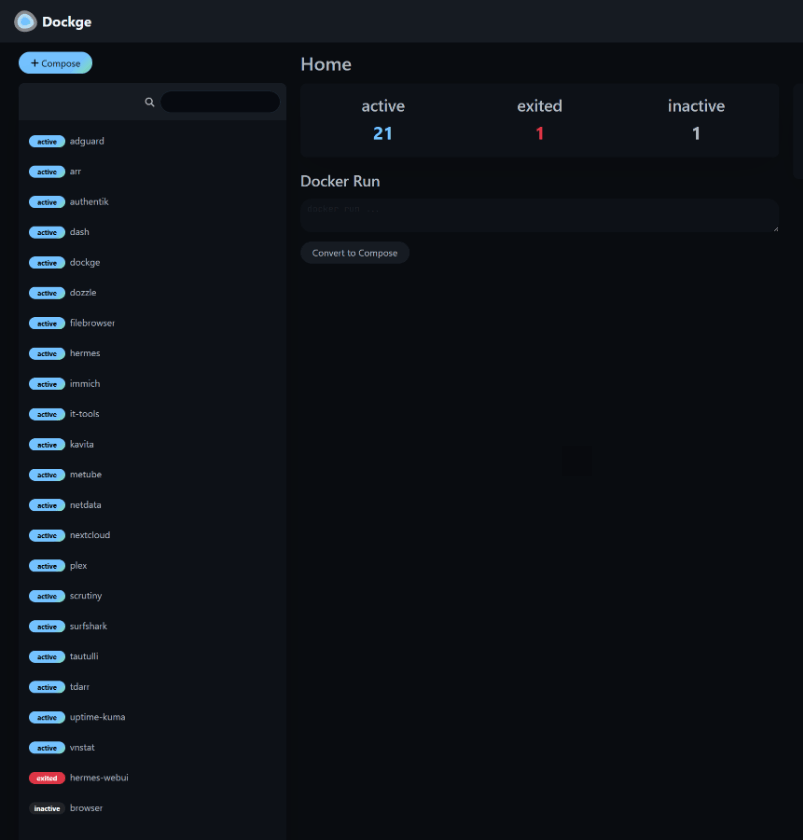 Dockge: one stack per folder.
16 GB of RAM isn’t a lot for ZFS plus about 40 containers, so the ARC is capped at 6 GiB. Before that it ate nearly all the memory during scrubs.
Remote access without opening anything
Rule one: nothing on Zion is reachable from the internet. There are no port forwards on the router and no tunnels. Cockpit, Dockge and File Browser are basically root or full access to my data, and public login pages get hammered all day.
So everything goes over Tailscale, but I still wanted proper URLs instead of a pile of IP:port bookmarks. I got them like this:
- A wildcard DNS record at Porkbun points
*.zion.<mydomain>at Zion’s tailnet address. Anyone can look the names up, but the address only goes somewhere if you’re on my tailnet. - Caddy (a custom build with the Porkbun DNS module) gets real Let’s Encrypt certs with the DNS-01 challenge, so it never has to be reachable from outside to prove it owns the name.
- Authentik does forward-auth SSO in front of almost everything. Its config lives in the repo as blueprints, so adding an app is a provider, an application and a Caddy block that imports the SSO snippet.
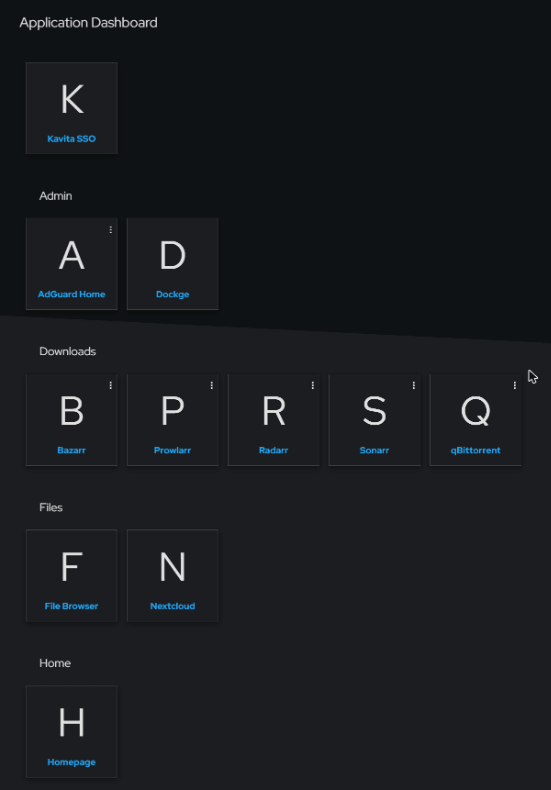 The app list in Authentik.
A few apps keep their own logins: Immich, Plex and Kavita, plus Nextcloud, which logs in through Authentik with OIDC instead. Their phone apps talk to the server directly and can’t follow an SSO redirect, so forward auth would just break them. Cockpit is a root shell, so it isn’t proxied at all and keeps its own login on its own port.
Underneath all that, every app container binds to localhost. The only things listening on the network are Caddy, Plex, Cockpit, SSH, Samba and AdGuard’s DNS, and ufw keeps those to the tailnet, with LAN exceptions for SSH, Samba, DNS and Plex (so the TV works without Tailscale).
Fun one from the first week: Plex locked me out of its own Server Settings. plex.tv’s Cloudflare returns a 403 when a server advertises an address in Tailscale’s CGNAT range. Making Plex advertise only its plex.zion.<mydomain> HTTPS name fixed it.
What’s running
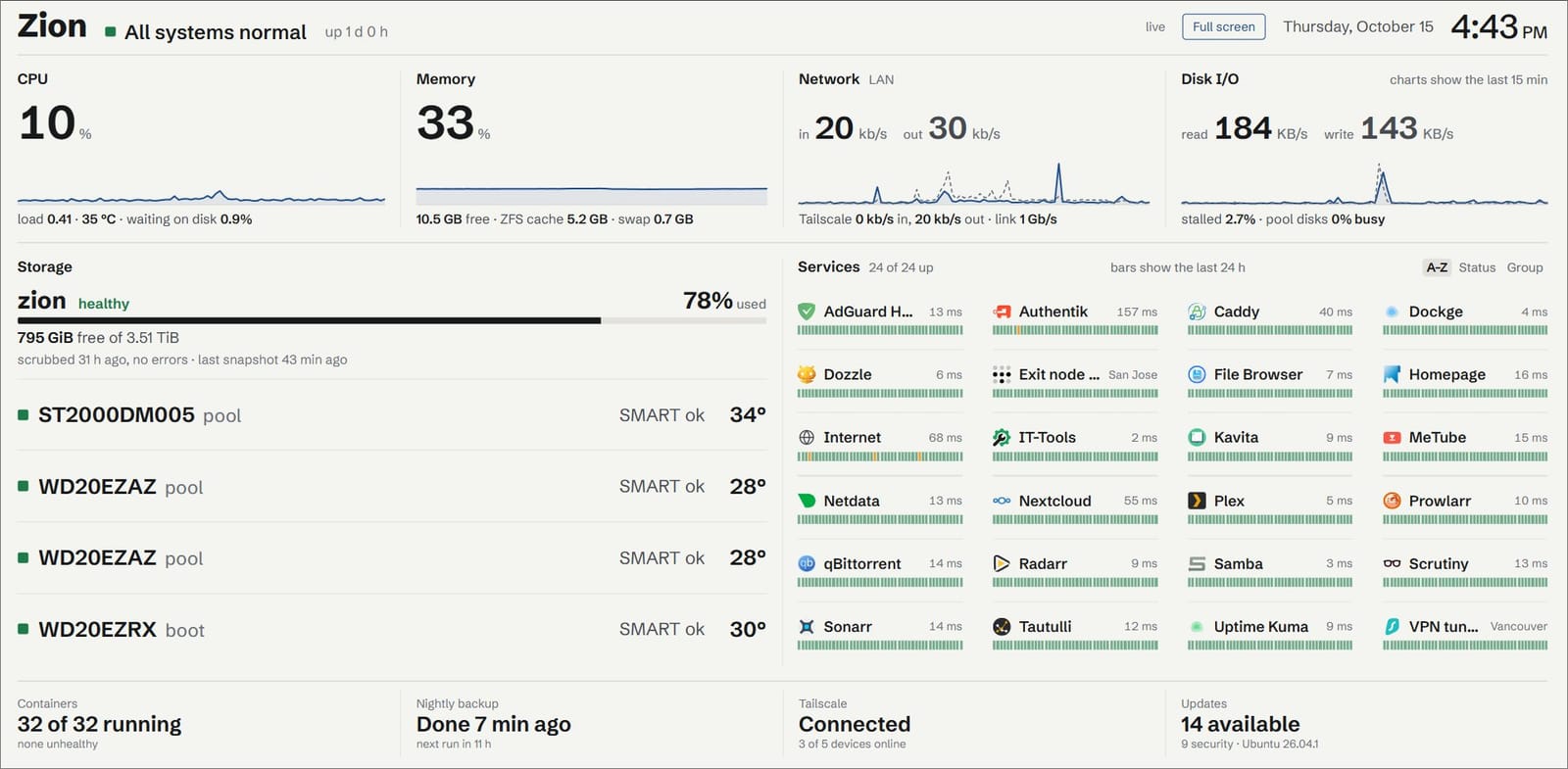
- Media: Plex with Quick Sync, Tautulli, Kavita for books and comics, MeTube for YouTube courses, Tdarr
- Downloads: Sonarr, Radarr, Prowlarr, Bazarr and qBittorrent, all inside a VPN container. Great for Linux ISOs 🐧
- Photos and files: Immich, Nextcloud, File Browser, Samba
- Network: AdGuard Home for DNS on the tailnet, and a Surfshark exit node
- Monitoring: Netdata, Scrutiny for SMART, Uptime Kuma, Dozzle, vnStat, Cockpit, and my own dashboard (that’s part 3)
- Misc: IT-Tools, a Firefox container, and Hermes
The download stack
qBittorrent, Sonarr, Radarr and Prowlarr all share one Gluetun container’s network, connected to Surfshark over WireGuard. If the tunnel drops, they drop with it. I tested the kill switch the dumb way, by taking the tunnel down inside the container and checking nothing could get out. qBittorrent is also bound to the tunnel interface, with UPnP off.
Downloads and media sit on the same dataset, so imports are hardlinks instead of copies, and qBittorrent stops at 500 GB free so it can’t fill the pool.
Early on, qBittorrent bit me by memory-mapping torrent files, which it does by default. With 4.4 GB mapped the kernel started swapping my other apps out to the slow boot drive. Switching its disk I/O type to POSIX took it from 4.4 GB to 45 MB.
About that VPN and port forwarding
When I posted Zion on r/homelab, someone pointed out that Surfshark doesn’t do port forwarding, which matters for torrents because nobody can connect in to you, so you only get peers that accept incoming connections themselves. Fair point, and thin swarms do stall (it’s not the disks: at 400 Mbit/s the pool was 75 to 88% idle). For now I work around it. Prowlarr only passes along releases with 5 or more seeders, and qBittorrent appends a public “best trackers” list to every new torrent. The proper fix is a VPN that supports port forwarding for the download tunnel only, and that’s next on the list. Surfshark stays for the exit node.
An exit node so my phone runs one VPN
Phones only run one VPN at a time, so I always had to pick between Surfshark and Tailscale. Now a second Gluetun container (its own WireGuard key, a San Jose server) has Tailscale running inside it, advertised as an exit node. My phone only runs Tailscale, and when I want the VPN I pick the exit node, which is one tap.
It was really slow at first, because Gluetun’s catch-all route also grabbed Tailscale’s own replies, so packets to my phone took a scenic trip through San Jose. A couple of routing rules that send tailnet traffic the normal way fixed that.
700 GB out of Google Photos
Immich went in at the end of October. Takeout links only work while you’re signed in to Google, and Google blocks sign-in from headless browsers, so I ran a Firefox container on Zion, signed in there and clicked the links. The zips downloaded straight onto the box: 13 of them, 541 GB. Then immich-go read the zips and Google’s JSON sidecars for dates, places and albums.
My first run, at 8 concurrent tasks during TV time, pinned the boot drive (load 30, IO pressure 95%) and Plex stalled, because its metadata lives on the same disk. So now big jobs on the boot drive run when nobody’s watching. Final count: 81,864 assets in the Takeout, 12,169 duplicates (Google exports album copies next to the year folders), and 68,011 photos plus 1,498 videos in Immich, about 496 GB. One 19 GB video timed out on both passes and had to go up on its own lol. Then Immich’s background jobs (metadata, thumbnails, faces) hammered the disk so hard that Authentik timed out and SSO went down. Putting Immich in the idle IO class fixed it.
 Immich’s own count.
It’s on the boot drive because the pool had 711 GB free against that 500 GB floor, and the second pool doesn’t exist yet (that’s the PSU saga from part 1). So it’s one disk with no redundancy, and Google Photos stays the backup. Immich’s database (albums, faces, edits) gets dumped to the pool every night and goes off-site with everything else.
The boring stuff that keeps it alive
- Sanoid snapshots (24 hourly, 30 daily, 6 monthly) and a monthly scrub. Snapshots also hang on to files you replace, which I learned when upgrading a batch of movies to 1080p pushed the pool to 85% and I had to prune ~93 GB of old snapshots.
- A nightly backup at 3:30am, split in two. A sanitized copy of the config (compose files, a slice of /etc, the package list, image digests) goes into a git repo, with a guard that refuses to commit if it spots a real secret. It once refused because it thought Immich’s database user name was a password 💀 The real secrets, the Postgres dumps and the app state go to a root-only folder on the pool, which gets snapshotted like everything else.
- Every Sunday an encrypted archive of the DB dumps, app databases, configs and secrets goes to Google Drive through rclone crypt. Artwork, caches and logs stay out, so 4.9 GB shrinks to ~330 MB, and it keeps the newest 8. rclone only has access to files it created itself.
- Restore notes live in the repo: reinstall Ubuntu, import the pool (never create it), put back /etc and app state, load the database dumps, start Authentik, then the rest.
Updates install themselves. Unattended upgrades covers all of Ubuntu’s updates plus the Docker and Tailscale repos at 4am, after the backup, and if a kernel or systemd update needs it the box reboots at 4:30. A Docker upgrade restarts every container, so the run skips itself while a long job like the Immich import or the HEVC batch is going, and tries again the next night. Major Ubuntu upgrades stay manual.
Swap is zram now. The 2 GB swap file lived on the slow boot HDD, filled up with idle pages during heavy IO, and paging them back in made Plex stutter. Now it’s 4 GB of compressed RAM.
I also ran a Quick Sync HEVC batch over the 100 biggest movies, as a plain systemd service with Tdarr’s ffmpeg. Before it replaces anything it checks the duration (within 2 seconds), the audio and subtitle streams, that the last 10 seconds decode cleanly, and that the new file is at most 85% of the original. Result: 13 replaced, 87 kept, 16.7 GB freed. I was hoping for ~130 GB, but my library was already pretty lean lol.
Hermes
Hermes is a self-hosted AI agent running in Docker on Zion. It sees the pool read-only and Docker only through a read-only socket proxy, so it can look at the pool and the containers but can’t change either. Its lane is homelab ops, coding help and research.
Built with a lot of AI help
I didn’t hand-write all of this. Most of the Compose files and configs, the backup scripts and a fair bit of the debugging (the exit node routing, the Immich IO fights) were built with a lot of help from Claude and other AI agents. I decided what Zion should do, made the calls and checked everything that went in, but the agents did a lot of the typing.
What’s next
Vaultwarden and Paperless-ngx are next. Both need an admin account, and those I set up myself. I also want to pull in the feed from my doorbell camera somehow, and part 3 is the dashboard and the wall tablet.
What would you add to this stack, or take out? And if you’ve found a VPN with port forwarding that plays nicely with Gluetun, I’m all ears.
Keep reading
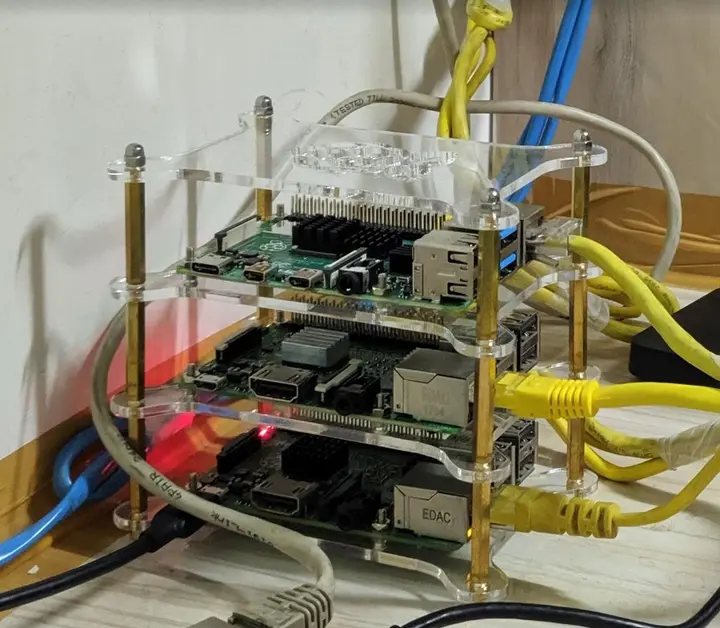
A journey to mystical lands of the homelab: my Lord of the Rings homelab talk
Today I walked colleagues at Uber through my homelab, where every box has a Lord of the Rings name. Pi-hole at 48.3%, RAID 5 and idols as heatsinks.
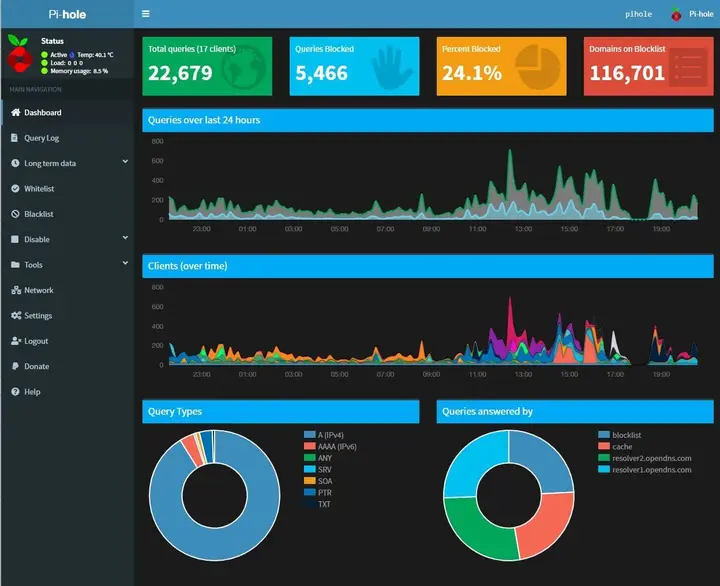
Pi-hole on a 4-year-old Raspberry Pi 2: no ads on the whole network
I finally set up Pi-hole on my old Raspberry Pi 2, powered off the modem's USB port. A month later, 24% of the DNS queries on my network were ad-related.
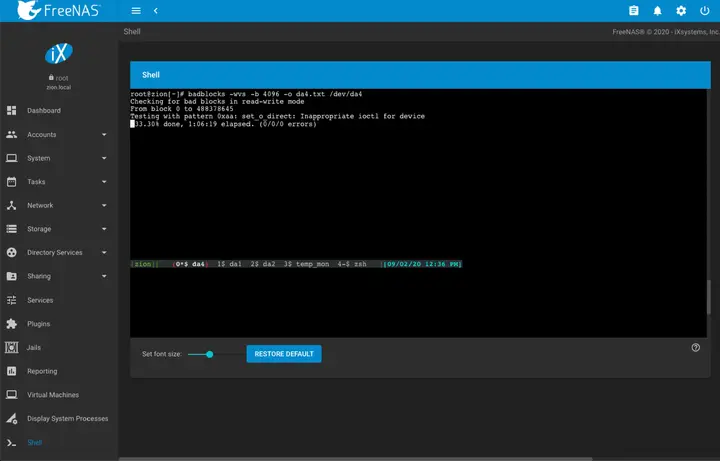
My new hard drive ritual: badblocks, TLER and the SMR check
What a new hard drive goes through before it joins my NAS: a badblocks burn-in in tmux, TLER via smartctl, and the CMR, SMR and shucking checks.
Leave a comment